1. 1. Why Main Store Listing Rejections Block Your Closed Testing Opt-In Clock
A widespread misconception among first-time Android publishers is that Store Listing quality only matters when applying for Production Access on Day 15. Developers routinely type `'Beta build - coming soon'` into the Full Description, upload three identical splash-screen PNGs as phone screenshots, and submit their Closed Testing AAB expecting rapid approval.
In reality, Google Play's automated classifier and human review pipeline inspect your entire **Grow > Store presence > Main store listing** package alongside your binary before flipping your Closed Testing track to `Available to testers`. Because opted-in testers view your actual Store Listing inside the Google Play Store app when installing your build, placeholder text, broken imagery, or policy-violating claims trigger immediate rejection.
Worse still, every day spent appealing or re-uploading rejected graphics delays the moment your 12+ testers can install the binary and start the 14-day consecutive opt-in clock. Treating your Main Store Listing as production-grade prior to Day 1 eliminates three-to-five-day review stalls.
2. 2. Eliminating Metadata Keyword Spam, Unverified Superlatives & Trademark Violations
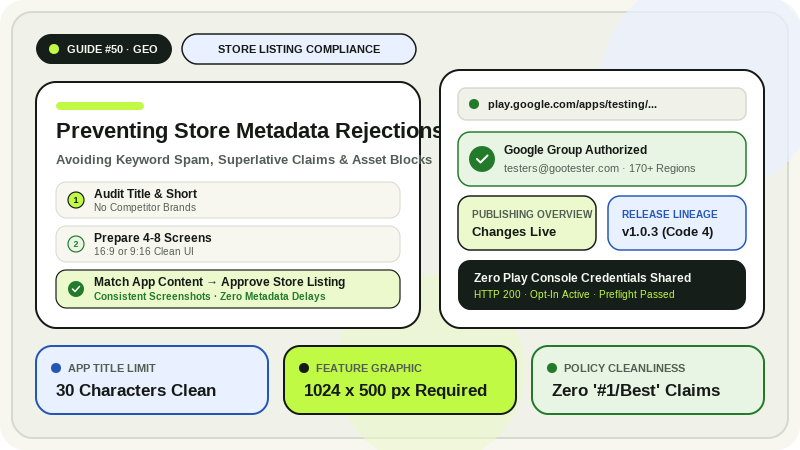
Google Play's Metadata Policy strictly regulates your **App name** (maximum 30 characters), **Short description** (maximum 80 characters), and **Full description** (maximum 4,000 characters). Natural-language paragraphs explaining real features pass effortlessly, whereas comma-separated tag clouds, repetitive keyword blocks, or competitor brand lists at the bottom of your description trigger deterministic keyword-spam rejections.
Equally strict is the ban on unverified performance, ranking, and promotional claims. Your title, developer name, icon, and promotional copy cannot contain words like `#1`, `Best`, `Top`, `Download Now`, `Sale`, `100% Free`, or `Ad-Free` unless backed by verifiable third-party attribution permitted under policy—and price/promotional callouts (`Free`, `50% Off`) are flatly prohibited in titles and icons because Play Store UI renders pricing natively.
Finally, audit third-party trademarks carefully. Naming an app `'WhatsApp Status Saver Pro'` or `'Notion Sync Widget'` infringes trademark ownership by placing the third-party brand in the primary noun position. Always lead with your own distinct brand identity and, only where genuinely necessary to describe interoperability, phrase compatibility accurately (`'Status Saver for...'`) without mimicking official brand logos.
| Store Listing Field | Hard Limit | Common Rejection Trigger | Compliant Engineering Pattern |
|---|---|---|---|
| App Name (Title) | 30 chars | '#1 Best PDF Scanner FREE 🔥' | 'ScanVault: Document & OCR Scan' |
| Short Description | 80 chars | 'Best top #1 app download now free!' | 'Scan receipts to searchable PDFs offline with automatic edge crop.' |
| Full Description | 4,000 chars | Bottom keyword block: 'tags: ocr, camscanner, pdf' | Structured prose paragraphs + concise 5-item feature bullet list |
| App Icon Overlay | 512x512 px | Corner ribbon reading 'NEW', 'PRO', or '4.9★' | Clean vector brand mark without text badges or fake UI counters |
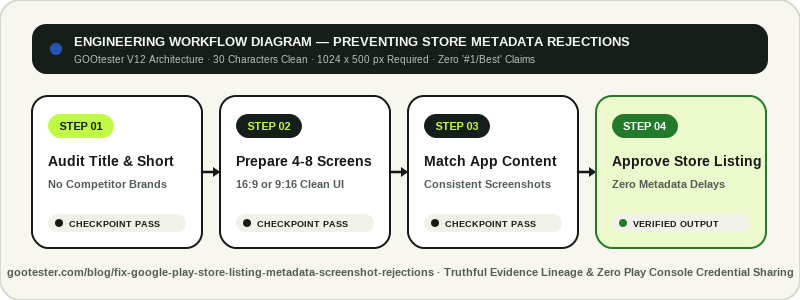
3. 3. Engineering Compliant Phone, 7-Inch & 10-Inch Tablet Screenshots
Play Console requires between 2 and 8 phone screenshots formatted as JPEG or 24-bit PNG (with no alpha transparency channel) under 8 MB each. Every image must measure between `320px` and `3840px` per side, and the longest dimension may never exceed **twice the length of the shortest dimension** (`max_side <= 2.0 * min_side`). Raw full-screen captures from ultra-tall `20:9` or `21:9` modern Android handsets (`1080x2400`) exceed that `2:1` ratio (`2400 > 2160`) and fail validation unless framed onto a clean `9:16` (`1080x1920`) canvas!
Do not upload stretched or letterboxed phone screenshots into the **7-inch tablet** and **10-inch tablet** screenshot slots unless your app actually adapts to tablet viewports and the captures come from tablet screen bounds (such as `1600x2560` or `1920x1200`, minimum `1080px` shortest side for large-screen promotion eligibility). Submitting distorted phone UI inside tablet slots triggers Large-Screen quality rejections.
Ensure at least your first three screenshots display real, rendered application UI rather than marketing lifestyle stock photos, blank login screens, or tiny unreadable 8pt device callouts. Avoid showing persistent Android system notification trays cluttered with unrelated third-party app icons or low-battery warnings.
import struct, pathlib, sys

for png in pathlib.Path("store-assets/screenshots").glob("*.png"):
    data = png.read_bytes()
    w, h, bit_depth, color_type = struct.unpack(">IIBB", data[16:26])
    has_alpha = color_type in (4, 6)
    ratio = max(w, h) / min(w, h)
    if min(w, h) < 320 or max(w, h) > 3840 or ratio > 2.0 or has_alpha:
        sys.exit(f"FAIL {png.name}: {w}x{h} ratio={ratio:.2f} alpha={has_alpha}")
print("All Play Store screenshots satisfy 24-bit RGB and <=2:1 aspect bounds.")
4. 4. Feature Graphic (`1024x500`) and Hi-Res App Icon (`512x512`) Visual Rules
Every Google Play listing requires a mandatory **Feature graphic** measuring exactly `1024x500` pixels (JPEG or 24-bit PNG without alpha transparency) alongside a **Hi-res icon** measuring `512x512` pixels (32-bit PNG, maximum 1,024 KB). Even though the Feature Graphic is most prominent when you attach a promo video or earn featured placement, Play Console blocks initial submission if the `1024x500` slot is missing or violates text/badge policies.
When designing your `512x512` app icon, export a full-bleed square canvas rather than pre-cutting transparent rounded corners. Google Play dynamically applies a uniform 20% corner-radius mask and subtle drop shadow across Store surfaces; pre-baked rounded corners often misalign with Google's mask, leaving jagged white or dark halo artifacts.
Keep critical focal typography inside the central 70% safe zone of your `1024x500` Feature Graphic, avoid repeating your exact App Icon and App Title verbatim as the sole elements, and never include Google Play store badges, fake 'Install' buttons, or award medallions anywhere inside graphic assets.
- Hi-Res Icon: 512x512 px, 32-bit PNG, <= 1,024 KB, full-bleed square (let Google Play apply corner radius masking).
- Feature Graphic: 1024x500 px, JPEG or 24-bit RGB PNG (strip alpha channel via `convert -alpha off`), <= 15 MB.
- Zero Fake UI Elements: Never draw simulated notification dots (`(3)`), star ratings, or 'Editor's Choice' seals onto icons or screenshots.
- Consistent Age Suitability: Store Listing graphics must be appropriate for a general audience (ESRB Everyone / PEGI 3) even if the app itself carries a higher rating.
- Promo Video URL (Optional): Must be a public or unlisted landscape YouTube watch URL with monetization and age restrictions disabled.
5. 5. Clearing Rejected Metadata Changes Without Disrupting Active Closed Testers
What happens if your 14-day closed test is already on Day 8 with 15 active testers, and you submit a Store Listing description update that Google rejects for a prohibited claim? Fortunately, a standard metadata update rejection only blocks the *new* unapproved changes; your previously approved Closed Testing binary remains live and your 14-day consecutive opt-in counter continues ticking uninterrupted.
However, until you remediate the rejected Store Listing submission, your Play Console **Publishing overview** queue enters a `Rejected` or `Needs attention` state that blocks you from rolling out new Closed Testing `versionCode` updates or submitting your Day-15 Production Access promotion.
Always inspect **all active localizations** when fixing a metadata rejection! Developers frequently delete an offending phrase (`'Best free tracker'`) from `en-US` while forgetting they auto-translated the exact same prohibited superlative into `en-GB`, `en-CA`, or `es-419`—causing an instant repeat rejection on resubmission.
- Read the Exact Policy Violation Notice: Open Policy status inside Play Console to inspect the exact field, screenshot filename, or localization locale cited by the reviewer.
- Audit Every Enabled Language Locale: Switch through the language dropdown in Main store listing (especially en-US, en-GB, and auto-translated locales) and remove offending phrases everywhere.
- Re-Export Clean 24-Bit Assets: Replace any flagged graphic or stretched screenshot with validated RGB assets adhering to strict 9:16 or 16:9 bounds.
- Resubmit via Publishing Overview: Navigate to Publishing overview and send all corrected items together so pending AAB releases unblock cleanly.
6. 6. Pre-Validating Your Store Listing Before Activating Your GOOtester Cohort
Finishing your Store Listing compliance sweep *before* inviting external closed testers saves days of back-and-forth troubleshooting. When your title, description, privacy policy link, and `9:16` UI screenshots satisfy policy on the first upload, Google Play typically approves your initial Closed Testing track in 12 to 48 hours.
Because GOOtester never starts your testing countdown at checkout—activating your timer only after we verify your Play Console track is live and recruit human testers via `testers@gootester.com`—you never lose paid testing days if an initial screenshot fix takes an extra day in Google's review queue.
Once your listing clears review, our Basic ($6, 12 testers / 14 days), Standard ($12, 15 testers / 16 days), or Premium ($20, 25 testers / 24 days) human cohorts join smoothly through your Web Opt-In URL with zero credential sharing.
Matching App Title Between Manifest and Store Listing
Keep your `android:label` launcher name aligned with the core brand noun in your 30-character Store Listing title so reviewers never flag deceptive launcher identity mismatches.
Verifying Public HTTPS Privacy Policy Uptime
Ensure the Privacy Policy URL linked on your Store Listing returns HTTP `200 OK` without login gates, geo-blocks, or PDF download prompts.
Actionable Pre-Submission Verification Checklist
- Keep App Name <= 30 chars and Short Description <= 80 chars with zero ranking claims ('#1', 'Best', 'Free').
- Remove comma-separated keyword lists and unauthorized third-party brand nouns from your Full Description.
- Export 2–8 genuine UI phone screenshots in 24-bit RGB PNG/JPEG with max_side <= 2.0 * min_side (e.g., 1080x1920).
- Upload a full-bleed 512x512 32-bit PNG icon (no baked corner masks or 'NEW'/'PRO' ribbons) and a 1024x500 Feature Graphic.
- Audit every localized language variant (en-GB, es-ES, etc.) so translated superlatives do not trigger repeat rejections.
- Wait until Play Console marks your initial Store Listing and Closed Testing AAB 'Available to testers' before distributing your opt-in link.
Frequently Asked Questions
Can I use placeholder 'Lorem ipsum' text and dummy screenshots just for Closed Testing?
No. Google Play enforces full Store Listing and Metadata policies on Closed Testing tracks. Placeholder copy or blank screenshots routinely trigger rejections that block your opt-in link from activating.
Why did Play Console reject my 1080x2400 phone screenshots?
Google Play requires screenshot aspect ratios not to exceed 2:1 (longest side <= 2x shortest side). A raw 1080x2400 (20:9) capture exceeds 1080x2160; crop or frame your captures onto a standard 1080x1920 (9:16) 24-bit RGB canvas.
Does a rejected Store Listing update reset my 14-day closed testing counter?
No, as long as your app is not removed or suspended for severe policy abuse, your previously approved Closed Testing AAB stays live for existing opted-in testers while you fix and resubmit the rejected metadata.
Will I lose paid testing days on GOOtester if Google rejects my initial Store Listing before testing starts?
No. GOOtester's service clock never starts at checkout; your 14, 16, or 24-day testing window begins only after your Play Console track passes initial review and our testers actively opt in.