1. 1. Why a "14-Day Closed Test" Takes 20 to 25 Calendar Days End-to-End
Product managers and indie founders frequently schedule their public marketing launch exactly fourteen days after uploading their first Android App Bundle to Google Play Console. When Day 14 arrives and the app is still days away from appearing in public Google Play search results, launch campaigns stall and stakeholders panic. The root cause is conflating the 14-day tester opt-in window with the total end-to-end Play Store verification lifecycle.
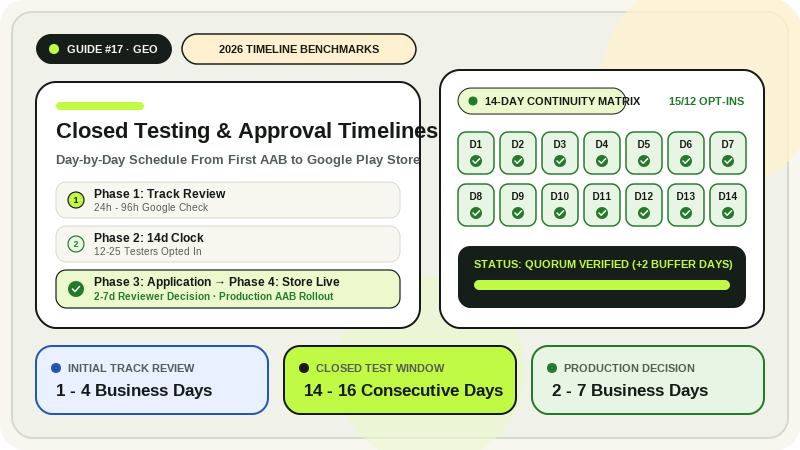
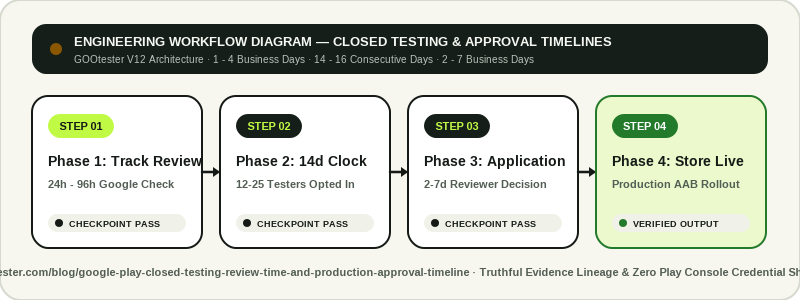
For every personal Google Play developer account created after November 13, 2023, bringing a brand-new application ID from initial upload to public downloadability traverses four distinct phases: Phase 1 (Initial Closed Track & App Content Review), Phase 2 (Cohort Onboarding & the 14-Day Consecutive Opt-In Window), Phase 3 (Production Access Questionnaire Review), and Phase 4 (Production Track Promotion & Public Propagation).
Understanding the realistic 2026 latency benchmarks for each of these four phases—and knowing which technical declarations extend review queues—allows you to plan deterministic launch dates and eliminate self-inflicted delays.
| Lifecycle Phase | Typical Duration (Standard App) | Extended Duration (Sensitive Permissions / Categories) | What Unlocks the Next Phase |
|---|---|---|---|
| Phase 1: Initial Closed Track & Metadata Review | 24 to 72 hours (1 - 3 days) | 4 to 7 calendar days (Health, Finance, VPN, Accessibility, SMS/Call Log) | Play Console status switches from 'In review' to 'Available to selected testers' |
| Phase 2: Tester Onboarding & 14-Day Opt-In Clock | 14 consecutive days (336 hours) | 14 consecutive days (resets or pauses if opted-in count dips below 12) | 12+ testers remain continuously opted in for 14 full days; 'Apply for production' unlocks |
| Phase 3: Production Access Application Review | 2 to 5 business days | 5 to 7 business days (or 14-day reset if rejected with 'More testing required') | Email & banner confirmation: 'Congratulations! Your app has been granted Google Play production access' |
| Phase 4: Production Release Promotion & Propagation | 2 to 24 hours | 24 to 72 hours (if uploading a brand-new .aab instead of promoting the closed build) | Public Google Play Store listing becomes searchable and installable worldwide |
2. 2. Phase 1 (Days -3 to 0): Initial Closed Testing Track Review Latency
When you create a new application in Google Play Console, complete the mandatory App Content declarations (Privacy Policy, Data Safety, Ads, App Access, Content Ratings, Target Audience, Category), configure your Main Store Listing, and publish your first signed `.aab` to a Closed Testing track, your app enters its first formal review queue.
Why does a closed testing track require a multi-day review before you can even invite external testers? Because unlike Internal Testing (which skips policy review and deploys within minutes to up to 100 internal workspace team members), a Closed Testing opt-in URL can be shared with external users. Therefore, Google Play verifies your store listing assets, malware signatures, App Access demo login credentials, and restricted permission declarations before activating your closed testing opt-in link.
In 2026 benchmarks, standard consumer utility, productivity, lifestyle, and indie game apps without sensitive runtime permissions typically clear this initial closed track review in 24 to 72 hours. Notice that until this review completes, your closed testing opt-in URL (`https://play.google.com/apps/testing/<package>`) will display an 'App not available' message to external testers—meaning your 14-day clock has not started yet.
- Standard Permissions (Internet, Notifications, Camera/Photos via Photo Picker): 24 to 72 hours initial closed track review.
- Elevated Policy Declarations (Foreground Services, Exact Alarms, Health Connect, Financial Features): 3 to 5 calendar days.
- High-Scrutiny Permissions (`REQUEST_INSTALL_PACKAGES`, `BIND_ACCESSIBILITY_SERVICE`, `QUERY_ALL_PACKAGES`, VPNService): 5 to 7+ calendar days with mandatory video demonstration verification.
3. 3. Phase 2 (Days 1 to 14): When the 14-Day Consecutive Clock Actually Starts
The most common timeline miscalculation occurs between Day 0 and Day 2. Many developers assume the 14-day timer starts the moment they click 'Start rollout to Closed testing' on their initial `.aab`, or the moment the first tester clicks the opt-in link. Neither assumption is accurate.
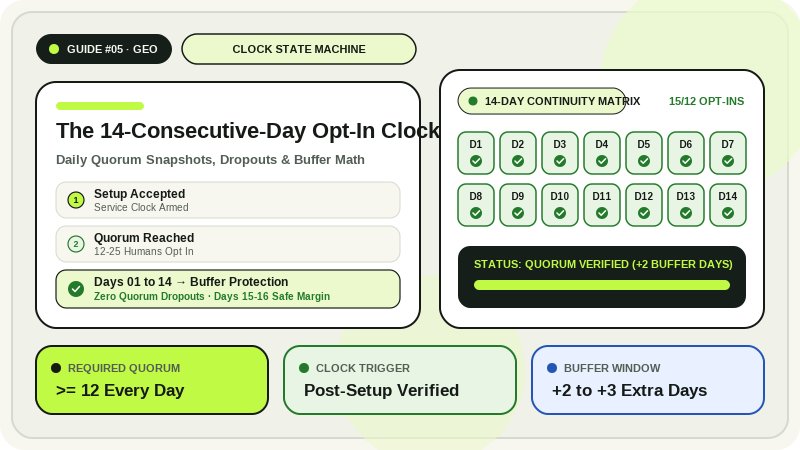
Google Play's 14-day consecutive opt-in clock begins ticking only when two state conditions are simultaneously satisfied: first, your closed testing release must be fully approved and published (live to testers), and second, your cumulative number of opted-in testers on that track must reach at least 12 distinct Google accounts. If your build is approved on Monday morning, 8 testers opt in on Monday afternoon, and testers #9 through #12 opt in on Wednesday at 14:00 UTC, your 14-day clock starts on Wednesday at 14:00 UTC—not Monday.
This is why onboarding speed and cohort size matter so much. When you use a coordinated human testing platform like GOOtester to onboard 15 to 25 real testers within hours of your closed track going live, you eliminate the 3-to-5 day 'trickle-in lag' that plagues solo developers trying to recruit twelve acquaintances one by one.
4. 4. Phase 3 (Days 15 to 19): Production Access Application Review Duration
After 14 full consecutive days (336 hours) with 12 or more opted-in testers, your Play Console Dashboard checklist marks the closed testing prerequisite complete and unlocks the 'Apply for production' button. When you complete the three mandatory Production Access questionnaire sections and click submit, your account enters Phase 3: Production Access Graduation Review.
In 2026, Google Play's typical turnaround time for a Production Access application is 2 to 5 business days (approximately 48 to 120 hours, extending up to 7 calendar days if submitted immediately before a weekend or major holiday). During this window, your dashboard displays the banner: 'We're reviewing your request for production access. We'll notify you when our review is complete.'
What determines whether your application resolves on the fast end (48 hours) versus the slow end or rejection? Clarity and telemetry alignment. Applications backed by 15 to 25 active device installations, 2 to 3 iterative `.aab` releases during the 14-day window, zero unresolved crashes in Android Vitals, and concrete, versionCode-referenced questionnaire responses give reviewers unambiguous evidence to approve on the first pass.
- Submit your Production Access form during early-to-mid week if possible: While reviews run globally, submitting with a clean track state and zero pending unreviewed store listing edits prevents queue contention.
- Do NOT upload a brand-new .aab while Production Access is 'In review': Freeze binary uploads on your closed track from the moment you click 'Apply for production' until the Production Access decision email arrives.
- Keep your 15-to-25 tester cohort opted in throughout Phase 3: Never remove testers or delete your closed email list on Day 15; reviewers examine the live track during the 2-to-5 day evaluation window.
5. 5. Phase 4 (Days 20 to 21): Promoting to Production & Public Play Store Indexing
The moment you receive the email stating 'Congratulations! Your app has been granted Google Play production access,' the lock icon on your Play Console -> Production track disappears. You can now publish your application to billions of Google Play users across your selected countries and regions. Even here, a subtle engineering choice determines whether your app goes live in two hours or two days.
If you compile and upload a brand-new `.aab` (`versionCode 103`) directly to the Production track that Google Play has never scanned before, that binary must undergo a fresh automated and policy review cycle (typically 12 to 48 hours). Conversely, if you use Play Console's built-in 'Promote release -> Production' action on your final closed testing Release Candidate (`versionCode 102`, which you already shipped and validated on Day 11), the binary itself has already been scanned and approved.
Promoting an approved closed testing release candidate to the Production track at 100% rollout typically transitions to 'Available on Google Play' within 2 to 12 hours. Note that after the release status turns green, global Google Play Store search indexing by app title and keywords can take an additional 6 to 24 hours to propagate across regional edge caches, even though the direct Play Store URL (`https://play.google.com/store/apps/details?id=<package>`) works immediately.
Day -3 : Upload v1.0.0-beta1 (vc100) to Closed Testing track + complete App Content & Store Listing.
Day  0 : Closed track approved -> Share opt-in link -> Onboard 18 human testers -> 14-day clock starts.
Day  6 : Upload v1.0.1-beta2 (vc101) addressing Day 1-5 tester feedback & Pre-Launch warnings.
Day 11 : Upload v1.0.2-rc1   (vc102) final Release Candidate -> Verify 0% Vitals crash rate.
Day 15 : 14-day timer completes -> Submit 3-question Production Access form with Honest Evidence Report.
Day 18 : Production Access approved (3 business days) -> Click 'Promote release -> Production' on vc102.
Day 19 : Production track live -> Direct Play Store URL active + global search indexing completes.Actionable Pre-Submission Verification Checklist
- Budget 20 to 25 total calendar days from your initial closed track upload to public Google Play Store availability.
- Submit your initial Closed Testing release and all App Content declarations 3 days before your planned 14-day testing start date.
- Onboard 15 to 25 human testers immediately once the closed track goes live so the 12-tester threshold triggers on Day 1 without trickle-in lag.
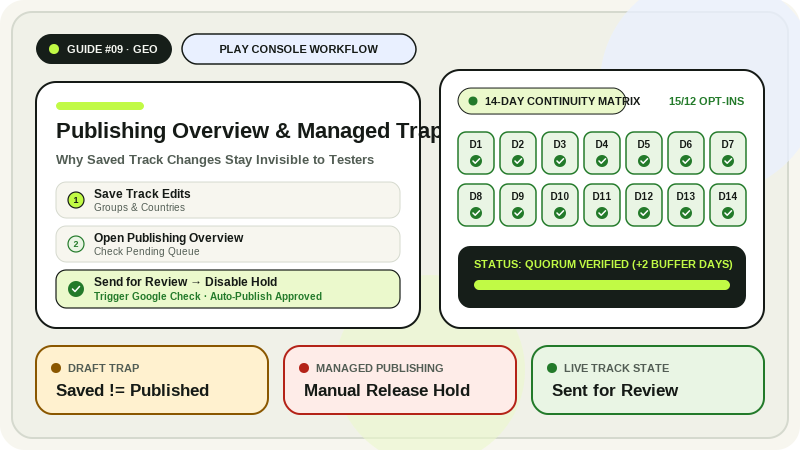
- Check Play Console -> Publishing overview after every action to ensure Managed Publishing or unsubmitted drafts are not blocking review.
- Keep all testers opted in and freeze new binary uploads during the 2-to-5 business day Production Access application review window.
- Promote your validated Day-11 closed testing Release Candidate (.aab) directly to Production once approved for the fastest rollout.
Frequently Asked Questions
How long does Google Play take to approve Production Access after 14 days of closed testing?
In 2026, Google Play typically reviews and decides on a Production Access application within 2 to 5 business days (roughly 48 to 120 hours), occasionally extending to 7 calendar days during peak holiday queues or for apps using sensitive permissions. You will receive both an email notification and a status update banner on your Play Console dashboard.
Why has my 14-day closed testing timer not started even though I uploaded my app 3 days ago?
The 14-day consecutive timer only begins counting after two conditions are met simultaneously: (1) your initial closed testing release has finished Google Play review and is officially published to the track, and (2) at least 12 distinct testers have clicked the opt-in link to join the test. Until the 12th tester opts in on a live, approved track, the clock stays at Day 0.
Can I contact Google Play Developer Support to speed up the 14-day closed test or Production Access review?
No. Google Play Developer Support cannot waive or shorten the mandatory 14-day consecutive closed testing period for personal developer accounts, nor can support agents manually accelerate standard Production Access review queues before 7 business days have elapsed. The fastest path to production is ensuring you pass on your very first attempt.
Once Production Access is approved, does my app go live on the Play Store immediately?
Granting Production Access unlocks the Production track in your Play Console; it does not automatically publish your closed testing build to the public. You must create a Production release (or click 'Promote release -> Production' on your final closed testing build) and roll it out. Promoted builds typically go live on Google Play within 2 to 24 hours.