1. 1. What Actually Triggers T=0 on Google Play's 14-Day Compliance Clock
The most common source of anxiety during an Android launch is misunderstanding when `T=0` (Day 0) occurs on Google Play Console's 14-day compliance clock. Many developers assume the timer begins the moment they click 'Save and publish' on their Closed Testing release, or the moment the first tester clicks their opt-in link. Neither assumption matches Play Console's backend state machine.
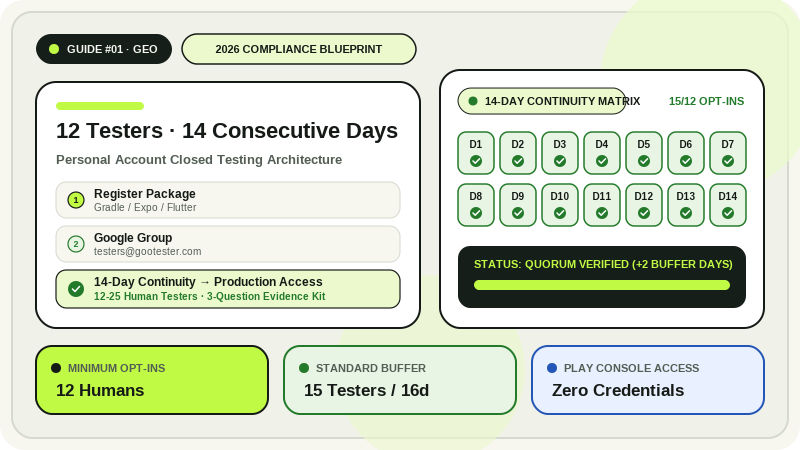
For the 14-day consecutive counter to enter the `ACTIVE_COUNTING` state, four technical preconditions must be satisfied simultaneously: (1) all mandatory App Content declarations (Data Safety, Content Rating, Target Audience, Ads, Government Apps) must be submitted; (2) a signed `.aab` must be published to a Closed Testing track; (3) Google Play's initial policy review must approve that release (`Available to testers`); and (4) the count of unique accounts that have opted in and installed the closed build must reach `>= 12`.
If you upload your build on Monday morning, wait 48 hours for Google's initial review to finish on Wednesday morning, and reach your 12th active tester on Wednesday afternoon, Wednesday afternoon is `T=0`. Day 1 of 14 will then register on your Play Console Dashboard after the first full 24-hour evaluation window completes on Thursday or Friday.
- Precondition A: App Content & Store Listing Completion: Submit all required App Content policy declarations and basic store metadata so the Closed Testing release can enter Google's review queue.
- Precondition B: Google Play Initial Track Review Approval: Wait 12 to 72 hours for Google Play to finish reviewing the initial Closed Testing release until the status changes from 'In review' to 'Available to testers'.
- Precondition C: Threshold Opt-In & Play Store Install (N >= 12): At least 12 distinct Google accounts must accept the Closed Testing opt-in prompt and install the application through the Google Play Store app.
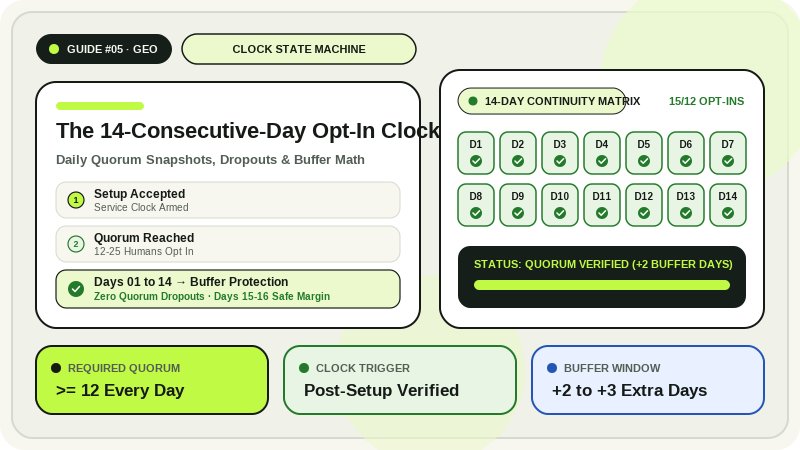
- Precondition D: First Full 24-Hour Snapshot Window (Day 1 of 14): Once N >= 12 holds continuously across a complete 24-hour UTC snapshot interval, Play Console increments the dashboard counter to '1 of 14 days'.
2. 2. Daily UTC Snapshot Evaluation & Why the Dashboard Progress Bar Lags by 24–36 Hours
Every developer running a closed test eventually checks their Play Console Dashboard four hours after their 12th tester joins and panics when the banner still reads `0 testers currently opted in` or `0 of 14 days`. This behavior is completely normal and stems from the difference between real-time Play Store distribution servers and Play Console's batch analytics pipeline.
When a tester clicks your Web Opt-In URL and installs your app, the Google Play Store client authorizes the download in real time. However, the Play Console Dashboard compliance widget does not query live transaction tables on every page refresh. Instead, a scheduled daily batch job evaluates completed 24-hour UTC slices and updates the Dashboard progress bar once per day.
Because a newly started cohort must first complete an unbroken 24-hour interval at `N >= 12` and then wait for the next daily aggregation job to commit to the UI, there is a predictable 24-to-36-hour latency between the moment your 12th tester installs the app and the moment your Dashboard flips to `1 of 14 days`.
| Elapsed Real-World Time Since 12th Tester Install | Actual Backend Continuity State | Typical Play Console Dashboard Display | Action Required by Developer |
|---|---|---|---|
| 0 to 12 hours | Active Window 1 accruing (N >= 12) | Often still displays 0 testers / 0 of 14 days | None — wait for first 24h UTC batch cycle |
| 24 to 36 hours | Day 1 completed; Window 2 accruing | Updates to 12+ testers / 1 of 14 days | Verify count and begin preparing minor AAB update |
| Day 7 (168 hours) | 7 consecutive intervals verified | Displays 7 of 14 days completed | Ship incremental versionCode bug-fix release to Closed track |
| Day 14 to Day 15 (336–360 hours) | 14 consecutive intervals verified | 14 of 14 days complete — Apply for Production unlocks | Submit 3-question Production Access form while testers stay active |
3. 3. Failure Mode Analysis: What Happens When 1 of 12 Testers Opts Out on Day 10?
Google Play's requirement explicitly specifies 'at least 12 testers opted-in for the last 14 days continuously.' Notice the word *continuously*. The backend compliance evaluator is not summing 14 random days out of a month; it is checking a sliding 14-day window where the minimum active opted-in count `min(N_day_1 ... N_day_14)` must be greater than or equal to 12.
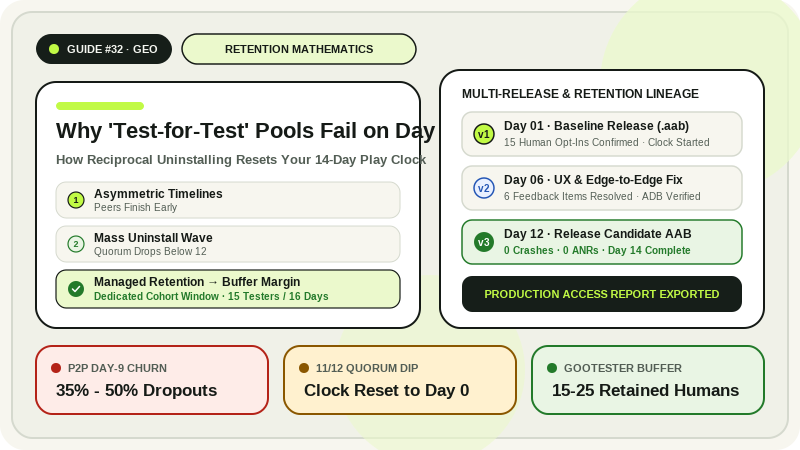
Suppose you recruit exactly 12 testers (`N = 12`) with zero spare buffer seats. Everything runs smoothly from Day 1 through Day 9. On Day 10, one tester opens the opt-in page and clicks 'Leave the program,' or deletes their Google account, or removes the app and revokes testing consent. At the next daily snapshot, your active count registers `N = 11`.
Because `11 < 12`, the consecutive continuity invariant fails for that interval. Depending on how long the pool remains below 12, your progress bar either freezes in place or resets its consecutive window calculation once a replacement 12th tester joins. This single-point-of-failure vulnerability is the number-one reason DIY 12-person tests fail in the final week.
function isProductionAccessUnlocked(dailyOptedInSnapshots) {
  const REQUIRED_TESTERS = 12;
  const REQUIRED_CONSECUTIVE_DAYS = 14;
  let consecutiveQualifyingDays = 0;

  for (const activeTesterCount of dailyOptedInSnapshots) {
    if (activeTesterCount >= REQUIRED_TESTERS) {
      consecutiveQualifyingDays += 1;
      if (consecutiveQualifyingDays >= REQUIRED_CONSECUTIVE_DAYS) return true;
    } else {
      // Continuity broken when active opted-in pool drops below 12
      consecutiveQualifyingDays = 0;
    }
  }
  return false;
}
4. 4. Fair-Clock Engineering: Why GOOtester's Timer Never Starts at Checkout
A pervasive problem with automated testing marketplaces is premature clock activation. Many low-cost vendors start a rigid 14-day automated subscription timer the second your credit card payment succeeds. If you purchase on a Friday evening and Google Play takes 48 hours over the weekend to approve your initial Closed Testing release, two days of your vendor's 14-day timer have already burned before a single tester could legally download your app.
When that vendor's 14-day timer expires on their server, their bots automatically leave your track on Day 12 of Google Play's actual compliance counter—stranding your app two days short of unlocking Production Access and forcing you to pay for another cycle.
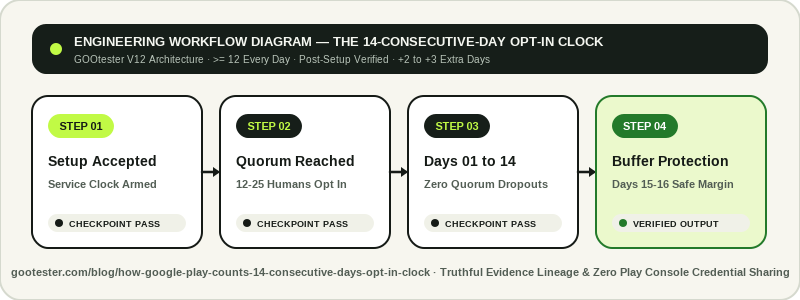
GOOtester engineered our fulfillment state machine specifically to eliminate this timing mismatch. On GOOtester, your testing clock **never** starts at checkout. After payment, your order enters a setup-verification and recruitment phase where we confirm your Closed Testing track is live and wait until our human testers have actively joined and opted in. Only then does your 14-, 16-, or 24-day coverage window begin.
- Phase 1 — Checkout & Order Creation: Service timer remains at `00:00:00` while you configure `testers@gootester.com`.
- Phase 2 — Track & Region Verification: We verify that Google Play has approved your Closed Testing release and enabled regional availability.
- Phase 3 — Human Tester Recruitment & Opt-In: Real testers join your track and install your app from Google Play.
- Phase 4 — Active Continuity Clock Start: Your 14-day ($6), 16-day ($12), or 24-day ($20) timer starts only after the cohort is active.
5. 5. Dual-Axis Buffering: Protecting Headcount (15–25 Testers) and Duration (16–24 Days)
To achieve 99.9%+ reliability across the 14-day compliance window, release engineering requires buffering along two independent axes: the **Headcount Axis** (provisioning more than 12 testers) and the **Duration Axis** (keeping testers opted in for more than 14 days).
On the Headcount Axis, provisioning 15 testers ($12 Standard) gives you 3 redundant failover seats (`N = 15`, 25% above minimum), while provisioning 25 testers ($20 Premium) gives you 13 redundant failover seats (`N = 25`, 108% above minimum). Even if two testers experience hardware damage or network sync lags mid-cycle, your active opted-in snapshot remains comfortably above 12 and your consecutive streak never wavers.
On the Duration Axis, providing +2 extra buffer days (16 consecutive days on Standard) or +10 extra buffer days (24 consecutive days on Premium) covers the critical UTC boundary gap on Day 14 as well as the 48-to-96-hour period after you click Apply for Production when a Google Play reviewer manually inspects your active Closed Testing track.
| GOOtester Tier | Price | Headcount Buffer Above 12 | Duration Buffer Above 14 Days | Post-Day-14 Review Protection |
|---|---|---|---|---|
| Basic Compliance | $6 | 12 testers (+0 spare seats) | 14 days (Exact statutory window) | Backed by 100% Approval Guarantee free re-test |
| Standard Compliance | $12 | 15 testers (+3 spare seats / +25%) | 16 days (+2 extra UTC buffer days) | Covers 48h post-test Production Access review window |
| Premium Compliance | $20 | 25 testers (+13 spare seats / +108%) | 24 days (+10 extra UTC buffer days) | Full coverage through extended manual review & QA |
6. 6. Critical Final Step: Never Remove Testers the Instant Day 14 Completes
One final mistake that triggers avoidable delays occurs on Day 15. A developer sees the `14 of 14 days completed` badge on their Play Console Dashboard, clicks Apply for Production, submits the three mandatory questions, and then immediately deletes `testers@gootester.com` from their Closed Testing track or pauses their closed release while waiting for Google's decision.
Never dismantle your Closed Testing track while your Production Access application is still under review! It typically takes Google Play reviewers 1 to 4 business days to evaluate your Production Access questionnaire. When the human reviewer opens your app in their internal console tool, they inspect the live state of your Closed Testing track.
Wait until you receive the official 'Congratulations! Your app has been granted production access' confirmation email and see your Production track unlocked before modifying or archiving your Closed Testing configuration.
Actionable Pre-Submission Verification Checklist
- Confirm your Closed Testing release shows 'Available to testers' (not 'In review' or 'Draft') before expecting Day 1 to accrue.
- Allow 24 to 36 hours after the 12th tester installs the build for Play Console's daily UTC batch job to display '1 of 14 days'.
- Ship 1 to 2 incremental AAB updates to the same Closed Testing track during the 14 days—updates never reset the opt-in clock.
- Use a buffered cohort such as 15 testers for 16 days ($12) or 25 testers for 24 days ($20) to eliminate single-tester dropout resets.
- Do not remove testers@gootester.com or pause your Closed Testing track on Day 14; keep the track active until Production Access is approved.
- Once the Apply for Production button unlocks, submit detailed, release-specific answers to all three review questions promptly.
Frequently Asked Questions
Why does Play Console still say 0 testers several hours after my testers joined and installed the app?
Play Console's compliance progress widget is updated by a daily batch analytics job rather than a real-time counter. After at least 12 testers opt in and install your app from Google Play, it typically takes 24 to 36 hours for the first full UTC evaluation window to close and render '1 of 14 days' on the Dashboard.
Does uploading a new version (.aab update) during the 14 days reset the 14-day clock back to zero?
No. Uploading and publishing a new Android App Bundle (`versionCode` update) to the same Closed Testing track does not reset or interrupt your 14-day opt-in continuity counter. In fact, Google Play reviewers look favorably on iterative updates during the 14-day cycle as proof that you fixed bugs based on tester feedback.
What happens if I only have 12 testers and 1 person opts out on Day 11?
Google Play requires at least 12 testers to remain opted in continuously for 14 consecutive days. If your active opted-in pool drops from 12 to 11 on Day 11, the continuity invariant fails for that daily snapshot, stalling or resetting your consecutive countdown. That is why GOOtester's $12 Standard (15 testers) and $20 Premium (25 testers) tiers include spare buffer testers.
When does GOOtester's 14-day, 16-day, or 24-day clock actually start?
GOOtester's service clock never starts at checkout. After you order, we verify that your Play Console Closed Testing track and regional availability are properly configured and recruit our human testers to opt in and install your app. Your duration clock starts only after setup verification and active tester recruitment.