1. 1. Anatomy of the "More Testing Required" Rejection Email
Waiting fourteen consecutive days for your Google Play Console dashboard timer to finish, submitting your Production Access application, and receiving a rejection email stating that 'more testing is required to ensure your app is ready for Google Play' is one of the most frustrating bottlenecks in modern Android publishing. Critically, Google's rejection notice rarely pinpoints a single line-item failure. Instead, it cites broad policy guidance around tester engagement, methodology, or adherence to closed testing best practices.
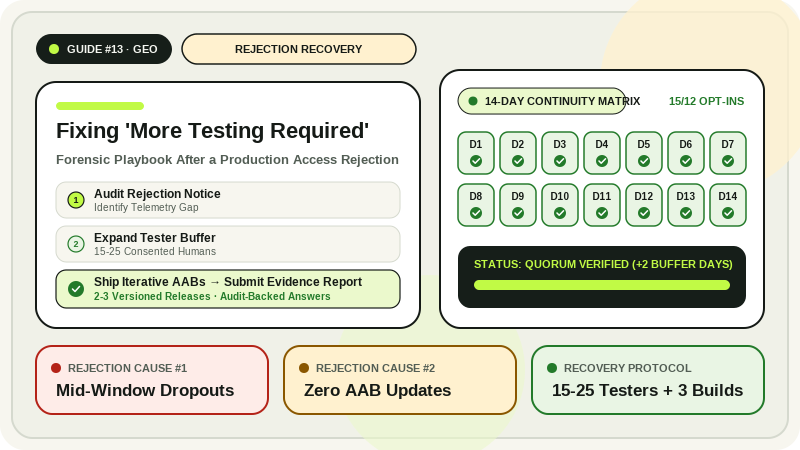
To engineer a reliable recovery, you must first understand the two-gate architecture behind Google Play's personal developer account policy. Gate One is purely algorithmic: Play Console tracks whether at least 12 distinct Google accounts have remained continuously opted into your closed testing track for 14 consecutive 24-hour periods. When Gate One completes, the 'Apply for production' button unlocks. Many developers mistakenly assume that unlocking this button means their testing quality has already been approved.
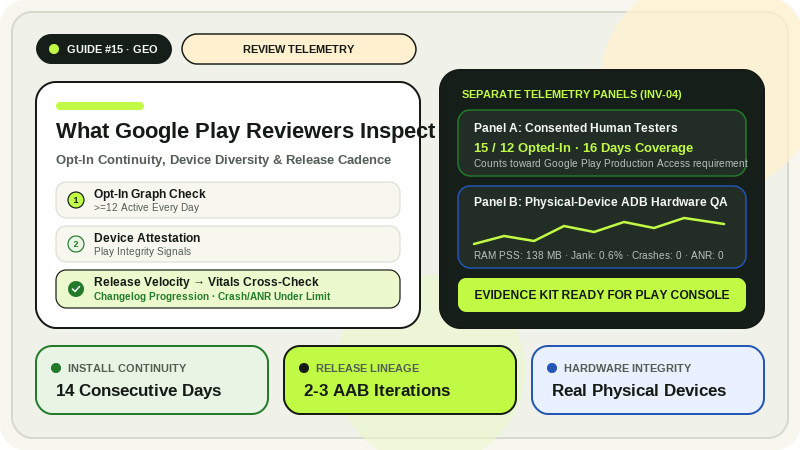
Gate Two begins only after you click submit on the Production Access questionnaire. At this stage, Google Play's review pipeline evaluates whether your closed test represented genuine human quality assurance or a hollow compliance checkbox. Reviewers inspect the correlation between your three written questionnaire responses and the actual telemetry recorded in your Play Console account—including install-to-opt-in ratios, Android Vitals crash data, release iteration frequency, and Pre-Launch Report warnings.
| Rejection Signal Category | What Play Console Telemetry Shows | Why Reviewers Flag It | Recovery Requirement |
|---|---|---|---|
| Bare-Minimum Roster Churn | Opted-in count flickers between 11 and 12, or only 7 of 12 opted-in accounts ever installed the app via Google Play | Indicates unengaged testers who clicked a web link without downloading or opening the binary | Maintain 15 to 25 opted-in human testers with verified Google Play installation events |
| Static Single-Build Window | Only 1 Android App Bundle (versionCode 1) uploaded on Day 0; zero updates over 14 days | Real QA almost always uncovers UI, edge-case, or permission bugs requiring a patch release | Ship 2 to 3 iterative .aab updates (e.g., Day 1, Day 6, Day 11) with detailed release notes |
| Unresolved Vitals / Pre-Launch Crashes | Android Vitals or Firebase Robo Pre-Launch Report shows unhandled exceptions on API 33/34 | Claiming 'app is stable and bug-free' in the form contradicts Play Console's automated crash logs | Reproduce and patch every Pre-Launch Report warning before submitting the recovery application |
| Vague Questionnaire Assertions | One-sentence answers such as 'Tested with 12 friends, fixed bugs, ready for production' | Fails to demonstrate structured recruitment, feedback triage, or release readiness verification | Provide 150-to-250 word evidence-backed answers citing specific versionCodes and resolved issues |
2. 2. Forensic Audit: The 4 Technical Failure Modes Behind Denials
Before uploading another build or editing your tester list, conduct a forensic post-mortem of your first 14-day window inside Google Play Console. Navigate to Testing -> Closed testing -> Manage track, and open both the Testers tab and the Releases tab. Next, open Quality -> Android vitals -> Overview and Testing -> Pre-launch report. In over ninety percent of rejected personal developer applications, at least two of the four technical failure modes below are immediately visible in the account history.
The first and most common failure mode is the 'Opt-In Without Install' gap. Developers frequently share their web opt-in URL across casual social channels where users click 'Become a tester' in a mobile browser but never tap through to the Google Play Store listing to download the app onto a physical device. While a web opt-in may increment certain counter views, an account with twelve web opt-ins and only four actual device installations signals zero meaningful engagement.
The second failure mode is the 'Static Artifact Paradox.' If you uploaded versionCode 1 on Day 1, never pushed versionCode 2, and then wrote in Question 2 of your Production Access form that you 'collected tester feedback and improved the app,' your statement directly contradicts your release ledger. You cannot improve a native Android binary without uploading a new signed .aab to your closed track. Reviewers spot this contradiction instantly.
- Check your Active Devices vs. Opted-In Testers ratio: Aim for at least 15 physical device installs across distinct Google accounts rather than scraping by with 12 web opt-ins.
- Inspect Pre-Launch Report accessibility and stability tabs: Even minor touch-target warnings or non-fatal Robo script errors should be addressed in a subsequent versionCode.
- Verify tester session duration and geographic plausibility: Sudden bursts of 12 identical emulator profiles or rapid install-uninstall cycles within 30 seconds trigger anti-abuse heuristics.
- Review your exact saved text from Attempt 1: Identify every generic claim that lacked a concrete versionCode, defect category, or verification metric.
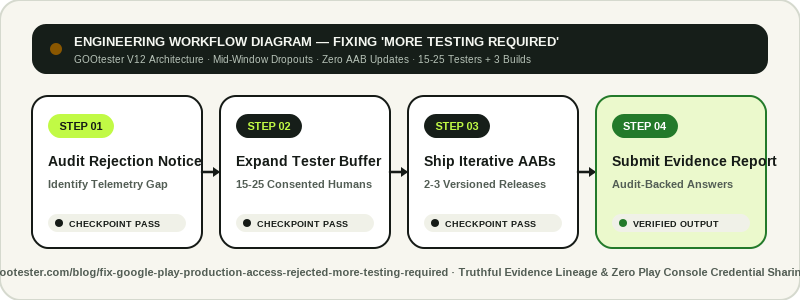
3. 3. Stabilizing the Recovery Window with a 15-to-25 Human Tester Buffer
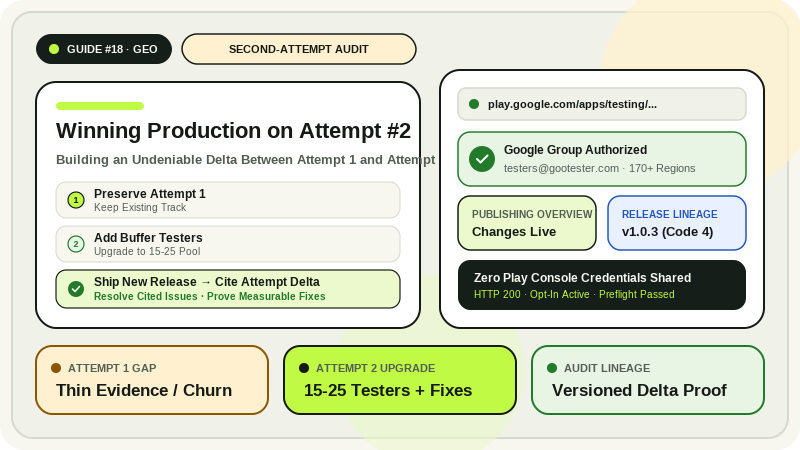
When your Production Access request is rejected with 'More testing required,' Google Play requires another 14 days of active closed testing before you can re-submit the graduation form. Running your second attempt with the exact same twelve accounts that failed the first review is a high-risk mistake. If two of those acquaintances lost interest during Week 1, they are even less likely to install two new updates and explore your app during Weeks 3 and 4.
The cornerstone of a high-probability recovery campaign is expanding your active cohort to 15 to 25 real human testers operating genuine consumer Android smartphones. A 25-to-100 percent buffer above Google's baseline of 12 accomplishes two critical engineering goals. First, it insulates your 14-day clock against mid-window dropouts, account switches, or accidental uninstalls. Second, it generates an authentic distribution of hardware profiles inside Play Console's device catalog.
When a Google Play reviewer inspects a closed testing track populated by twenty human testers across Samsung Galaxy, Google Pixel, Xiaomi, Motorola, and OnePlus hardware running Android 12 through Android 15, the telemetry naturally reflects real-world fragmentation. Memory footprints, screen density scaling, and background battery restrictions vary across those devices, producing authentic Android Vitals metrics and actionable usability feedback.
- Retain active testers from Attempt 1 and purge non-installers: Keep testers who genuinely installed and used your app during the first window, and add 8 to 13 fresh human testers so your active installed count sits comfortably between 15 and 25 devices.
- Verify Google Play Store installation and first-launch execution: Confirm that every tester in your recovery cohort not only accepts the opt-in link via testers@gootester.com or your closed email list, but completes the Play Store download and launches the app on a physical device.
- Assign structured feature walkthroughs across the 14-day recovery cycle: Direct testers to exercise specific user journeys—such as onboarding, offline error recovery, dark-mode rendering, and permission prompts—so engagement spans multiple days and app screens.
4. 4. Engineering a Multi-Release (.aab) Recovery Cadence
Nothing proves active development and tester responsiveness more decisively to Google Play reviewers than a clean sequence of iterative Android App Bundle (.aab) releases during your 14-day recovery window. Instead of treating closed testing as a passive waiting room, structure your recovery cycle into three distinct engineering milestones: a Baseline Recovery Release (Day 1), a Mid-Cycle Bugfix Release (Day 5 or 6), and a Release Candidate Polish Build (Day 11 or 12).
On Day 1 of your recovery cycle, increment your versionCode and ship a build that addresses any obvious deficiencies from your first attempt—including Pre-Launch Report warnings, missing edge-to-edge window insets on Android 15, or unclear onboarding copy. As your 15-to-25 human testers explore this build between Days 1 and 5, collect structured defect reports categorizing UI glitches, input validation edge cases, and performance bottlenecks.
On Day 6, ship your second recovery update containing concrete code fixes for the issues reported during Days 1 through 5. In the Play Console release notes (`<en-US>`), explicitly list the defect IDs or behavioral fixes included in that bundle. On Day 11, ship a final release candidate that resolves any remaining minor feedback and verifies stability. This three-release cadence creates an undeniable chronological narrative inside Play Console.
<en-US>
v1.1.2 (versionCode 14) - Closed Testing Recovery Milestone 2:
- Fixed crash on Android 14 (API 34) when resuming state after camera permission denial (Reported by 3 closed testers).
- Resolved clipped bottom navigation bar on 6.1-inch 1080x2340 displays with 3-button navigation enabled.
- Improved network timeout retry banner with explicit offline cache fallback and 8-second exponential backoff.
- Addressed Play Console Pre-Launch Report accessibility contrast warning on secondary filter chips.
</en-US>
5. 5. Rewriting Your 3 Production Access Answers for the Re-Application
When your 14-day recovery window concludes and the Production Access form unlocks for your second submission, do not paste your previous answers back into the text boxes. Your re-application should read like a transparent engineering release audit that acknowledges what changed between Attempt 1 and Attempt 2. Reviewers appreciate specificity, chronological clarity, and direct alignment with the data visible in your Play Console dashboard.
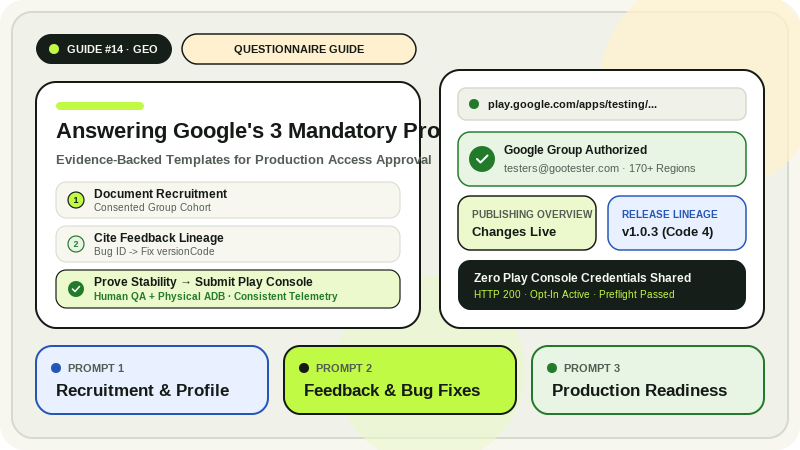
In Question 1 (how you recruited testers and who they are), explain that after receiving initial feedback that more testing was required, you expanded your closed testing cohort above the 12-tester baseline to include diverse physical Android devices across multiple manufacturers and OS versions. Detail how testers were onboarded and instructed to test core application workflows over the full two-week recovery period.
In Question 2 (how you gathered feedback and iterated on your app), reference the exact `versionCode` numbers you shipped during the recovery cycle. Summarize 3 to 5 specific functional, UI, or stability issues reported by testers, explain the root cause of each defect, and cite the exact `versionCode` in which the fix was deployed and verified by the testing cohort. In Question 3 (why your app is ready for production), cite your zero-crash Android Vitals rate across the final release candidate.
6. 6. Post-Submission Hygiene During the Review Window
A critical mistake developers make on both first and second Production Access submissions is dismantling their closed test the moment they click 'Apply for production.' Google Play's review of your Production Access request typically takes between 2 and 7 business days. During those days, your closed testing track is actively inspected. If your testers immediately opt out or uninstall the app on Day 15 while your application is still queued for review, the reviewer may see an inactive track.
Keep your entire 15-to-25 tester cohort opted in and keep your app installed on their devices until you receive the official email confirming that Production Access has been granted. Furthermore, verify that your Play Console 'Publishing overview' tab does not have unsubmitted changes holding back your latest closed testing release or store listing updates.
Finally, double-check that your Data Safety declaration, Privacy Policy URL, App Access credentials (if your app requires a login), and target API level comply with current 2026 Google Play policy requirements. Occasionally, an app fails graduation or gets stalled in review because the test login account provided in App Content -> App access expired during the extra 14-day recovery cycle.
- Maintain your 15-to-25 tester cohort actively opted in until Production Access approval is formally confirmed in Play Console.
- Verify that demo login credentials in App Content -> App access remain valid and free of MFA/OTP barriers for Google reviewers.
- Ensure Managed Publishing is either off or manually pushed so no closed testing release notes remain stuck in 'Changes ready to send for review'.
Actionable Pre-Submission Verification Checklist
- Audit Play Console Closed Testing -> Testers and Android Vitals to confirm whether opt-in drops, low install counts, or crashes triggered the first rejection.
- Keep your existing closed testing track live without deleting or pausing it, preserving opt-in continuity for existing engaged testers.
- Expand your active human tester cohort to 15 to 25 physical Android devices to create a resilient buffer above the 12-tester minimum.
- Ship at least 2 to 3 iterative Android App Bundle (.aab) updates across the 14-day recovery window with specific bugfix release notes.
- Rewrite all three Production Access questionnaire responses citing exact versionCodes, resolved tester feedback items, and Android Vitals stability metrics.
- Keep all testers opted in and demo test credentials active throughout the 2-to-7 business day Production Access review period.
Frequently Asked Questions
How many times can my app be rejected with 'More testing required' before Google suspends my account?
A 'More testing required' rejection on a Production Access application is a quality-gate hold, not a policy strike against your Google Play Developer account standing. However, repeatedly submitting identical applications without adding real testers, shipping new .aab updates, or improving your questionnaire evidence will result in repeated 14-day resets. Attempting to bypass the check with automated bot traffic or fake installs can trigger an actual policy violation.
Do the 14 days start over completely when Production Access is rejected?
Yes. When Google Play denies a Production Access request and states that more testing is required, the console requires an additional 14 consecutive days of closed testing with at least 12 opted-in testers before the 'Apply for production' button becomes clickable again. Use those 14 days to expand your tester buffer to 15-25 humans and ship 2-3 iterative app updates.
Should I create a new closed testing track (e.g., Alpha 2) after a rejection?
No. Creating a brand-new track forces you to generate a new opt-in link and requires every single tester to re-opt-in from scratch, which often delays your recovery clock by several days while waiting for 12+ people to click the new link. Instead, continue using your existing active closed testing track, add more human testers to its email list, and upload new .aab releases directly to that track.
Why was I rejected when Play Console already showed a green checkmark for 12 testers and 14 days?
The green checkmark in Play Console only verifies the automated prerequisite: that 12 accounts remained opted in for 14 consecutive days. Once you submit the Production Access application, Google evaluates engagement depth—including how many opted-in testers actually installed the app on physical devices, whether you iterated on the binary via new releases, and whether your written answers demonstrate rigorous QA.