1. 1. Beyond the Countdown Timer: How Play Console Evaluates Closed Tests
Among first-time Android developers, a widespread misconception persists that Google Play's 12-tester, 14-day closed testing requirement is governed solely by a single boolean countdown clock. According to this myth, as long as twelve Google accounts click 'Become a tester' on an opt-in webpage and wait 336 hours until the 'Apply for production' button turns blue, approval is guaranteed.
In reality, the 14-day timer is merely the prerequisite gate that allows you to submit a graduation request. Once you file that request, Google Play evaluates whether your closed test met the policy standard of 'meaningful testing across a diverse set of users.' Because Google operates both the Play Store distribution infrastructure and Google Play Services (`com.google.android.gms`) on certified Android devices, Play Console inherently records rich operational telemetry for every track.
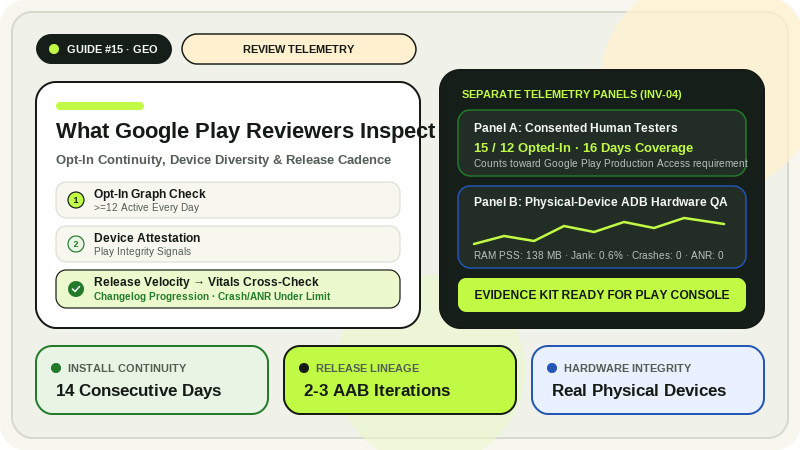
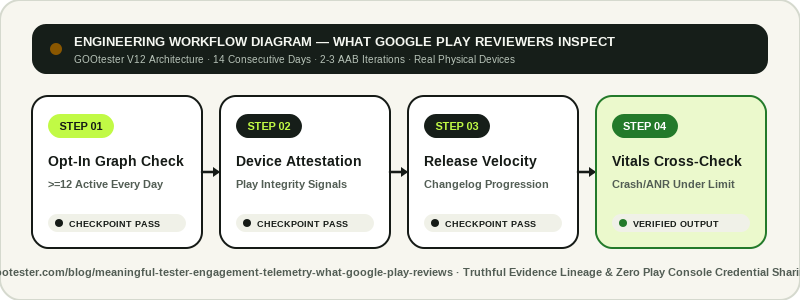
Understanding which telemetry streams already exist inside Play Console removes the guesswork from your launch preparation. You do not need to speculate about mystical algorithms when you can inspect the exact same five data dimensions visible in your own developer dashboard: Opt-In & Install Continuity, Device & OS Entropy, Release Update Propagation, Android Vitals Stability, and Pre-Launch Report Diagnostics.
| Telemetry Dimension | Where You Can Inspect It in Play Console | Healthy Human Cohort Signal | High-Risk Rejection Pattern |
|---|---|---|---|
| Opt-In vs. Active Device Installs | Closed testing -> Testers tab & Statistics -> Devices | 15 to 25 opted-in accounts with matching active device installations retained across 14 days | 12 web opt-ins but only 4 actual Play Store downloads, or rapid Day-1 uninstalls |
| Hardware & API Entropy | Reach and devices -> Device catalog / Statistics | Mix of Samsung, Pixel, Xiaomi, OnePlus, Motorola devices spanning Android 12 to 15 | 12 identical x86_64 emulator images or rooted virtual containers sharing identical build fingerprints |
| Update Propagation | Closed testing -> Releases -> Active devices per release | Active testers automatically or manually upgrade from versionCode 1 -> 2 -> 3 | Only versionCode 1 ever uploaded, or subsequent updates receive 0 installs from the cohort |
| Android Vitals & Pre-Launch | Quality -> Android vitals & Testing -> Pre-launch report | 0% crash rate on final release candidate; Pre-Launch warnings patched in later build | Unhandled NullPointerException or ANR present on latest build while questionnaire claims '100% stable' |
2. 2. Stream 1: Web Opt-In State vs. Physical Play Store Installation
The first telemetry distinction every Android engineer must master is the difference between a track opt-in event and a package installation event. When a tester opens your `https://play.google.com/apps/testing/<package>` URL and clicks 'Become a tester,' Google Play records an account-level entitlement linking that Google account to your closed testing track.
However, an entitlement alone does not put a single byte of your Android App Bundle onto an Android smartphone. Only when that same Google account opens the Google Play Store client on a Play Protect-certified device, taps 'Install,' downloads the split APKs generated from your `.aab`, and completes package verification does Play Console record a device acquisition and active installation.
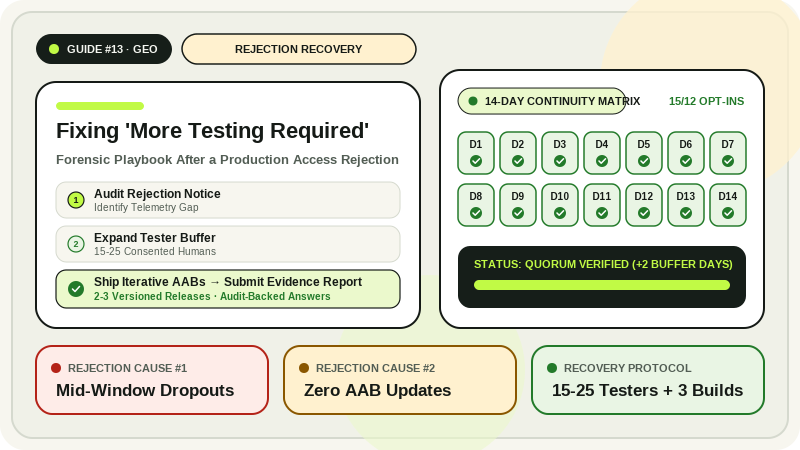
Furthermore, Google Play tracks active device retention—whether the package remains installed on the tester's device throughout the 14-day window or is uninstalled thirty seconds after download. In free 'test-for-test' exchange forums, participants routinely install twenty apps to take a screenshot and immediately uninstall them to free up storage. That uninstall spike is directly visible in Play Console's device acquisition and loss statistics.
3. 3. Stream 2: Hardware Diversity, OEM Fragmentation & Play Integrity
Why did Google introduce the 12-tester requirement for personal developer accounts in the first place? Because Android runs on tens of thousands of distinct hardware configurations worldwide. A build that renders flawlessly in a local Android Studio emulator on a developer's laptop frequently breaks on a physical Samsung device running One UI, a Xiaomi handset with aggressive background task killing, or a budget Motorola phone with constrained RAM.
Consequently, authentic closed testing naturally exhibits hardware and operating system entropy. When 15 to 25 real human testers install your app on their personal or dedicated QA phones, your Play Console Statistics dashboard reflects a realistic spread of System-on-Chip architectures (`arm64-v8a`), screen densities (`xxhdpi`, `xxxhdpi`), OEMs, and Android API levels.
Conversely, low-cost script farms that promise '12 instant testers for $5' typically spin up twelve headless Android emulators or cloud virtual machines with identical device properties, no SIM carrier metadata, and Basic-at-best Play Integrity attestation. Relying on synthetic virtual fleets not only fails to uncover real hardware bugs—it leaves an unmistakable unnatural signature in your device telemetry.
- Verify that your testers run Play Protect-certified physical Android hardware (`arm64-v8a` consumer handsets) rather than desktop emulators.
- Ensure your cohort covers multiple Android OS generations—especially Android 13 (API 33), Android 14 (API 34), and Android 15 (API 35) where runtime permissions and edge-to-edge rules differ.
- Check Play Console -> Statistics -> Devices -> Active devices grouped by Device Model and Android Version to confirm healthy cohort diversity.
4. 4. Stream 3: Release Progression (`versionCode` Velocity & Upgrade Adoption)
The third major signal available inside Play Console is release velocity paired with tester upgrade adoption. Every time you upload a new signed `.aab` to your closed testing track and roll it out to 100% of testers, Play Console records the release timestamp, the incremented `versionCode`, the localized release notes, and—crucially—how many active devices upgrade from the previous `versionCode` to the new one.
Think about what an active upgrade curve proves. If 18 human testers install `versionCode 1` on Day 1, submit feedback on Day 3, and then 16 of those devices upgrade to `versionCode 2` on Day 6 and launch the updated binary, that single telemetry graph proves three things simultaneously: the developer is actively maintaining the codebase, the testers still have the app installed on active devices, and the cohort is engaging with new builds over time.
In contrast, a track with only `versionCode 1` shows zero iterative velocity. Even worse, if a developer uploads `versionCode 2` on Day 13 just before applying for Production Access, and zero testers ever download or open `versionCode 2`, the release tab shows 0 active devices on the latest build—revealing that the update was merely cosmetic.
{
  "track": "closed-testing-alpha",
  "windowDaysCompleted": 14,
  "optedInAccounts": 19,
  "activeInstalledDevices": 18,
  "oemDistribution": {
    "Samsung": 7,
    "Google": 4,
    "Xiaomi": 3,
    "Motorola": 2,
    "OnePlus": 2
  },
  "releaseLineage": [
    { "versionCode": 101, "dayUploaded": 1, "peakInstalledDevices": 18, "issuesLogged": 6 },
    { "versionCode": 102, "dayUploaded": 6, "peakInstalledDevices": 17, "issuesLogged": 2 },
    { "versionCode": 103, "dayUploaded": 11, "peakInstalledDevices": 18, "issuesLogged": 0 }
  ],
  "androidVitals": {
    "userPerceivedCrashRate": "0.00%",
    "userPerceivedAnrRate": "0.00%"
  }
}
5. 5. Stream 4 & 5: Android Vitals Stability & Pre-Launch Report Alignment
Whenever you upload an Android App Bundle to an active closed testing track, Google automatically executes a Firebase Test Lab Robo crawl across a matrix of physical devices in Google's data centers, generating your Pre-Launch Report. Simultaneously, as your human closed testers use the app on their own phones, Google Play Services collects anonymized crash stack traces and ANR events into your Android Vitals dashboard.
Before granting Production Access, reviewers check whether your latest closed testing release suffers from unresolved stability, security, or accessibility defects in these two automated reports. For example, if the Pre-Launch Report flagged a fatal `SecurityException` or an unhandled `NullPointerException` on a Pixel device running API 34 in `versionCode 1`, and you never uploaded a `versionCode 2` to fix it, your application is at severe risk of rejection.
Similarly, if your Pre-Launch Report highlights accessibility violations—such as clickable elements smaller than `48dp x 48dp`, missing `contentDescription` labels on primary icon buttons, or insufficient text contrast ratios—fixing those warnings in an iterative release during your 14-day window gives you concrete, verifiable engineering improvements to cite in Question 2 and Question 3 of your Production Access form.
- Inspect Testing -> Pre-launch report -> Overview after every .aab upload: Wait 60 minutes after publishing each closed testing release, then review the Stability, Performance, Accessibility, and Screenshots tabs generated by Google's automated device crawl.
- Monitor Quality -> Android vitals -> Crashes and ANRs daily: Verify that human tester sessions across Days 1 to 14 do not trigger unhandled exceptions or main-thread stalls (>5 seconds).
- Cross-reference fixed Pre-Launch and Vitals issues in your release notes: When you patch a crash or accessibility warning in your next versionCode, explicitly mention the fix in your Play Console release notes and your Production Access questionnaire.
6. 6. Aligning Your Human QA Workflow with Play Console Telemetry
Once you recognize how Opt-In Continuity, Hardware Entropy, Update Propagation, Android Vitals, and Pre-Launch Reports fit together, passing Google Play's Production Access review ceases to feel like a lottery. Every requirement points toward one simple reality: Google Play wants you to run a genuine two-week beta with real people on real Android phones, fix the bugs they find, and summarize that process honestly.
To align your campaign with these five signals, start with a 15-to-25 human tester cohort on Day 1 so your active installed device count stays safely above 12 even if two testers go offline during Week 2. Schedule at least two iterative `.aab` updates (for instance, on Day 6 and Day 11) and notify your testers to update and verify the fixes so Play Console registers active device migration onto your newest `versionCode`.
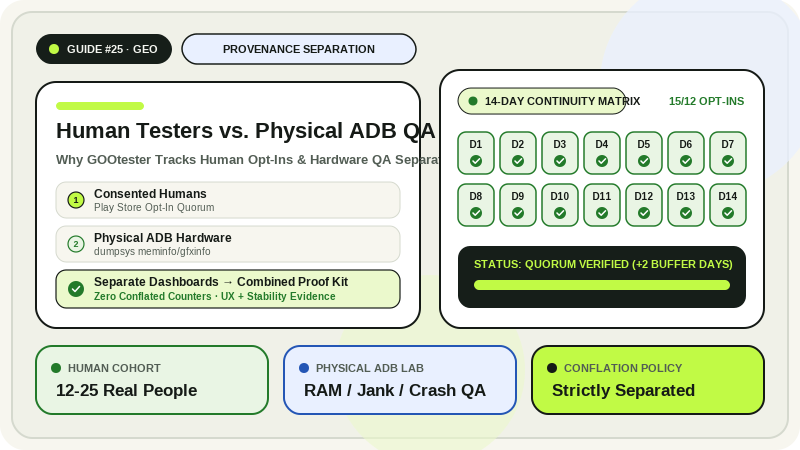
With GOOtester, this alignment is built directly into the platform workflow. Real human testers install your app from Google Play on diverse physical devices, stay opted in with the app installed across the full 14-day period, test your iterative releases, and submit structured feedback that compiles cleanly into your Day-15 Honest Evidence Report.
Actionable Pre-Submission Verification Checklist
- Confirm in Play Console Statistics that at least 15 physical devices have actively installed your closed testing build, not just clicked the web opt-in link.
- Verify that your tester cohort remains installed for the entire 14-day cycle without immediate Day-1 uninstall spikes.
- Check your Device Catalog statistics to ensure authentic hardware diversity across multiple OEMs and Android API levels (31-35).
- Ship 2 to 3 sequential versionCode updates and verify that active tester devices upgrade to your latest release candidate before you apply.
- Audit Testing -> Pre-launch report and Quality -> Android vitals to ensure zero unresolved fatal crashes or ANR clusters on your final build.
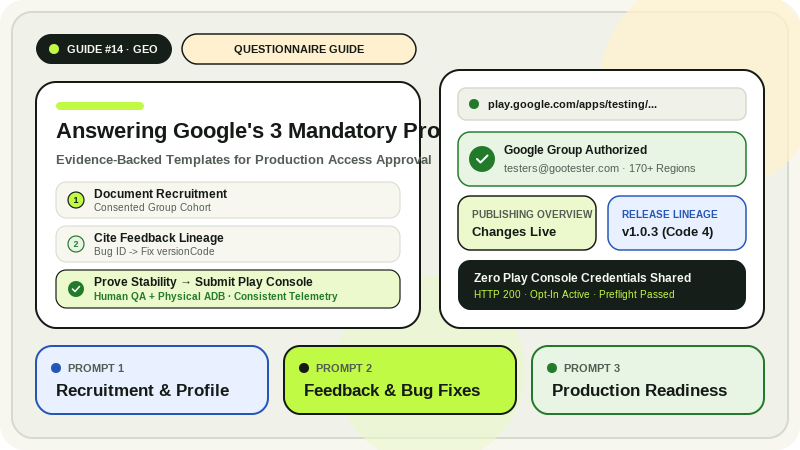
- Ensure every technical claim in your 3 Production Access questionnaire responses matches the timestamps and versionCodes recorded in Play Console.
Frequently Asked Questions
Does Google Play know if an opted-in tester never actually downloaded my app?
Yes. Google Play Console records web opt-in entitlements separately from Google Play Store package acquisition and active device installation telemetry. If 12 accounts click 'Become a tester' in a web browser, the 14-day countdown timer may run, but when a reviewer inspects your account and sees only 3 actual device installations, your Production Access request will almost certainly be rejected for insufficient testing engagement.
How many minutes per day does each tester need to spend inside the app?
Google does not publish a rigid 'minutes-per-day' quota because expected session duration depends entirely on the app category (a quick utility widget has shorter sessions than an offline RPG). Instead, reviewers look for realistic multi-day usage patterns: initial installation and onboarding on Build 1, feature exploration, upgrading to Build 2 and Build 3 when updates roll out, and zero immediate install-uninstall churn.
Can Pre-Launch Report warnings cause my Production Access application to be rejected?
A minor accessibility suggestion alone rarely blocks Production Access if you acknowledge and improve it, but an unresolved fatal crash in the Pre-Launch Report on a mainstream Android version—especially when paired with a questionnaire response claiming 'our app had zero bugs and is completely stable'—is a frequent trigger for 'More testing required' denials.
Why do emulator farms fail Google Play's closed testing review?
Emulator farms typically spin up homogeneous x86_64 virtual instances lacking Play Protect hardware certification, authentic carrier/sensor diversity, and realistic user interaction patterns. They fail to surface genuine OEM-specific Android bugs and produce synthetic device telemetry that contrasts sharply with an organic human tester cohort.