1. 1. Why the Production Access Questionnaire Is a Telemetry Cross-Check
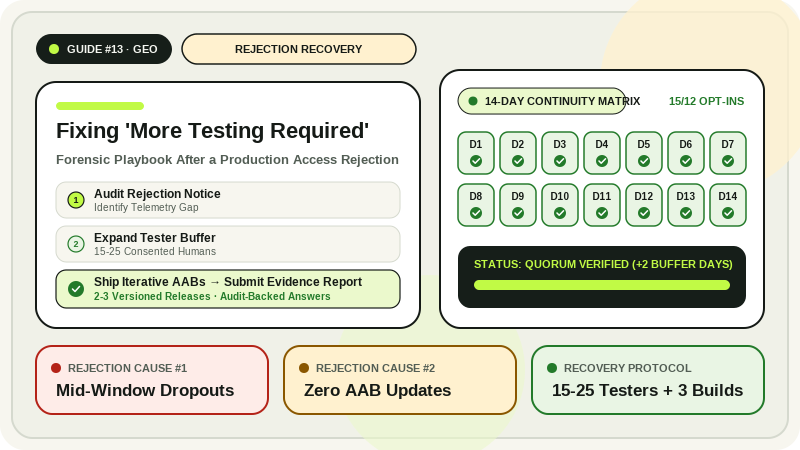
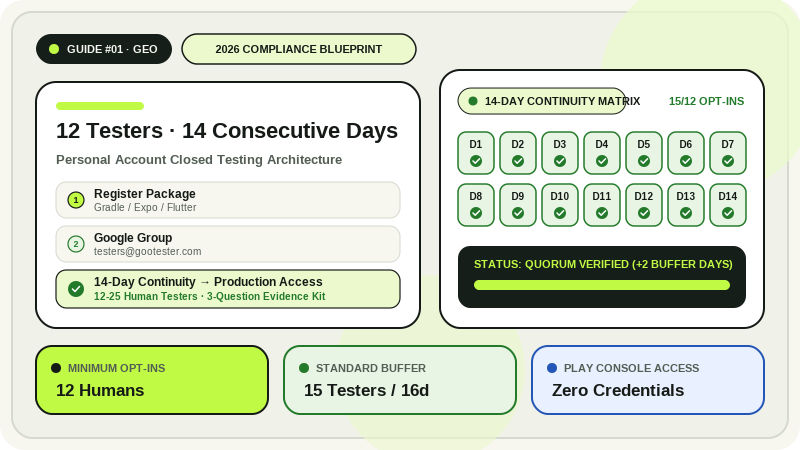
Once your personal Google Play developer account completes fourteen consecutive days with at least twelve opted-in closed testers, Play Console enables the 'Apply for production' workflow. Many developers treat the resulting form as an administrative formality, typing two hasty sentences into each box from a mobile browser. Three days later, their application is denied with a notice stating that more testing is required.
To understand why brief or generic answers fail, put yourself in the position of Google Play's Trust & Safety review system. The reviewer already has full visibility into your Play Console metadata: the exact dates you uploaded each Android App Bundle (`.aab`), the `versionCode` progression, the number of unique devices that installed your build, the OEM and Android OS distribution of those devices, and your Pre-Launch Report and Android Vitals crash logs.
The questionnaire is not an essay contest; it is a consistency verification audit. Google wants to confirm that a real developer conducted a structured human QA cycle, observed how real users interacted with the software on physical hardware, patched the resulting defects in subsequent releases, and validated stability before exposing the binary to billions of Play Store consumers.
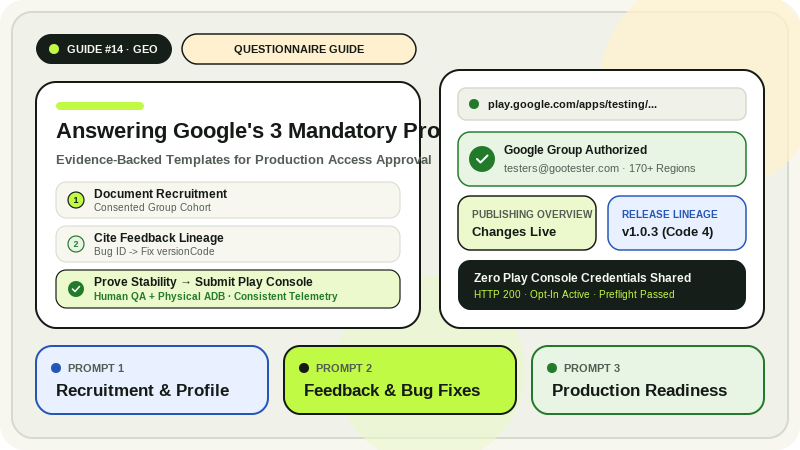
| Questionnaire Section | Core Prompt Focus | Play Console Telemetry Cross-Checked | Target Length & Detail Level |
|---|---|---|---|
| Section 1: Tester Recruitment & Profile | How you recruited testers, their relationship to your target audience, and how they tested | Opted-in count vs. installed device count, geographic spread, device OEM/API diversity | 140 to 250 words specifying cohort size (e.g., 18 testers), device variety, and onboarding flow |
| Section 2: Feedback & Iteration | How you collected feedback, what issues surfaced, and what changes you made to the app | Number of .aab releases shipped during the 14 days, versionCode diffs, release notes history | 180 to 290 words citing 3-4 concrete bugs and the exact versionCodes that resolved them |
| Section 3: Production Readiness | How you verified the app is stable, policy-compliant, and ready for public release | Android Vitals crash/ANR rates, Pre-Launch Report warnings, Target SDK level, App Content status | 140 to 240 words citing zero critical crashes on the final release candidate and policy checks |
2. 2. Section 1 Breakdown: Tester Recruitment, Cohort Profile & Engagement
The first section of the Production Access form asks how you recruited your closed testers, who they are (for example, friends and family, community members, or professional QA participants), and how you guided them to test your application. Reviewers look for two signals here: authenticity of the human cohort and intentionality of the testing structure.
A weak answer says: 'I asked 12 friends on social media to join my link and test my app for 14 days.' This answer provides zero visibility into whether those twelve individuals matched your app's target demographic, what devices they used, or what tasks they performed inside the application. Worse, if three of those friends never installed the app from Google Play, the vague answer highlights a lack of oversight.
A strong answer quantifies your active cohort buffer (for example, 18 opted-in testers with verified device installations), describes the hardware and OS diversity represented in the test (Android 12 through Android 15 across Samsung, Pixel, Xiaomi, and Motorola devices), and outlines the structured test prompts you gave them across Week 1 and Week 2.
Weak vs. Strong Answer Comparison for Section 1
Compare the two examples below. Notice how the strong response anchors every statement in verifiable facts about the cohort size, physical device matrix, and structured testing assignments without resorting to exaggerated marketing language.
- WEAK (High Rejection Risk): 'We recruited 12 testers from online developer groups and family. They opted in via the web link and tested the app for 14 days to make sure everything worked properly.'
- STRONG (Audit-Ready Structure): 'We onboarded a cohort of 19 human testers (maintaining a 7-tester buffer above the 12-tester minimum) combining target end-users and dedicated Android QA participants via our managed closed testing email list (testers@gootester.com). All 19 participants installed the app from Google Play onto physical consumer devices spanning Android 12 (API 31) through Android 15 (API 35) across Samsung Galaxy, Google Pixel, Xiaomi, and Motorola hardware. We provided a structured 3-phase test script covering onboarding, core offline/online workflows, and UI layout scaling.'
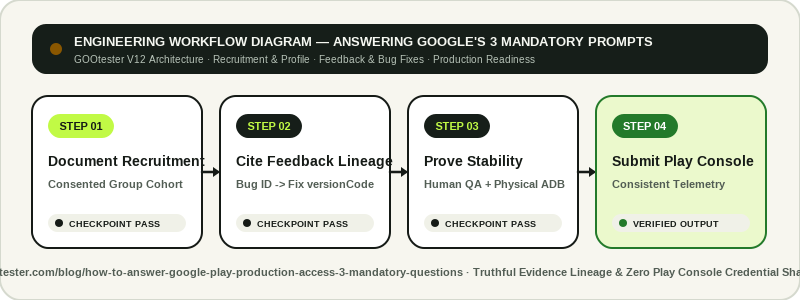
3. 3. Section 2 Breakdown: Feedback Collection & VersionCode Iteration Lineage
Section 2 is the single most heavily scrutinized part of the Production Access application. Google Play asks how you collected feedback from your testers, what specific feedback you received, and how you modified your app in response. This is where developers who uploaded only a single build on Day 1 and left it untouched for two weeks almost always fail.
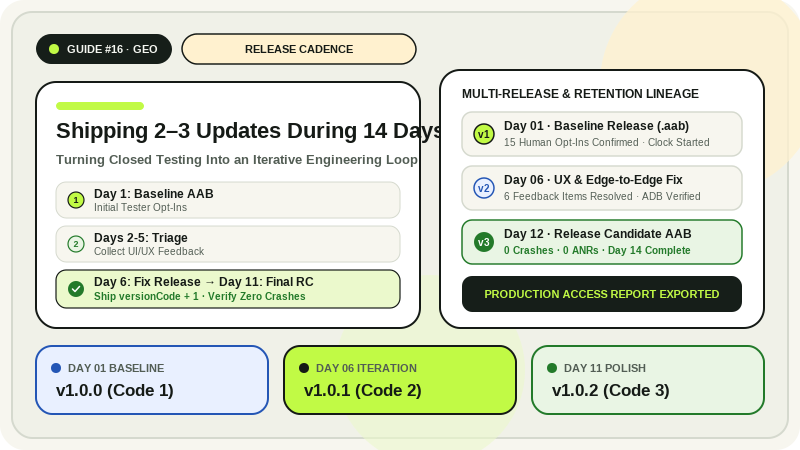
If you claim in Section 2 that testers gave you helpful feedback and you improved the app, the reviewer immediately checks your Closed Testing -> Releases tab. If there is only `versionCode 1` on the track, your narrative collapses. Conversely, if you shipped `versionCode 10` on Day 1, `versionCode 11` on Day 6, and `versionCode 12` on Day 11, you have an ironclad foundation for Section 2.
Structure your Section 2 response around three elements: the feedback intake channel (such as an in-app bug reporter, structured QA triage board, or email intake at support@gootester.com), a chronological summary of 3 to 5 specific issues reported by testers (categorized by severity, device model, and Android version), and the exact `versionCode` updates that resolved those findings.
Feedback was collected via our structured closed-testing triage board and direct tester bug reports (support@gootester.com), tagged by device OEM, Android API level, and severity. Across the 14-day window, we shipped 3 iterative Android App Bundles:

1. Baseline Build (v1.0.0, versionCode 10 - Day 1): Testers identified three key issues: (a) state loss on Android 14 devices when rotating the screen during form entry, (b) clipped action buttons on compact 1080x2340 displays with 125% system font scaling, and (c) a 4-second main-thread freeze when syncing large JSON payloads on flaky cellular connections.
2. Iteration Build (v1.0.1, versionCode 11 - Day 6): Migrated form state to SavedStateHandle, refactored bottom sheet constraints into scrollable containers for large font accessibility, and moved payload parsing to a background Dispatchers.IO coroutine with retry UI.
3. Release Candidate (v1.0.2, versionCode 12 - Day 11): Resolved a minor dark-mode contrast issue on secondary chips reported by Pixel 7 testers and addressed a Pre-Launch Report touch-target warning.
4. 4. Section 3 Breakdown: Production Readiness, Android Vitals & Policy Verification
The third section asks why you believe your application is ready for Production distribution and how you verified its quality and stability. Many developers waste this prompt on subjective enthusiasm—writing that their app has a clean design, users love it, and they are excited to launch. Google Play reviewers are not evaluating your business model; they are evaluating technical stability and policy compliance.
A persuasive Section 3 response cites objective quality metrics generated during the final phase of your closed test. Specifically, reference the performance of your final Release Candidate `versionCode` across your testing cohort: confirm that all critical and medium-severity defects logged during Weeks 1 and 2 were verified as resolved by the testers who originally reported them.
Next, cite your Play Console quality dashboards directly. Mention that you audited Android Vitals to verify zero unhandled crashes and zero ANR (Application Not Responding) events on your final closed testing build, reviewed the Firebase Robo Pre-Launch Report across all virtual test devices to ensure zero stability or accessibility regressions, and verified compliance with Target API 35 requirements and Data Safety disclosures.
5. 5. Five Questionnaire Anti-Patterns That Trigger Rejection
Having analyzed hundreds of rejected Production Access submissions from indie developers and small studios, our release engineering team consistently sees the same five anti-patterns. Avoiding these pitfalls is just as important as writing clear technical summaries, because a single contradictory statement can cause a reviewer to flag the entire application for another 14-day cycle.
The most damaging anti-pattern is claiming 'Zero bugs were found during our 14-day test.' To an experienced software QA reviewer, a brand-new Android application tested by twelve or more humans over two weeks that yielded zero bug reports, zero UI tweaks, and zero update releases is almost certainly a test where nobody actually opened the app.
The second major anti-pattern is pasting verbatim ChatGPT or forum templates that contain placeholder phrasing without any app-specific identifiers. If your answer could apply equally to a fitness tracker, a barcode scanner, or a puzzle game without changing a single word, it lacks the domain specificity required to prove authentic testing.
- Eliminate the 'Zero Bugs Found' myth: Even rock-solid apps uncover UX polish items, edge-to-edge inset adjustments, dark-mode contrast tweaks, or offline error-message improvements during a 14-day human test. Always log and ship those improvements.
- Never contradict your Play Console Releases tab: Before writing Section 2, open your Closed Testing -> Releases page and verify the exact versionCodes, versionNames, and upload dates so your written narrative matches Play Console's database 100%.
- Avoid unverified third-party email references: Describe your closed testing coordination professionally using your verified organizational or platform workflow rather than referencing informal 'test-for-test' exchange chatrooms where users uninstall apps immediately.
- Do not ignore Pre-Launch Report warnings: If Play Console's automated Pre-Launch Report shows a crash on a specific virtual device, address it in an update and mention the fix in Section 2 or Section 3 rather than pretending the dashboard is all green.
6. 6. How to Maintain a Real-Time Evidence Ledger During Days 1 to 14
The easiest way to write an undeniable Production Access application on Day 15 is to record your testing evidence continuously from Day 1 through Day 14. Attempting to reconstruct two weeks of bug reports, device profiles, and code commits from memory on Day 15 inevitably leads to vague generalizations.
Maintain a simple release-and-feedback ledger throughout your closed test. Whenever a tester reports an issue, record the date, the device model and Android OS version, the current `versionCode`, a concise description of the defect, and the target `versionCode` in which you deploy the fix. When you push that update to Play Console, paste the same structured summary into your `<en-US>` release notes.
When you run your closed testing campaign through GOOtester, this entire evidence ledger is captured automatically as our 15-to-25 human testers install your builds and submit structured feedback across your releases. At the end of the 14-day window, GOOtester compiles those real defect tickets and version diffs into an Honest Evidence Report so you can complete the Play Console form with complete confidence and accuracy.
- Log every tester bug report with device OEM, Android API level, reproduction steps, and severity tier.
- Map each resolved ticket to a specific git commit and a newly uploaded Play Console versionCode.
- Echo your bugfix summaries in both your Play Console Closed Testing release notes and your Day-15 Production Access questionnaire.
Actionable Pre-Submission Verification Checklist
- Verify that your Closed Testing track contains at least 2 to 3 sequential versionCode releases before drafting your Section 2 response.
- Specify your exact opted-in and installed human tester count (ideally 15 to 25 devices) and hardware/OS diversity in Section 1.
- Cite 3 to 5 real bugs or UX improvements uncovered by testers and match each fix to its exact versionCode in Section 2.
- Confirm zero unhandled crashes and zero ANRs in Android Vitals on your final release candidate before writing Section 3.
- Audit every sentence against Play Console character limits so no versionCode citations or verification metrics get truncated.
- Remove all generic boilerplate phrases and ensure your answers reference domain-specific workflows unique to your application.
Frequently Asked Questions
What are the exact 3 areas covered in the Google Play Production Access questionnaire?
Google Play's Production Access form evaluates three core areas: (1) Tester recruitment and cohort profile—how you sourced your testers, who they are, and how they engaged with the app; (2) Feedback collection and iteration—how you gathered tester feedback, what issues were discovered, and what updates you shipped in response; and (3) Production readiness—how you verified stability, quality, and policy compliance prior to public launch.
What is the character limit for the Google Play Production Access answers?
Depending on the current Play Console form layout and locale, individual text fields typically enforce limits between 300 and 1,000 characters per sub-question. Always draft concise, high-signal engineering prose that prioritizes concrete numbers (tester count, device API levels, versionCodes shipped, and specific defect fixes) over conversational filler.
What should I write in Question 2 if my testers genuinely did not find any major crashes?
Even if your application experienced zero fatal crashes, a 14-day human test across diverse Android screens always surfaces non-crash improvements—such as layout padding on small displays, dark-mode contrast adjustments, loading-state spinners on slow networks, or clearer permission rationale dialogs. Document those UX and functional refinements and ship them in a new versionCode during your test.
Can I use a template from a forum or AI generator to answer the 3 questions?
Using a structural outline is smart, but pasting generic boilerplate sentences without real versionCodes, app-specific feature names, and actual defect descriptions is a leading cause of rejection. Google Play reviewers cross-check your text against your account's release history and Android Vitals telemetry, so every statement must reflect true artifacts inside your Play Console.