1. 1. Scope of the 2026 Personal Developer Account Closed Testing Mandate
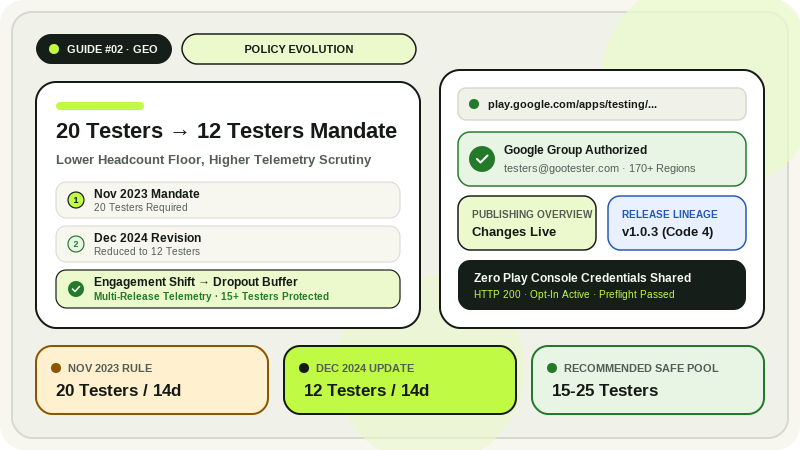
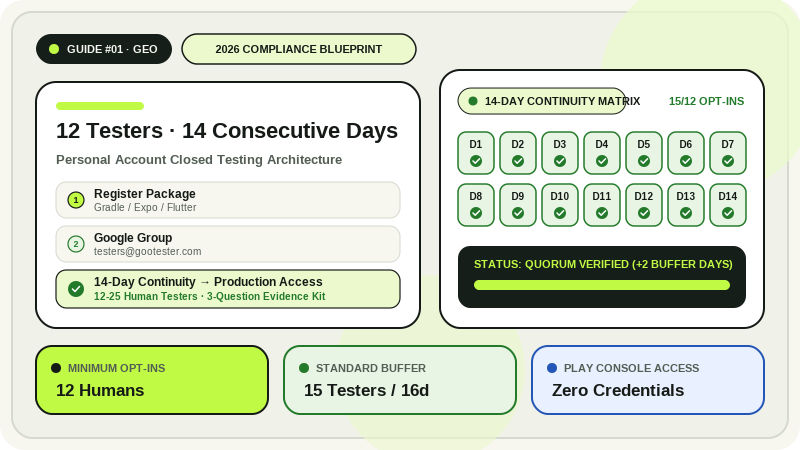
Google Play enforces a mandatory pre-production quality gate on all newly created Personal Developer Accounts established after November 13, 2023. Under the current enforcement baseline, every distinct application package uploaded under a personal account must complete a Closed Testing cycle with a minimum of 12 testers who remain continuously opted in for 14 consecutive days. Until this condition is satisfied, the Apply for Production button inside the Play Console Dashboard remains cryptographically locked in a disabled UI state.
The engineering rationale behind this requirement centers on ecosystem integrity and pre-release stability verification. Prior to mandatory closed testing, automated build farms and solo accounts frequently shipped unverified single-activity wrappers straight to the public Play Store, generating elevated ANR (Application Not Responding) rates and crash clusters across entry-level Android handsets. By requiring a two-week closed validation period, Google forces developers to exercise real-world installation paths, Play App Signing delivery, and device compatibility matrices before reaching general consumers.
It is critical to understand that compliance is evaluated per application (`applicationId`), not merely once per developer account. Even after your first Android app graduates to Production, your second and third apps under the same Personal Developer Account must each complete their own independent 14-day closed testing cycle with 12 or more active testers before their respective Production tracks unlock.
| Account Classification | Closed Testing Gate | Minimum Active Testers | Consecutive Duration | Identity Disclosure on Store |
|---|---|---|---|---|
| Personal Account (Post-Nov 2023) | Mandatory per app | 12 opted-in testers | 14 consecutive days | Developer name & country |
| Personal Account (Pre-Nov 2023 Legacy) | Exempt unless transferred | 0 mandatory | Immediate production eligible | Developer name & country |
| Organization Account (D-U-N-S Verified) | Exempt after org verification | 0 mandatory | Immediate production eligible | Full legal entity address & phone |
2. 2. Inside Play Console's 14-Day Consecutive Opt-In Counter
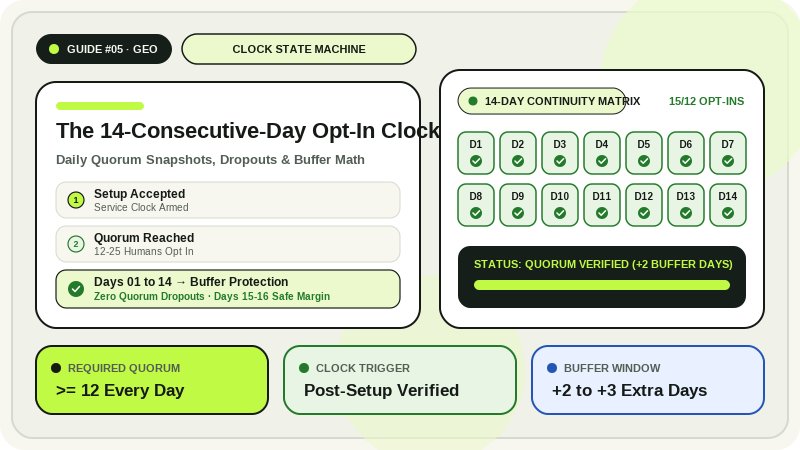
Play Console tracks closed testing progress through a daily state evaluation that verifies two simultaneous invariants: your Closed Testing track must have a published, policy-approved Android App Bundle (AAB) live to testers, and at least 12 distinct Google accounts must hold an active opt-in token for that specific track. Both conditions must remain true across 14 unbroken 24-hour evaluation intervals.
Many developers misinterpret the moment the 14-day clock begins. Uploading an AAB to a Closed Testing track or submitting the release for Google's initial policy review does not start the timer. First, Google's automated and manual review pipeline must approve the closed release (which typically takes 12 to 72 hours for a new app). Second, at least 12 testers must open your web opt-in URL, accept the testing invitation, and install the build from Google Play.
Furthermore, the counter measures consecutive continuity rather than cumulative days. If your active opted-in pool drops from 12 testers to 11 testers on Day 11 because a volunteer leaves your group or uninstalls and opts out, the consecutive streak breaks immediately. That fragility is why relying on exactly 12 informal acquaintances or unverified Reddit exchange partners leads to repeated mid-cycle stalls.
- Prerequisite 1: A valid signed `.aab` release is promoted to an active Closed Testing track and passes Google Play's initial pre-publish review.
- Prerequisite 2: The Country/Region availability tab on the Closed Testing track includes all geographic regions where your testers reside.
- Prerequisite 3: At least 12 unique accounts accept the web opt-in consent prompt and install the application via the Play Store client.
- Continuity Invariant: The active opted-in headcount must never dip below 12 across any daily telemetry snapshot during the 14-day window.
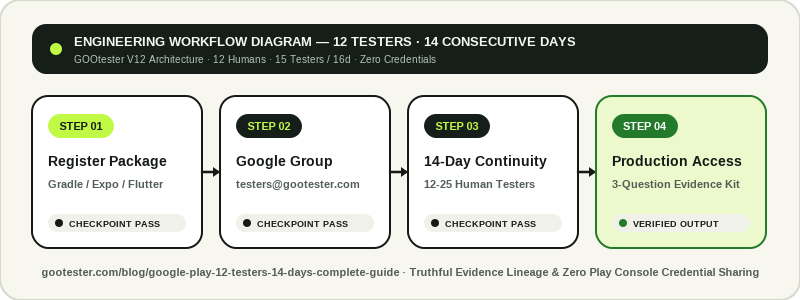
3. 3. Step-by-Step Closed Track Configuration with testers@gootester.com
Setting up your Closed Testing track for deterministic compliance takes less than ten minutes when using the Google Groups delegation model. Instead of maintaining brittle CSV files containing dozens of individual email addresses, Play Console supports binding a single Google Group identifier to your Closed Testing track. Any member of that managed group automatically inherits permission to view the opt-in screen and download your closed release.
With GOOtester, you never share your Play Console login credentials, never invite external users to your Users and Permissions administration tab, and never surrender your upload `.jks` keystore. You simply select Google Groups under the Testers tab of your active Closed Testing track, enter `testers@gootester.com`, and save your changes. This zero-credential architecture preserves complete administrative isolation while giving our vetted tester pool access to your opt-in URL.
Before copying your Web Opt-In link into the GOOtester dashboard, always verify two frequently overlooked configuration settings: confirm that your Closed Testing track's Countries/Regions list is set to All Countries (or covers global tester regions), and confirm that if your app is a paid app or contains gated login screens, you have either temporarily set the closed track to free or supplied a valid demo reviewer credential.
- Open Play Console Closed Testing: Navigate to Release > Testing > Closed testing in your Google Play Console and click Manage track on your primary Alpha or Closed track.
- Configure Global Country Availability: Open the Countries / regions tab inside the Closed Testing track, add all available regions so global testers do not encounter regional item-unavailable errors, and save.
- Bind testers@gootester.com via Google Groups: Switch to the Testers tab, select the Google Groups radio option, enter testers@gootester.com into the group email address field, and click Save changes.
- Publish Your Signed AAB & Copy the Web Opt-In URL: Ensure an approved AAB release is active on the track, copy the Web opt-in link under How testers join your test, and submit it in your GOOtester order workspace.
{
  "trackType": "CLOSED_TESTING",
  "testerAccessMode": "GOOGLE_GROUPS",
  "authorizedGroupEmail": "testers@gootester.com",
  "regionCoverage": "ALL_COUNTRIES_ENABLED",
  "releaseStatus": "APPROVED_AND_PUBLISHED",
  "webOptInUrlFormat": "https://play.google.com/apps/testing/com.example.yourapp"
}
4. 4. Combining Human Opt-In Continuity with Iterative AAB Releases & ADB QA
Passing the 14-day countdown is necessary to unlock the Apply for Production form, but unlocking the button is not the same as getting approved. When a Play Console reviewer evaluates your Production Access submission, they inspect the telemetry and release history accumulated during your closed testing period. A track that shows a single VersionCode 1 upload on Day 1 and zero subsequent updates or bug fixes often triggers a 'More testing required' rejection.
To establish an unmistakable engineering paper trail, treat the 14-day window as an active stabilization sprint. Ship at least one or two incremental Android App Bundle updates (for example, bumping `versionCode` from `100` to `101` on Day 5 and `102` on Day 10) directly to the same Closed Testing track. Document concrete UI refinements, edge-case permission handlers, dark-mode contrast fixes, or startup latency optimizations in your release notes.
In parallel with human tester opt-in continuity, running an independent physical-device ADB (Android Debug Bridge) diagnostic sweep gives you concrete technical artifacts to cite in your application. GOOtester maintains a strict architectural separation between our 14-day human tester recruitment packages and our standalone physical-device ADB QA diagnostic reports, ensuring your closed testing telemetry comes from authentic human testers while your engineering team receives actionable logcat, layout, and cold-start metrics.
5. 5. Engineering Your Responses to the 3 Production Access Questions
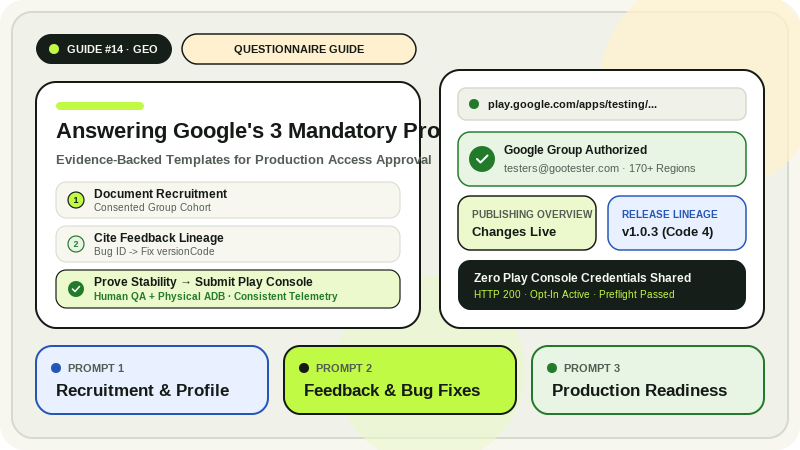
The moment your Play Console dashboard confirms that 12 or more testers have been continuously opted in for 14 days, the Apply for Production questionnaire becomes available. This form consists of three structured evaluation sections examining how you recruited testers and collected feedback, what modifications you made to the app based on that feedback, and why you are confident the application is ready for public distribution.
Generic one-sentence answers such as 'Everything worked great and testers liked the app' are the primary cause of Production Access rejections in 2026. Reviewers look for specificity: structured feedback channels, verifiable version bumps (`versionCode` transitions), Android Vitals verification (zero unresolved crash clusters or ANRs), and explicit confirmation that target SDK level and Data Safety declarations match the compiled binary.
Before submitting the questionnaire, audit your Play Console Android Vitals dashboard and Pre-launch Report summary. If an automated crawler flagged an accessibility contrast warning or a null-pointer exception on a specific screen dimension, fix it in a point release on your Closed Testing track first, and explicitly reference that fix by version code in Question 2 of your Production Access submission.
Blueprint for Question 1: Recruitment & Feedback Collection
Explain clearly that you distributed the closed track via a managed Google Group (`testers@gootester.com`) across diverse physical Android devices spanning Android 11 through Android 15, and collected structured bug reports covering onboarding flows, network error states, and UI responsiveness.
Blueprint for Question 2: Concrete Changes Made During Testing
Cite exact versionCode increments shipped during the 14-day cycle—such as resolving a back-navigation state reset in `versionCode 102`, optimizing image decoding memory overhead, and refining edge-to-edge WindowInsets padding on gesture-navigation handsets.
6. 6. Comparing 12, 15, and 25 Tester Compliance Tiers
While Google Play's minimum statutory threshold is 12 testers for 14 consecutive days, operating right on the razor's edge of 12 testers leaves zero statistical margin if a single account experiences a device sync glitch or accidentally revokes opt-in status. Selecting the appropriate headcount buffer and duration window determines how resilient your launch schedule is against unexpected friction.
Equally important is how the testing clock is managed. Unlike automated scraping tools that start billing your 14-day timer the instant your checkout transaction clears—wasting days while Google reviews your initial AAB—GOOtester's service clock never starts at checkout. Your testing countdown only begins after your Play Console track setup is verified and our human testers have actively joined and opted in.
Below is the side-by-side comparison of GOOtester's three transparent one-time compliance packages, backed by our 100% Approval Guarantee where we provide a free re-test until your Production Access application is approved.
| Compliance Package | One-Time Price | Assigned Human Testers | Continuous Coverage Window | Recommended Use Case |
|---|---|---|---|---|
| Basic Compliance | $6 | 12 Real Human Testers | 14 Consecutive Days | Budget indie prototypes meeting the exact statutory baseline |
| Standard Compliance (Popular) | $12 | 15 Real Human Testers (+3 buffer) | 16 Consecutive Days (+2 buffer days) | Production launches requiring dropout protection & feedback summary |
| Premium Compliance | $20 | 25 Real Human Testers (+13 buffer) | 24 Consecutive Days (+10 buffer days) | High-priority commercial apps needing extended review buffer & priority QA |
Actionable Pre-Submission Verification Checklist
- Confirm your app is uploaded as a signed Android App Bundle (.aab) on a Closed Testing track rather than Internal or Open Testing.
- Enable all target Countries/Regions inside the Closed Testing track settings so global testers do not hit regional availability locks.
- Select Google Groups under Closed Testing > Testers, enter testers@gootester.com, and click Save changes.
- Wait for Google Play's initial track review status to change from In review to Available to testers before starting recruitment.
- Ship at least one incremental versionCode update during the 14-day window to demonstrate active bug resolution in your release history.
- Draft detailed, metric-backed answers for all three Production Access questions citing specific versionCode improvements and zero-crash Android Vitals.
Frequently Asked Questions
Does the 14-day closed testing clock start the moment I pay on GOOtester or upload my AAB?
Neither. Google Play's 14-day compliance clock only starts after your Closed Testing release passes Google's initial review and at least 12 testers have accepted your opt-in link and installed the app. Accordingly, GOOtester's service timer never starts at checkout; it begins only after your Play Console setup is verified and testers are actively recruited.
Do I have to give GOOtester login access to my Google Play Console account?
No. You should never share your Play Console password, session cookies, or upload keystore with any third party. GOOtester operates on a strict zero-credential integration model: you simply add testers@gootester.com to the Google Groups field inside your Closed Testing track and share your public Web Opt-In link.
Why should I choose 15 testers ($12) or 25 testers ($20) if Google only requires 12 testers?
Running exactly 12 testers provides zero fault tolerance; if even one tester account loses opt-in status on Day 12, your consecutive headcount drops to 11 and your 14-day streak stalls. Provisioning 15 testers across 16 days ($12 Standard) or 25 testers across 24 days ($20 Premium) creates a safety buffer that absorbs dropouts and covers post-day-14 review delays.
What happens if Google Play asks for an additional testing cycle after 14 days?
Every GOOtester package includes our 100% Approval Guarantee. If Google Play denies your first Production Access request with a 'More testing required' notice, we provide guidance on upgrading your release notes and run a complimentary re-test cycle until your app unlocks Production.