1. How Play Integrity Hardware Attestation Exposes Emulator Farms
When Google introduced mandatory closed testing for personal developer accounts, low-cost freelance sellers immediately attempted to bypass the requirement by spinning up dozens of Android x86_64 virtual machines in cloud containers. Today, Google Play Services defeats those shortcuts through cryptographic hardware attestation powered by the Android KeyMint (formerly Keymaster) Trusted Execution Environment (TEE) or StrongBox security chip.
Every certified physical Android smartphone ships with an asymmetric attestation key burned into tamper-resistant silicon at the factory. When a user opts into your closed track and downloads your Android App Bundle from the Play Store, Google Play Services evaluates device posture and assigns integrity verdicts that distinguish certified OEM hardware from QEMU, Cuttlefish, or Genymotion instances.
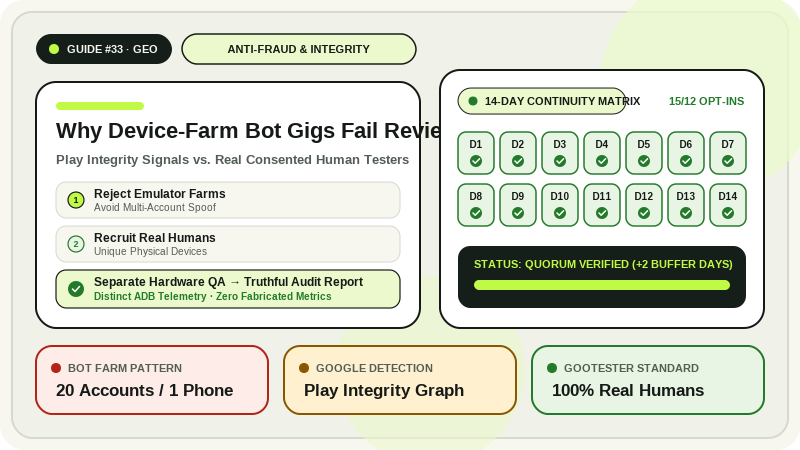
If your closed testing cohort consists of virtualized emulators or rooted device farms flashing spoofed system properties, Play Console either refuses to increment your opted-in tester counter or flags the campaign during your manual Production Access review for artificial engagement manipulation.
| Attestation Verdict | Hardware Requirement | Cloud Emulator Result | Play Console Closed Test Eligibility |
|---|---|---|---|
| MEETS_BASIC_INTEGRITY | Unmodified system image or self-signed build | Sometimes passes if unrooted | Insufficient for authentic closed testing |
| MEETS_DEVICE_INTEGRITY | Google-certified OEM hardware + locked bootloader | Fails (no OEM factory TEE key) | Required baseline for valid tester devices |
| MEETS_STRONG_INTEGRITY | Hardware-backed KeyMint TEE/StrongBox + recent patch | Always fails on virtualized hosts | Highest trust signal for engagement telemetry |
2. Why Virtual Devices Fail the 14-Day Closed Testing Audit
Beyond cryptographic attestation, Google Play collects rich behavioral and environmental signals through Google Play Services whenever an app installed from a closed track executes. Emulators exhibit uniform sensor noise floors, static battery charge curves, synthetic network MAC prefixes, and identical GPU renderer strings such as SwiftShader or virgl.
When twelve supposed testers all share identical cloud datacenter autonomous system numbers (ASNs), zero accelerometer variance, and synchronized installation timestamps within a ninety-second window, automated fraud classifiers immediately downgrade those sessions. Even if the Play Console dashboard temporarily displays twelve opted-in accounts, the human reviewer inspecting your Production Access application sees the underlying device-diversity warning.
Independent developers often discover this the hard way after paying five dollars on an unvetted marketplace: on Day 14, Google Play rejects the Production Access request with a generic notice stating that testers were not genuinely engaged or requires another full fourteen-day cycle.
3. What Consented Human Testers Actually Provide During Closed Testing
Real human closed testers fulfill the core policy intent behind Google Play's mandatory testing window: validating that an unpublished app functions safely, intuitively, and reliably in the hands of real consumers before reaching billions of Play Store users. Human testers install your release natively via the Play Store app after accepting your web or email opt-in invitation.
Unlike scripted crawlers that blindly tap coordinates, human testers evaluate semantic usability. They notice when an onboarding dialog is clipped on a compact screen, when a localization string overflows a button, when an OAuth login redirect stalls in an external browser tab, or when dark-mode contrast renders input fields unreadable.
On GOOtester, human testing tiers ($6 Basic for 12 testers over 14 days, $12 Standard for 15 testers over 16 days, and $20 Premium for 25 testers over 24 days) coordinate real, consented human participants across diverse physical consumer smartphones so your campaign builds authentic, policy-compliant retention.
- Organic installation directly through the Google Play Store client over consumer residential and mobile carrier networks.
- Multi-day retention checks and version update verification when you ship bug-fix `.aab` releases mid-window.
- Qualitative UX, onboarding, and layout feedback written by real people navigating your actual user flows.
4. Where Automated Physical-Device ADB QA Fits in Your Release Pipeline
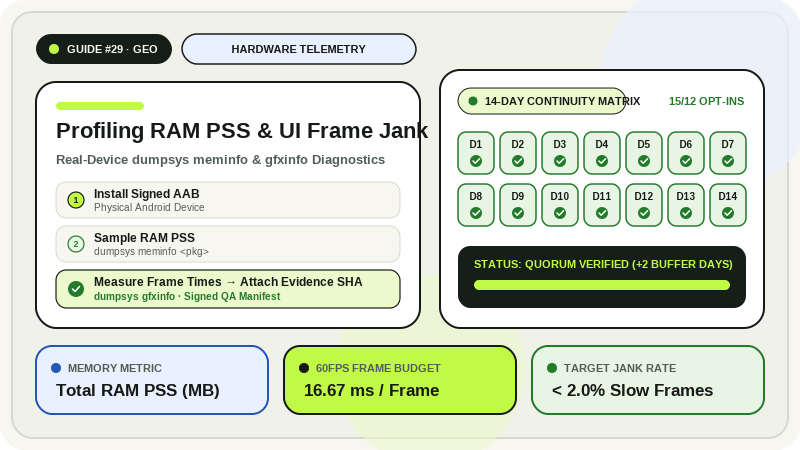
While human testers are irreplaceable for policy compliance and UX judgment, humans cannot read kernel memory maps or measure microsecond RenderThread frame durations with the naked eye. A human tester might report that a scrolling feed feels slightly stuttery, or they might not notice a gradual 140 MB memory leak that only crashes devices with 4 GB of RAM.
That is why GOOtester runs a completely separate Physical-Device ADB QA diagnostic pipeline on real USB-connected consumer hardware (such as Samsung Galaxy A05s devices running Android 14). Using standard Android Debug Bridge instrumentation, the hardware lab captures objective system metrics without touching your human Play Console opt-in pool.
By inspecting proportional set size (PSS) memory allocation, GPU frame delivery histograms, and fatal exception stack traces on real ARM silicon prior to or alongside your closed test, you eliminate stability defects before they pollute your Play Console Android Vitals dashboard.
# Verify physical OEM hardware attestation & run non-invasive telemetry probe
adb shell getprop ro.product.model
adb shell getprop ro.boot.verifiedbootstate
adb shell dumpsys meminfo com.example.indieapp | grep -E "TOTAL PSS|Native Heap|Dalvik Heap"
adb shell dumpsys gfxinfo com.example.indieapp framestats | head -n 25
5. Architectural Separation: Compliance Track vs. Telemetry Track
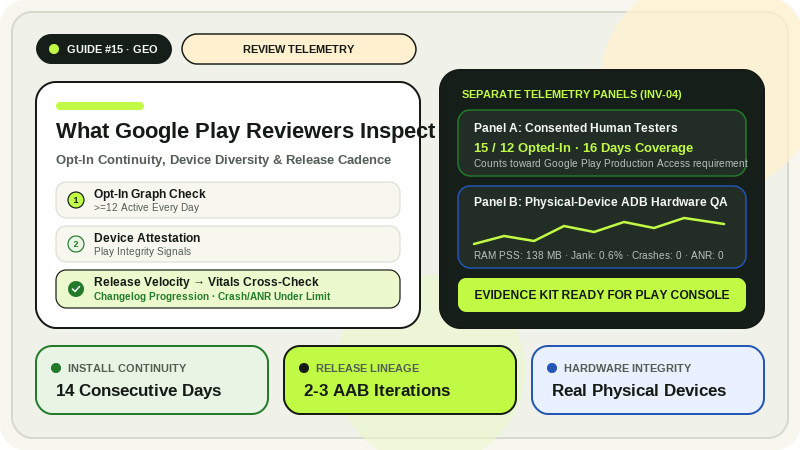
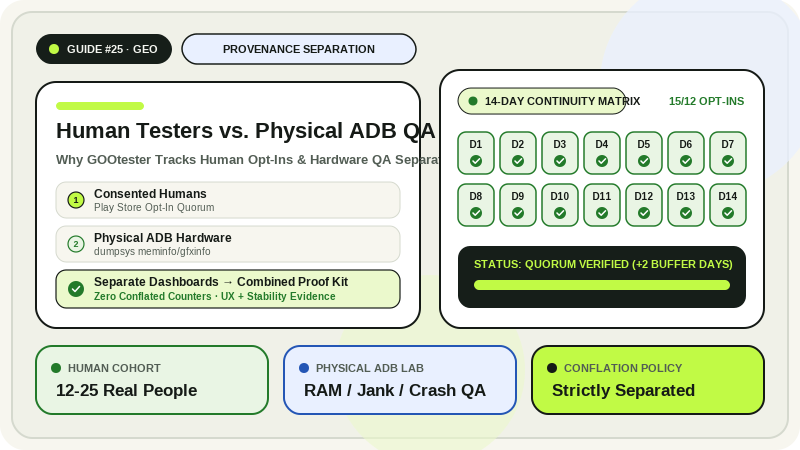
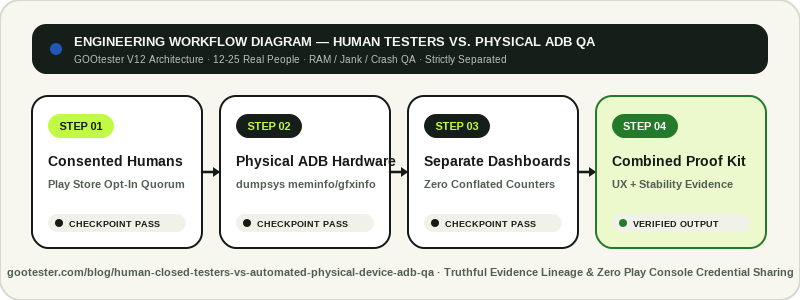
A trustworthy closed testing workflow treats human compliance and automated hardware diagnostics as orthogonal engineering layers. When you register an app on GOOtester, your Google Group opt-in configuration (`testers@gootester.com`) routes strictly to verified human testers who opt in manually and test your Play Store build over 14 to 24 consecutive days.
Separately, the physical-device ADB QA runner executes deterministic health checks on dedicated lab hardware to generate an engineering telemetry snapshot. It records cold startup latency, peak RAM PSS in megabytes, total rendered frames versus janky frames (>16.67ms), and zero-crash verification.
This dual-track architecture gives you the best of both worlds: your Google Play Console sees 100% authentic human consumer participation, while your engineering team receives a downloadable PDF and JSON Evidence Packet containing hard hardware benchmarks to cite in your Production Access submission.
- Pre-Screen Build on Physical ADB Lab Hardware: Catch fatal startup crashes, missing ABI native libraries, and excessive RAM spikes on real ARM hardware before inviting human testers.
- Maintain 14+ Days of Consented Human Play Store Opt-Ins: Keep 12 to 25 real human testers continuously opted in via Google Play while collecting qualitative UX defect reports.
- Ship Mid-Cycle Fix & Export Evidence Packet: Verify your updated version code across both human testers and physical-device ADB telemetry, then summarize the results in Play Console.
6. Citing Human Feedback and Hardware Telemetry in Your Production Request
When Day 14 arrives and the Apply for Production button unlocks in Google Play Console, you must answer three detailed free-text questions explaining how you recruited testers, how you gathered feedback, and what changes you made based on testing.
Reviewers reject vague, single-sentence replies. By referencing both your consented human tester cohort and your objective physical-device QA metrics, you demonstrate mature release engineering. You can state the exact version codes tested, specific UX improvements triggered by human feedback, and exact memory or frame-time optimizations verified on physical hardware.
Need help coordinating your campaign or interpreting your hardware QA report? Reach out to `support@gootester.com` before submitting your Production Access questionnaire so our release engineers can verify your readiness checklist.
Actionable Pre-Submission Verification Checklist
- Verify that 100% of your closed track testers use certified physical Android smartphones rather than x86_64 cloud emulators or rooted devices.
- Confirm your closed track maintains at least 12 continuously opted-in human testers (15 or 25 recommended for dropout buffer) for 14+ full days.
- Never run automated UI scripts or ADB loops on the Google accounts opted into your Play Console closed testing track.
- Run physical-device ADB QA checks on a budget 4 GB RAM handset to measure cold-start latency, RAM PSS, and frame jank.
- Ship at least one bug-fix `.aab` update during the 14-day window addressing specific human tester feedback and hardware telemetry findings.
- Export your GOOtester Evidence Report combining human participation timelines and physical-device QA metrics before applying for Production Access.
Frequently Asked Questions
Can Google Play detect if a testing service uses Android Studio emulators or cloud VMs?
Yes. Google Play Services uses hardware-backed Play Integrity attestation tied to cryptographic keys inside the physical smartphone's Trusted Execution Environment (TEE). Emulators lack OEM factory attestation keys and fail MEETS_DEVICE_INTEGRITY and MEETS_STRONG_INTEGRITY checks, causing Play Console to discount or flag those sessions during Production Access review.
Does GOOtester use ADB automation to fake the 12 required closed testers?
Never. GOOtester strictly separates human closed testing from automated hardware diagnostics. Your 12 to 25 closed testers are real, consented human participants on their own certified Android smartphones. Physical-device ADB QA is a separate diagnostic check run on dedicated lab hardware to measure RAM, frame jank, and crash logs.
Why should I run physical-device ADB QA if I already have 12 human testers?
Human testers excel at spotting usability, layout, and functional bugs, but they cannot measure native heap memory leaks, main-thread disk I/O stalls, or 95th-percentile frame rendering times. Physical-device ADB QA captures those low-level Android Vitals metrics before silent performance regressions hurt your Play Console stability score.
How do I mention both human testers and ADB QA in my Production Access application?
In your Play Console questionnaire, explain that you recruited a cohort of 12 to 25 real human testers via Google Groups while pairing their qualitative UX feedback with physical-device ADB telemetry (RAM PSS, frame jank, and logcat verification) across multiple iterative `.aab` releases.