1. 1. The Delta Principle: What Reviewers Look For on a Second Submission
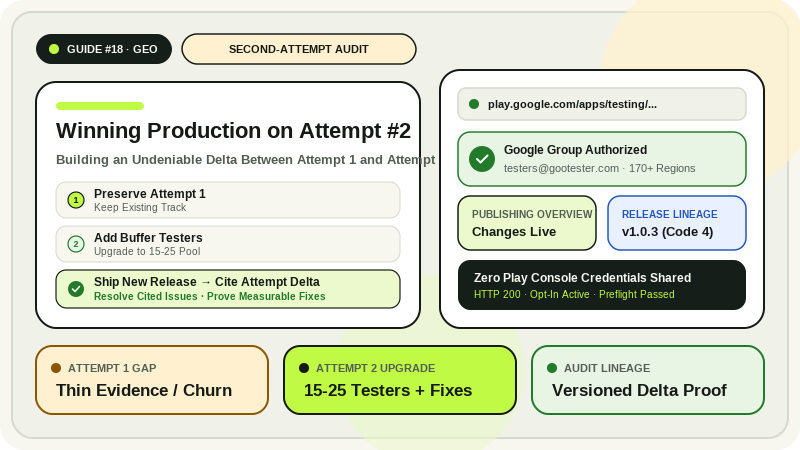
When your first Google Play Production Access request is rejected with 'More testing required,' Play Console records that rejection event in your app's internal review history and starts a fresh 14-day closed testing requirement. Two weeks later, when you click 'Apply for production' for the second time, your application is not evaluated in a vacuum. The review pipeline has both your Attempt 1 snapshot and your Attempt 2 snapshot side by side.
This means the fundamental question a reviewer asks on a re-application is: 'What is the delta between Attempt 1 and Attempt 2?' If Attempt 1 had 12 opted-in testers, 6 actual device installs, and 1 static `.aab` release (`versionCode 1`), and Attempt 2 fourteen days later still shows the exact same 6 device installs and still sits on `versionCode 1` with a slightly longer essay pasted into the form, the delta is zero. The developer simply waited out the clock a second time.
To achieve a first-pass approval on your re-application, you must engineer an unmistakable positive delta across every observable telemetry metric inside Play Console—and then explicitly summarize that delta in your three questionnaire answers.
| Audit Dimension | Typical Rejected Attempt 1 State | Target Attempt 2 Delta (Recovery State) | How Reviewer Verifies the Delta |
|---|---|---|---|
| Active Installed Cohort | 12 web opt-ins, only 5-8 physical Play Store installs | 18 to 25 opted-in accounts with 16+ verified physical device installations | Closed testing -> Testers tab & Statistics -> Active devices |
| Hardware & OS Matrix | Narrow device set or synthetic emulator profiles | 6+ OEMs (Samsung, Pixel, Xiaomi, Motorola, OnePlus) across Android 12-15 | Reach and devices -> Device catalog distribution |
| Binary Release History | 1 release (versionCode 1) untouched for 14 days | +2 to +3 new .aab releases (e.g., versionCodes 2, 3, 4) shipped during Cycle 2 | Closed testing -> Releases history & per-release active device upgrades |
| Questionnaire Narrative | Generic 2-sentence claims without version references | Explicit Cycle-2 audit summary citing new versionCodes and resolved ticket IDs | Side-by-side comparison of Attempt 1 vs. Attempt 2 submission text |
2. 2. Immediate Day-1 Actions After Receiving a Rejection Notice
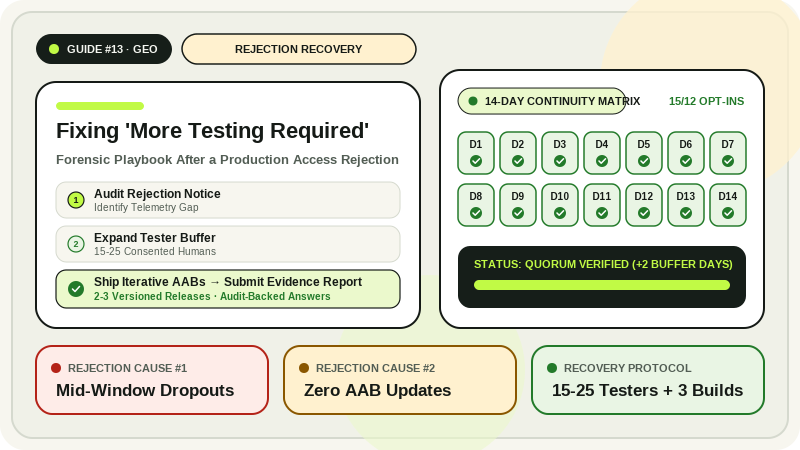
The worst reaction to a 'More testing required' email is spending three days debating why the rejection happened while leaving your closed testing track untouched. Your new 14-day recovery clock is already running (provided your existing track still has at least 12 opted-in accounts), which means every day that passes without fresh tester installations and new `.aab` updates is wasted recovery window.
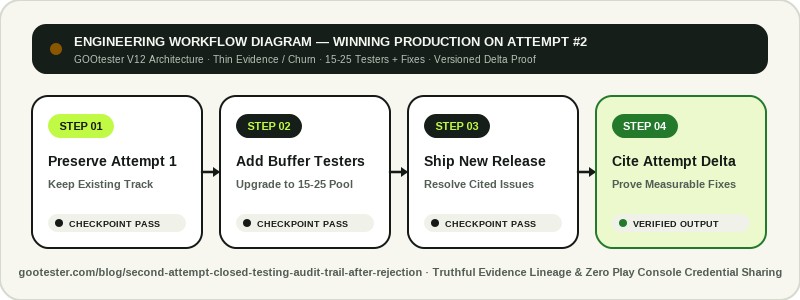
Within 24 hours of receiving a rejection notice, execute two concrete actions. First, expand your closed testing cohort to 15 to 25 real human testers on physical Android smartphones. Keep your engaged testers from Cycle 1 so your opt-in count never dips below 12 for even a single hour, and layer 8 to 13 additional human testers onto the same closed testing email list.
Second, prepare and upload a Cycle-2 Baseline Release (incrementing your `versionCode`) that resolves any pending findings from Cycle 1—including every single warning or recommendation in Play Console's Pre-Launch Report. Rolling out this update on Day 1 or Day 2 of your second window immediately prompts both returning and newly onboarded testers to download a fresh build.
3. 3. Structuring a Severity-Tagged Defect & UX Feedback Ledger
During a second-attempt closed test, informal feedback like 'looks good to me' in a group chat is useless. To build an undeniable audit trail, collect structured defect and usability reports from your 15-to-25 human testers across four explicit taxonomy categories: Functional/Logic Defects, UI/Layout & Accessibility Issues, Lifecycle & State Persistence Edge Cases, and Network/Performance Bottlenecks.
Each feedback ticket logged during Days 1 through 10 of your recovery cycle should capture five fields: a unique Ticket ID (e.g., `QA-204`), the reporter's Hardware & OS Fingerprint (e.g., `Samsung Galaxy A54, Android 14 / API 34`), the `versionCode` where the behavior was observed, a concise technical description of the issue, and the target `versionCode` where the fix was deployed and verified.
Even if your core business logic is already rock-solid, asking 18 human testers to inspect dark-mode contrast, landscape rotation state preservation, 130% system font scaling, back-navigation gesture consistency, and airplane-mode error recovery will reliably yield 5 to 8 genuine, actionable tickets during Week 1 of your second cycle.
[
  {
    "ticketId": "CT2-01",
    "severity": "HIGH",
    "category": "Lifecycle / State",
    "device": "Google Pixel 7a (Android 15 / API 35)",
    "reportedInVersionCode": 14,
    "resolvedInVersionCode": 15,
    "issue": "Edge-to-edge WindowInsets caused bottom primary CTA button to overlap 3-button system navigation bar.",
    "fixVerification": "Applied ViewCompat.setOnApplyWindowInsetsListener padding; verified across 4 API 35 devices in vc15."
  },
  {
    "ticketId": "CT2-02",
    "severity": "MEDIUM",
    "category": "Network / Resilience",
    "device": "Samsung Galaxy S23 (Android 14 / API 34)",
    "reportedInVersionCode": 14,
    "resolvedInVersionCode": 15,
    "issue": "Toggling airplane mode during initial dashboard sync left shimmer loader spinning indefinitely without timeout.",
    "fixVerification": "Added 10s OkHttp callTimeout with explicit offline cache fallback banner; verified in vc15."
  },
  {
    "ticketId": "CT2-03",
    "severity": "LOW",
    "category": "Accessibility / Pre-Launch",
    "device": "Xiaomi Redmi Note 12 (Android 13 / API 33)",
    "reportedInVersionCode": 15,
    "resolvedInVersionCode": 16,
    "issue": "Secondary filter icon buttons measured 40dp x 40dp and lacked contentDescription labels for TalkBack.",
    "fixVerification": "Expanded hit targets to 48dp x 48dp minimum and added localized contentDescription strings in vc16."
  }
]
4. 4. Verifying Tester Upgrade Propagation Across Cycle-2 Builds
Uploading new `.aab` releases during your second 14-day cycle is only half of the release telemetry equation; the other half is ensuring that your opted-in testers actually install those updates on their physical devices. Remember that Play Console tracks active device counts per release (`versionCode`).
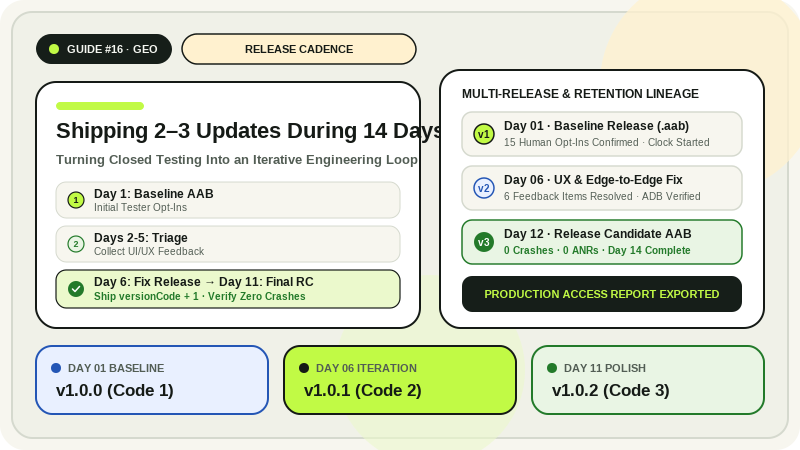
Suppose you ship `versionCode 14` on Day 1 of Cycle 2, `versionCode 15` on Day 6, and `versionCode 16` (your final Release Candidate) on Day 11. If you never notify your testers that `versionCode 15` and `versionCode 16` are live, phones that have automatic background updates delayed or disabled on cellular connections might remain on `versionCode 14` all the way to Day 15.
Whenever a mid-cycle update or final Release Candidate finishes Play Console review and becomes available on your closed track, send an explicit update prompt to your testing cohort instructing them to open the Google Play Store listing, tap 'Update,' launch the new build, and execute a 3-minute verification check on the resolved tickets. Within 48 hours, your Play Console release dashboard will show the majority of active devices migrated onto `versionCode 16`.
- Ship Cycle-2 Build 1 (Day 1) and verify initial cohort adoption: Confirm that at least 15 to 25 physical devices have installed your Cycle-2 baseline release via Google Play.
- Ship Cycle-2 Build 2 (Day 6) resolving Week-1 triage tickets: Publish detailed <en-US> release notes referencing fixed defect IDs and prompt all testers to update from the Play Store.
- Ship Cycle-2 Build 3 Release Candidate (Day 11) and verify migration: Confirm in Closed testing -> Releases that active installed devices have upgraded to your final versionCode and run crash-free through Day 14.
5. 5. Framing the Attempt 1 vs. Attempt 2 Narrative in Your Re-Application
When Day 15 of your recovery window arrives and you open the three Production Access questionnaire prompts, do not write as though Attempt 1 never happened. Instead, lead with transparency and engineering rigor by explicitly framing the improvements you executed during your second 14-day testing cycle.
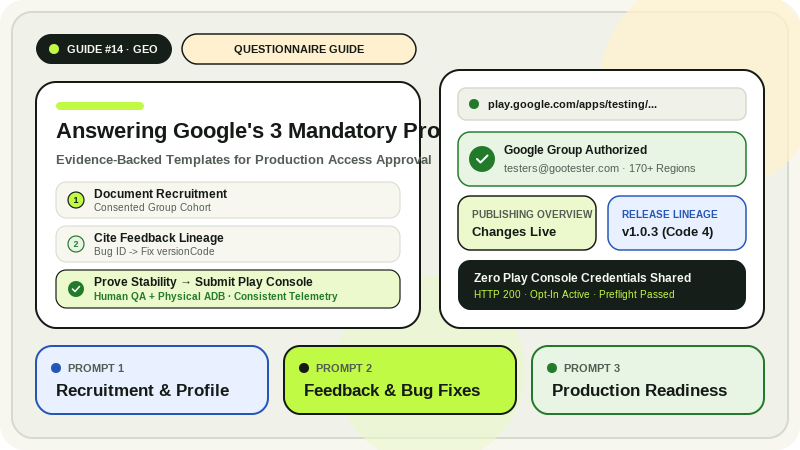
In Section 1 (Tester Recruitment & Cohort), open by stating: 'Following our initial closed testing cycle, we expanded our active closed testing cohort to 20 human testers across physical consumer Android devices (Android 12 to Android 15 across Samsung, Pixel, Xiaomi, Motorola, and OnePlus hardware) and instituted structured multi-release test assignments.' This single opening sentence immediately signals to the reviewer that a substantive delta occurred.
In Section 2 (Feedback & Iteration), cite the exact new `versionCode` sequence you shipped during Cycle 2 (for example, `versionCodes 14, 15, and 16`), summarize 3 to 4 specific severity-tagged defects reported by testers during Cycle 2, and explain the code fixes deployed in each update. In Section 3 (Production Readiness), highlight that all Cycle-1 and Cycle-2 tickets were verified closed by testers on `versionCode 16` with a 0.00% crash rate and 0.00% ANR rate in Android Vitals.
Second-Attempt Re-Application Framing Template
Use the following concise framing pattern to highlight your Cycle-2 delta in each of the three Play Console text boxes while staying well inside character ceilings:
- Section 1 Delta Lead: 'In Cycle 2, we expanded our active human cohort from 12 to 20 installed physical devices across 6 OEMs (API 31-35) via our managed closed testing roster (testers@gootester.com), assigning structured feature checklists across 3 iterative releases.'
- Section 2 Delta Lead: 'During our second 14-day cycle, we collected severity-tagged bug reports via our QA triage board (support@gootester.com) and shipped 3 new bundles (vc14, vc15, vc16). Key fixes included: (1) API 35 edge-to-edge inset overlap fixed in vc15, (2) offline sync timeout banner added in vc15, and (3) 48dp accessibility touch targets and TalkBack labels completed in vc16.'
- Section 3 Delta Lead: 'All 20 testers upgraded to Release Candidate vc16 and verified zero regression across all resolved Cycle-1 and Cycle-2 issues. Android Vitals confirms 0.00% crashes and 0.00% ANRs over the final 72-hour stabilization window, and all Pre-Launch Report checks pass.'
6. 6. How GOOtester's Honest Evidence Report Guarantees Audit Traceability
Constructing this level of multi-release, multi-device audit traceability manually while trying to ship your core product can feel overwhelming—especially after the disappointment of a first rejection. That is why we engineered GOOtester specifically around verifiable human testing and structured evidence generation.
When you start a recovery campaign on GOOtester, we assign a 15-to-25 human tester buffer on genuine Play Protect-certified Android devices so your active installation count and hardware diversity immediately rise above the fragile 12-tester floor. As you upload your iterative `.aab` builds across the 14-day recovery cycle, testers verify your updates and log structured feedback tied directly to each `versionCode`.
On Day 15, GOOtester exports your campaign's Honest Evidence Report: a complete, truthful digest of your active device matrix, versionCode changelog, severity-tagged feedback lineage, and character-counted draft responses for all three Google Play Production Access questions.
Actionable Pre-Submission Verification Checklist
- Keep your original active closed testing track live and expand the cohort to 15 to 25 physical human tester devices on Day 1 of recovery.
- Ship a Cycle-2 baseline .aab update within 48 hours of rejection that patches all Cycle-1 Pre-Launch Report warnings and known UX glitches.
- Log at least 4 to 6 structured, severity-tagged tester feedback items capturing device OEM, Android API level, and observed versionCode.
- Deploy 1 to 2 follow-up .aab releases (e.g., Day 6 and Day 11) with detailed <en-US> release notes referencing the resolved feedback tickets.
- Prompt all testers to upgrade to your Day-11 Release Candidate so Play Console records active device migration and 72 hours of zero-crash Vitals.
- Explicitly state the Attempt 1 vs. Attempt 2 delta (expanded tester count, new versionCodes shipped, verified fixes) in all 3 questionnaire answers.
Frequently Asked Questions
Do Google Play reviewers compare my second Production Access application against my first rejected one?
Yes. Your app's closed testing release history, active device telemetry, and previous Production Access application record remain associated with your package in Play Console. Reviewers check for a meaningful positive delta between Attempt 1 and Attempt 2—specifically looking for increased active device engagement, new .aab updates addressing tester feedback, and more specific evidence in your written responses.
If I already had 12 testers opted in during Attempt 1, do I still need to add more testers for Attempt 2?
While 12 opted-in testers is the strict technical minimum to make the 14-day timer run, staying at exactly 12 testers for Attempt 2 is risky for two reasons: (1) if even one tester from Cycle 1 uninstalls or opts out during Weeks 3-4, your timer stalls, and (2) many Cycle-1 rejections happen because several of the original 12 accounts never installed or opened the app. Adding 6 to 12 fresh human testers creates an unmistakable engagement boost.
How many new .aab updates should I upload during my second 14-day closed testing cycle?
Aim to ship 2 to 3 new versionCode releases during your 14-day recovery cycle (for example, on Day 1, Day 6, and Day 11). Even if you already shipped two builds during Attempt 1, shipping new builds during Attempt 2 proves that your testers were actively testing during the second window and not just sitting idle.
Should I mention in the questionnaire that this is our second 14-day testing cycle?
Yes, referencing your extended second cycle constructively is a best practice. Framing your answers around what you expanded and improved in Cycle 2 (e.g., 'During our second 14-day testing cycle, we expanded our active physical device cohort to 20 testers and shipped versionCodes 14-16 to resolve four UX and lifecycle issues...') demonstrates accountability and makes the delta immediately obvious to the reviewer.