1. 1. Mastering pubspec.yaml Versioning and CI Build Number Overrides
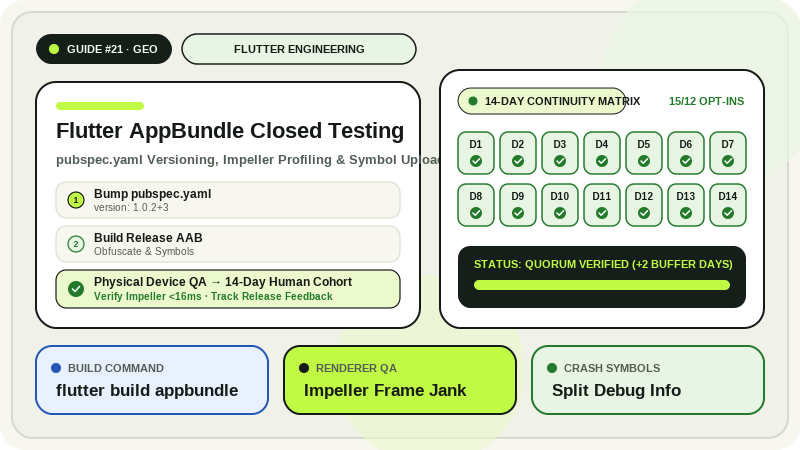
In a Flutter repository, Android versioning is driven by a single line inside pubspec.yaml using the syntax version: <major>.<minor>.<patch>+<build_number>. The semantic string before the plus sign becomes Android's versionName, while the positive integer after the plus sign is injected into Gradle as flutter.versionCode.
When running a 14-day closed testing campaign on Google Play, every Android App Bundle you upload must carry a strictly larger integer after the plus sign than any prior build in Play Console. If you upload 1.0.0+1 on Day 1 and later bump your semantic version to 1.0.1+1 on Day 5, Google Play will reject the upload because the integer versionCode remained at 1.
For automated builds or rapid bug-fix loops, you can also override both values directly at the CLI using flutter build appbundle --release --build-name=1.0.2 --build-number=105 without dirtying your git commit history.
name: pulse_habit_tracker
description: "Offline-first Flutter habit tracker for Google Play Closed Testing."
publish_to: "none"

# Format: versionName+versionCode
# Increment the integer after '+' on every Google Play Closed Testing upload
version: 1.0.4+104

environment:
  sdk: ">=3.5.0 <4.0.0"

dependencies:
  flutter:
    sdk: flutter
  shared_preferences: ^2.3.2
  sqflite: ^2.3.3+1
2. 2. Configuring android/app/build.gradle.kts and key.properties Signing
By default, newly created Flutter projects configure the release build type in android/app/build.gradle.kts to use signingConfigs.getByName("debug") so developers can run flutter run --release locally without a certificate. However, Google Play Console immediately rejects any .aab signed with the Android debug key.
Create an untracked android/key.properties file containing your upload keystore credentials and load it dynamically inside android/app/build.gradle.kts. At the same time, verify that your applicationId is unique and that compileSdk is set to 35 (Android 15) to satisfy current Play Store submission requirements.
Ensure android/key.properties and *.jks are listed in your root .gitignore file. When onboarding your project into GOOtester, you can paste your pubspec.yaml or android/app/build.gradle.kts into the Smart Config Importer to auto-populate your release metadata.
import java.util.Properties
import java.io.FileInputStream

plugins {
    id("com.android.application")
    id("kotlin-android")
    id("dev.flutter.flutter-gradle-plugin")
}

val keystoreProperties = Properties()
val keystorePropertiesFile = rootProject.file("key.properties")
if (keystorePropertiesFile.exists()) {
    keystoreProperties.load(FileInputStream(keystorePropertiesFile))
}

android {
    namespace = "com.indielabs.pulsehabit"
    compileSdk = 35

    defaultConfig {
        applicationId = "com.indielabs.pulsehabit"
        minSdk = 24
        targetSdk = 35
        versionCode = flutter.versionCode
        versionName = flutter.versionName
    }

    signingConfigs {
        create("release") {
            keyAlias = keystoreProperties.getProperty("keyAlias")
            keyPassword = keystoreProperties.getProperty("keyPassword")
            storeFile = keystoreProperties.getProperty("storeFile")?.let { file(it) }
            storePassword = keystoreProperties.getProperty("storePassword")
        }
    }

    buildTypes {
        getByName("release") {
            signingConfig = signingConfigs.getByName("release")
            isMinifyEnabled = true
            isShrinkResources = true
            proguardFiles(getDefaultProguardFile("proguard-android-optimize.txt"), "proguard-rules.pro")
        }
    }
}
3. 3. Validating Impeller Rendering and Frame Jank on Physical Android Hardware
Modern Flutter releases enable the Impeller rendering engine by default on Android, replacing the legacy Skia runtime to eliminate shader compilation jank through precompiled Vulkan pipelines. While Impeller delivers smooth 120Hz animations on flagship devices, Vulkan driver quirks on diverse mid-range Android SoCs can occasionally trigger visual glitches or elevated frame times.
Desktop emulators run atop host translation layers (SwiftShader or angle) that cannot replicate real mobile GPU thermal throttling or Vulkan driver behavior. Running your Flutter release build across real physical Android devices during your 14-day closed test is essential to catch device-specific rendering regressions before public launch.
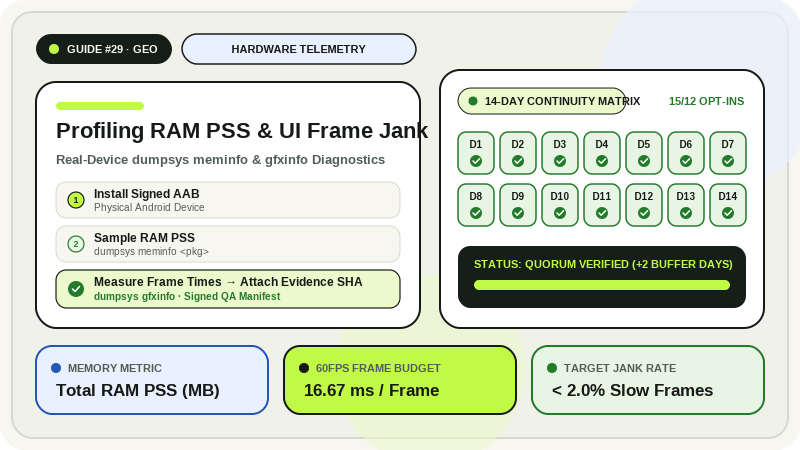
When GOOtester executes automated physical device ADB checks alongside human tester sessions, we capture dumpsys gfxinfo frame-time histograms and Proportional Set Size (PSS) memory footprints. If a specific device exhibits Vulkan driver instability, you can selectively test OpenGL fallback behavior or optimize overdraw in complex CustomPainter widgets.
| Flutter Android Telemetry Metric | Healthy Closed Testing Target | Common Flutter Bottleneck | Engineering Remediation |
|---|---|---|---|
| Janky Frames (>16.67ms @ 60Hz) | < 3.0% of total rendered frames | Unbounded ListView or synchronous BackdropFilter blur | Use ListView.builder & cache costly layer effects |
| RAM Total PSS Footprint | < 220 MB on mid-range devices | Decoding uncompressed 4K assets into ImageCache | Pass cacheWidth / cacheHeight to Image.asset & Image.network |
| Cold Startup Time (TTID) | < 1,200 ms on physical hardware | Awaiting multiple network/Firebase calls before runApp() | Render lightweight skeleton shell immediately & defer init |
| ANR Rate in Android Vitals | 0.00% (Strict threshold < 0.47%) | Heavy JSON/SQLite work on main Dart isolate or platform thread | Use Isolate.run() for parsing & async platform channels |
4. 4. Preventing R8 and ProGuard Reflection Crashes in Flutter Release Builds
Flutter debug and profile builds compile with JIT or unminified native wrappers, meaning every Java and Kotlin class inside your third-party plugins remains intact. When you run flutter build appbundle --release, Gradle activates R8 code shrinking and resource stripping, which aggressively removes unused classes and renames methods.
If your Flutter app uses plugins that rely on Java reflection—such as flutter_local_notifications, gson-backed network clients, in_app_purchase, or custom MethodChannel data classes—R8 can strip fields that appear unreferenced at compile time. This causes features to fail silently or crash with NoSuchMethodError only on Play Store builds.
Create an android/app/proguard-rules.pro file and explicitly retain your Flutter wrapper classes, model annotations, and native JNI boundaries. Always test your shrunk release AAB on a physical device using bundletool build-apks before rolling it out to your 12-tester closed track.
5. 5. Compiling with --split-debug-info for Readable Android Vitals Stack Traces
Compiling Dart code ahead-of-time (AOT) into native ARM64 machine code (libapp.so) provides great runtime speed, but obfuscated release builds produce unreadable hexadecimal memory offsets when a crash occurs in the field. If a tester hits an unhandled exception on Day 4 of your closed test, a raw stack trace inside Google Play Console's Android Vitals is difficult to diagnose without symbol files.
Always build your production app bundle with Dart obfuscation and split debug symbols enabled: flutter build appbundle --release --obfuscate --split-debug-info=build/app/outputs/symbols. This command reduces your downloadable AAB size while saving dwarf debug symbol maps for each target architecture (arm64-v8a, armeabi-v7a, x86_64).
Archive those symbol files matching each versionCode release. You can upload native debug symbols directly inside Google Play Console's App Bundle Explorer and use the flutter symbolize command to translate obfuscated Dart stack frames back into exact file and line numbers.
- Run flutter build appbundle --release --obfuscate --split-debug-info=build/symbols on every release.
- Bundle native debug symbols automatically by setting ndk { debugSymbolLevel = "FULL" } in android/app/build.gradle.kts.
- Retain your build/symbols directory as a versioned CI artifact matching every uploaded versionCode.
- Use flutter symbolize -i stacktrace.txt -d build/symbols/app.android-arm64.symbols to decode tester crash reports instantly.
6. 6. Executing the 14-Day Closed Testing Loop and Production Readiness Review
With your signed app-release.aab uploaded to Google Play Console's Closed Testing track, assign your testing group (including testers@gootester.com) and publish the release for review. Once Google approves the track, GOOtester distributes your opt-in URL to 12+ real testers across distinct devices and networks.
Monitor both Google Play Console's Android Vitals dashboard and GOOtester's structured feedback portal throughout the 14-day window. When testers report layout overflows on small viewports (RenderFlex overflowed by X pixels) or localization issues, patch the widget tree, increment the +build_number in pubspec.yaml, and push an updated AAB.
At the end of the 14 consecutive days, export your GOOtester Evidence Pack containing version-by-version release logs, physical device ADB telemetry (RAM PSS, frame jank, cold startup timing), and tester feedback resolutions to support your Production Access submission.
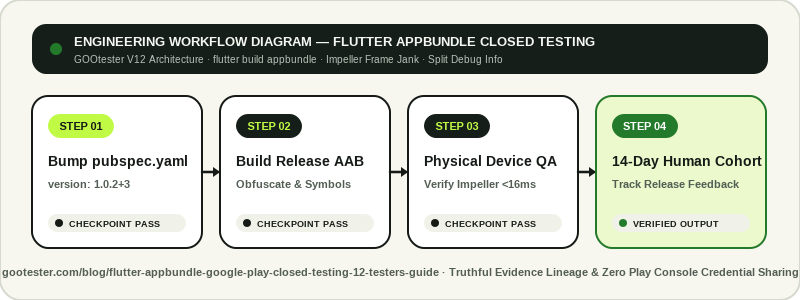
- Compile Signed & Obfuscated AAB: Run flutter build appbundle --release --obfuscate --split-debug-info=build/symbols and verify the bundle signature.
- Onboard Campaign via Smart Config Importer: Paste pubspec.yaml and android/app/build.gradle.kts into GOOtester to verify your applicationId and Play Store opt-in links.
- Ship Iterative +versionCode Fixes: Resolve any UI or Impeller rendering issues reported during the 14-day test by publishing at least two incremented build numbers.
Actionable Pre-Submission Verification Checklist
- Verify pubspec.yaml version follows x.y.z+N format and increment the integer N on every Play Console upload.
- Replace debug signing in android/app/build.gradle.kts with a release signingConfig loaded from an untracked key.properties file.
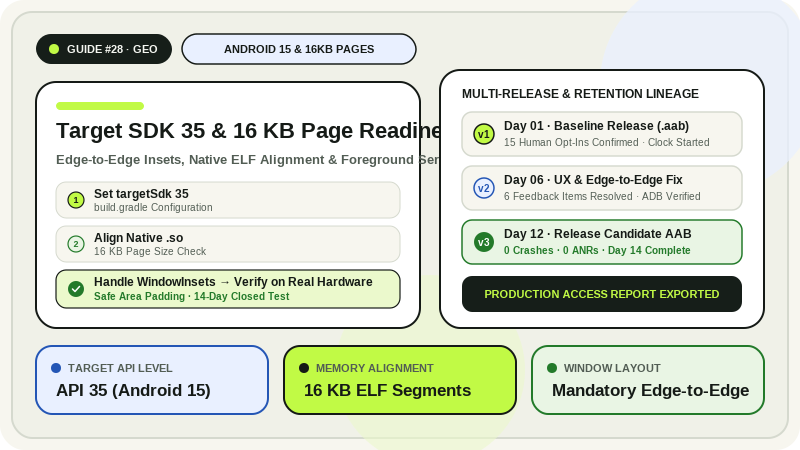
- Set compileSdk = 35 and targetSdk = 35 and confirm all Flutter plugins support Android 15 16 KB page alignment.
- Add android/app/proguard-rules.pro keep rules and res/raw/keep.xml declarations for notification and reflective plugins.
- Build with --obfuscate --split-debug-info and include ndk debugSymbolLevel = "FULL" for readable Android Vitals stack traces.
- Validate Impeller frame pacing (<3% janky frames) and RAM PSS on physical Android devices during your 14-day closed test.
Frequently Asked Questions
Why did Google Play Console reject my Flutter AAB with 'You uploaded an APK or Android App Bundle that was signed in debug mode'?
Flutter templates default to signing release builds with the debug key so flutter run --release works out of the box. You must create an upload keystore with keytool, reference it in android/key.properties, and update buildTypes.release.signingConfig in android/app/build.gradle.kts to use signingConfigs.getByName("release").
How does pubspec.yaml version map to Google Play versionCode and versionName?
In pubspec.yaml, a declaration like version: 2.1.0+18 splits at the plus sign. The semantic prefix 2.1.0 becomes android.defaultConfig.versionName (shown to users on the store listing), while the integer 18 becomes android.defaultConfig.versionCode (used by Google Play to enforce upgrade ordering).
Should I disable Impeller on Android for my Flutter closed testing build?
In almost all cases, keep Impeller enabled because it eliminates first-run shader compilation stutter on modern Android devices. Only consider testing the legacy Skia fallback if physical device telemetry during your closed test reveals a specific Vulkan driver defect on an older GPU family.
How do I fix missing native debug symbols warnings in Google Play Console for Flutter?
Open android/app/build.gradle.kts and add ndk { debugSymbolLevel = "FULL" } inside defaultConfig or buildTypes.release. When you run flutter build appbundle --release, Gradle will automatically package native C/C++ symbol tables (.so.dbg) inside the .aab archive for Play Console.