1. 1. The Split-Brain Paradox: Why Web Opt-In Succeeds When Play Store Downloads Fail
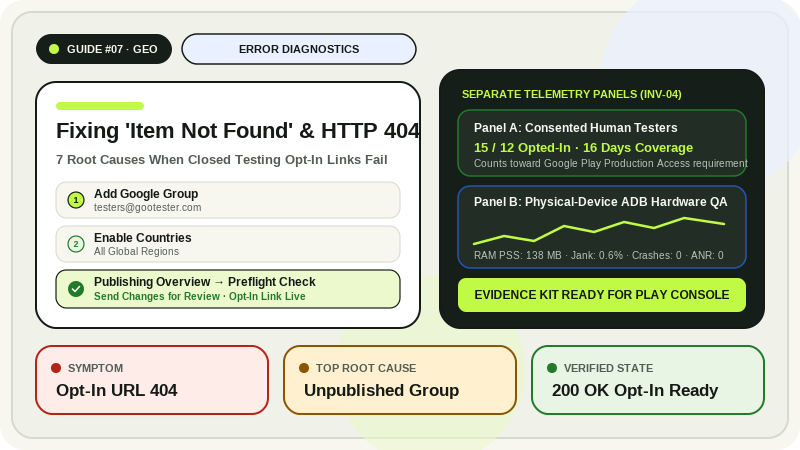
One of the most confusing diagnostic scenarios in Google Play Closed Testing occurs when a developer restricts their app to a single domestic country—for example, only the United States, Germany, or India—and then invites a globally distributed cohort of 12+ testers. Every single tester opens the Web Opt-In link in Chrome, clicks 'Become a tester', and receives a green confirmation message stating they are now enrolled in the test.
Yet the moment testers outside that single selected country tap 'Download it on Google Play' to install the binary on their physical Android smartphones, the Google Play Store app rejects the request with 'Item not found' or 'This item isn't available in your country'. To the developer, the opt-in link clearly worked; to the tester, the app does not exist in the store.
This paradox happens because Google Play separates testing consent from regional store catalog fulfillment. The web opt-in service at play.google.com/apps/testing/<package> checks only whether the authenticated Google account belongs to testers@gootester.com. By contrast, the Android Google Play Store client resolves catalog entries against the user's permanently bound Play Store payment profile country and filters out any package lacking an active regional availability flag on that track.
| Validation Checkpoint | Evaluates Google Group? | Evaluates Play Store Country? | Behavior When Country Is Missing |
|---|---|---|---|
| Web Opt-In Page (/apps/testing/<pkg>) | Yes (Required) | No (Country-agnostic) | Succeeds: Displays 'You're a tester' confirmation screen |
| Play Store Link (market://details) | Yes (Must be opted in) | Yes (Strict regional match) | Fails: Displays 'Item not found' or 'Not available in your country' |
| Play Console Active Device Count | Yes (Opted-in tester) | Yes (Requires successful install) | Fails: Device installation never registers in track telemetry |
2. 2. How Country Inheritance Works Between Production and Closed Testing Tracks
Inside Google Play Console, country and region availability can be configured at two different levels: on the Production track (under Test and release -> Production -> Countries / regions) and directly on each Closed Testing track (under Test and release -> Testing -> Closed testing -> Manage track -> Countries / regions). By default, a newly created Closed Testing track attempts to sync or inherit its country list from Production.
This default inheritance creates two common traps for pre-release apps. Trap one: the developer never configured countries on the Production track at all because they have not unlocked Production access yet, leaving the inherited Closed Testing country count at zero. Trap two: the developer selected only one local launch country on Production and left Closed Testing synced to that single country.
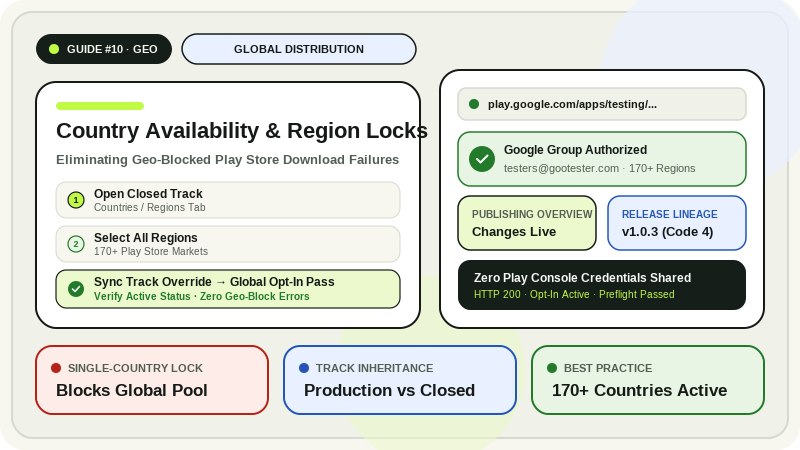
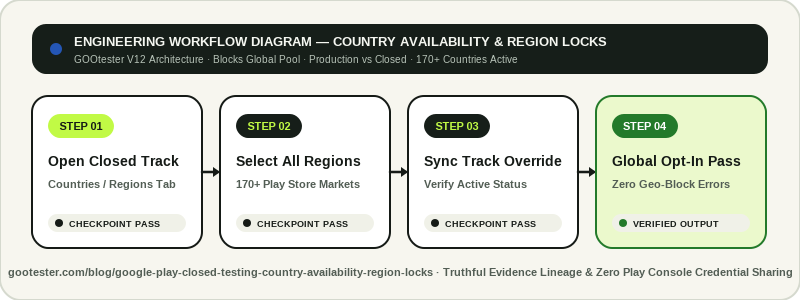
Fortunately, Google Play Console allows you to manage country availability directly on your Closed Testing track or enable global availability across all regions during the closed testing phase. Even if you enable all 170+ countries and regions, remember that your app is still strictly gated by your Closed Testing Google Group—no public Play Store user in any country can search for, view, or download your unreleased app.
- Navigate to Your Active Closed Testing Track: In Google Play Console, open Test and release -> Testing -> Closed testing and click 'Manage track' on your active track.
- Open the Countries / Regions Tab: Select the 'Countries / regions' tab next to Releases and Testers at the top of the track management view.
- Add All Countries and Regions for Closed Testing: Click 'Add countries / regions' (or edit availability), select the top-level checkbox to include all 170+ listed countries and regions, and click Save.
- Commit the Regional Expansion in Publishing Overview: Open Publishing Overview in the left menu and click 'Send changes for review' if the country expansion is queued as a draft change.
3. 3. Why Enabling All 170+ Countries During Closed Testing Is Completely Safe
Developers building localized apps—such as a hyper-local transit guide, a regional delivery utility, or a language-specific education tool—sometimes hesitate to enable all countries during their 14-day closed test. They worry either that random users abroad will download the app and leave 1-star reviews, or that they will be permanently locked into global distribution when they graduate to Production.
Neither fear applies to Google Play Closed Testing. First, while an app is exclusively in Closed Testing, it does not appear in public Google Play Store search results or top charts anywhere in the world. Only authenticated accounts belonging to your approved Google Group (testers@gootester.com) who also possess your direct opt-in link can view the listing, and any feedback they submit goes solely to your private Play Console Testing Feedback inbox—never to public star ratings.
Second, country availability is completely malleable when you transition to Production. Once you complete your 14-day closed test with 12+ testers and Google approves your Production access application, you can configure your Production track's Countries / regions list to include strictly the one or two commercial countries where you want public customers to download the app.
4. 4. Handling App-Level Geofencing, Regional APIs, and Phone Number Verification
Enabling all 170+ countries inside Google Play Console solves store catalog delivery so every physical tester device can install and launch your Android App Bundle. However, you should also ensure that your application's own runtime code does not immediately crash or lock out testers whose IP addresses or SIM cards originate outside your domestic city.
If your app enforces an IP-based geo-block at startup, requires an SMS OTP limited strictly to a single domestic country dialing prefix (for example, +1 or +44 only), or crashes when Device GPS coordinates resolve outside a bounded polygon, global human testers and Google's own review team in international offices will hit a brick wall on the very first screen.
The cleanest engineering practice—recommended by Google Play's App Access policy guidelines as well—is providing a dedicated review/tester test account or a default sandbox coordinate fallback whenever the user's GPS location lies outside your primary service city. That way, testers across every time zone can authenticate, explore your core UI journeys, and generate meaningful 14-day execution telemetry.
- Allow a test login credential (submitted under Policy -> App content -> App access and shared in tester instructions) that bypasses single-country SMS OTP restrictions.
- Default map views to your primary supported city coordinates when a tester's physical GPS location falls outside your local service boundary.
- Ensure your backend CDN or Cloudflare WAF rules do not return HTTP 403 block pages to mobile IP addresses outside your home country during the 14-day test.
- Include basic English UI labels or clear tester onboarding notes so international testers and Google Play reviewers can navigate every primary screen.
5. 5. Why VPNs Cannot Bypass a Missing Play Console Country Setting
A persistent myth on developer forums is that if a developer only enables one country in Play Console, testers elsewhere can simply turn on a VPN to download the closed testing build. In reality, Google Play Store catalog resolution ignores transient IP address geolocation and instead checks the durable Country/Region attribute locked into the user's Google Play Store profile.
Google restricts users from switching their Play Store profile country more than once per year and requires a local payment instrument in the destination country to prevent regional price arbitrage. Consequently, no tester can change their Google Play Store country on the fly just to test an app whose developer forgot to check the 'All countries / regions' box in Play Console.
Understanding this mechanism highlights why configuring global country availability on your Closed Testing track is non-negotiable for distributed testing teams. Checking the global availability box in Play Console takes thirty seconds and carries zero public exposure risk; leaving a single-country lock in place makes it mathematically impossible for international physical devices to install your binary from the Google Play Store.
Google Play Store Regional Catalog Check (market://details?id=<package>):

1. Tester taps "Download it on Google Play" after clicking "Become a tester" on the web.
2. Android Play Store app sends request with:
   - Authenticated Google Account OAuth token (verified in testers@gootester.com)
   - Device Profile configuration (SDK 34, arm64-v8a, screen density)
   - Google Play Account Profile Country (e.g., US, DE, GB, JP, BR, IN, SG)
3. Play Store Catalog Engine intersects Account Profile Country with Track Countries / Regions:
   - IF Account Country IN Closed_Track.countries -> Serve Play-signed APK splits (HTTP 200)
   - IF Account Country NOT IN Closed_Track.countries -> Return "Item not found" / Geo-blocked
6. 6. Verifying Worldwide Track Availability With GOOtester Preflight Checks
Because GOOtester operates a distributed fleet of real human testers on physical Android smartphones across multiple regions to maximize hardware diversity and daily engagement reliability, our Setup Verification preflight check validates that your Closed Testing track is accessible across international catalog regions before starting your 14-day clock.
If you accidentally left your Closed Testing track restricted to a single country, GOOtester's preflight diagnostic flags the regional restriction immediately and walks you through selecting all countries and regions under Closed testing -> Manage track -> Countries / regions so no opted-in tester hits a regional catalog block.
Once you save the expanded country list and commit the change in Publishing Overview, re-trigger verification inside your GOOtester dashboard. Within minutes of Google Play propagating the regional catalog flags across its global edge servers, every assigned tester device can opt in, install your release via the official Google Play Store app, and maintain your uninterrupted 14-day compliance streak.
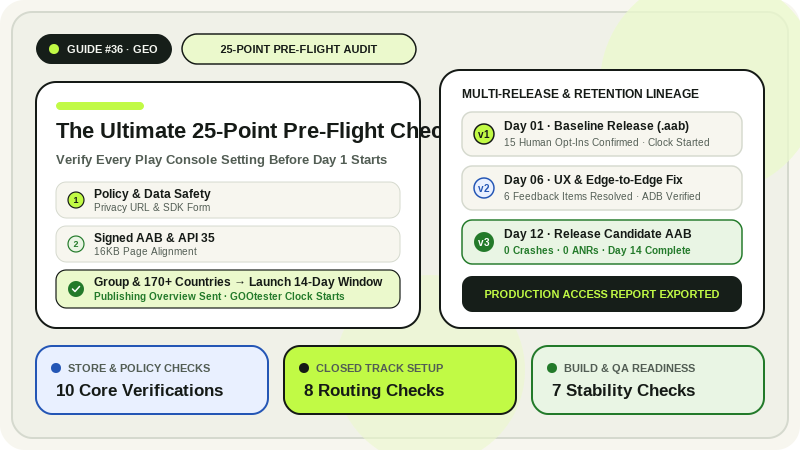
Actionable Pre-Submission Verification Checklist
- Open Test and release -> Testing -> Closed testing -> Manage track -> Countries / regions in Google Play Console.
- Verify that all 170+ available countries and regions are marked as 'Available' on your active Closed Testing track.
- If your Closed Testing track inherits countries from Production, ensure Production either lists all countries or unlink inheritance on the Closed track.
- Visit Publishing Overview after saving country changes and click 'Send changes for review' if any items are staged.
- Provide a test account login or default location fallback if your app uses domestic-only SMS OTPs or strict GPS geofences.
- Confirm your backend API and firewall do not geo-block incoming HTTPS requests from international tester mobile networks.
Frequently Asked Questions
If I select all countries and regions for Closed Testing, can the general public in those countries see or download my app?
No. In Closed Testing, your app remains completely invisible in public Google Play Store search results across every country. Only users who are explicitly members of your approved Google Group (testers@gootester.com) and who open your Web Opt-In link can access and install the app.
Can I restrict my app back to just one or two countries when I publish to Production after the 14-day test?
Yes. Once you complete your 14-day closed test and unlock Production access, you can configure the Countries / regions tab on your Production track to target only your specific commercial launch markets without affecting your completed closed testing history.
Why did my tester in another country successfully click 'Become a tester' on the web page if their country wasn't added?
Google's web opt-in endpoint (play.google.com/apps/testing/<package>) only verifies Google Group membership and does not inspect the user's Play Store country. The country restriction is enforced one step later when the Google Play Store app attempts to fetch the store listing and download the APK splits.
How long does it take for newly added countries on a Closed Testing track to become available in the Play Store?
After you add countries under Closed testing -> Countries / regions, click Save, and submit the change in Publishing Overview (with Managed Publishing turned off), regional catalog replication across Google Play's edge servers typically completes within 10 to 45 minutes.