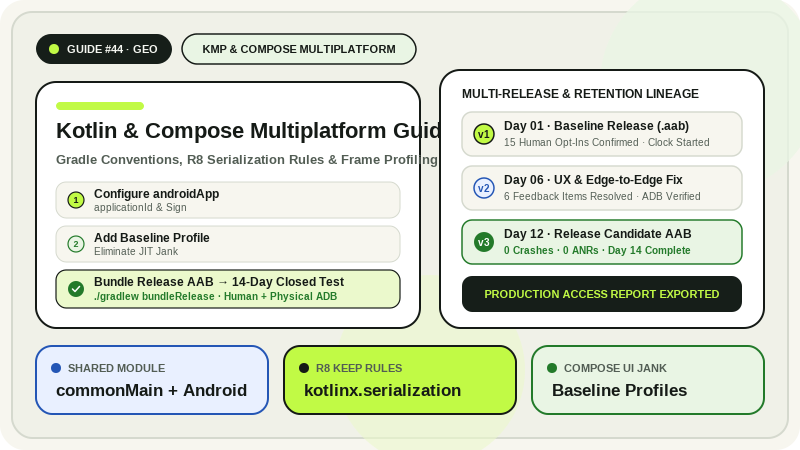
1. 1. Structuring :composeApp Gradle Conventions for Closed Testing
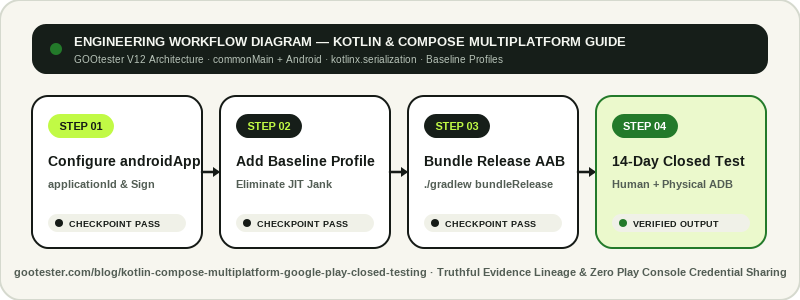
Kotlin Multiplatform (KMP) and JetBrains Compose Multiplatform allow indie developers and product teams to share business logic, networking, persistence, and UI screens across Android and iOS while compiling directly to native ART bytecode on Android. Unlike WebView or heavy runtime bridges, a KMP Android target produces a standard Android App Bundle via `./gradlew :composeApp:bundleRelease`.
However, default KMP wizard templates routinely ship with `isMinifyEnabled = false` on the `release` build type and hardcode `versionCode = 1` inside `composeApp/build.gradle.kts`. Uploading an unminified KMP bundle balloons download size and exposes unobfuscated symbols, while leaving `versionCode` static causes Play Console upload rejections when you ship Day-5 bug fixes.
Configure `composeApp/build.gradle.kts` to read signing credentials from environment variables or an untracked `keystore.properties` file, target `compileSdk = 35` and `targetSdk = 35`, enable both R8 code and resource shrinking, and accept `-PversionCode` overrides from CI.
android {
    namespace = "com.example.kmphabit"
    compileSdk = 35

    defaultConfig {
        applicationId = "com.example.kmphabit"
        minSdk = 24
        targetSdk = 35
        versionCode = (project.findProperty("versionCode") as String?)?.toIntOrNull() ?: 101
        versionName = (project.findProperty("versionName") as String?) ?: "1.0.1"

        ndk {
            debugSymbolLevel = "FULL"
        }
    }

    buildTypes {
        getByName("release") {
            isMinifyEnabled = true
            isShrinkResources = true
            signingConfig = signingConfigs.getByName("release")
            proguardFiles(
                getDefaultProguardFile("proguard-android-optimize.txt"),
                "proguard-rules.pro"
            )
        }
    }
}
2. 2. Why KMP Release Builds Crash Under R8 Full Mode (And How to Fix Them)
The most common Day-1 catastrophe in a KMP 14-day closed test happens when an app runs flawlessly in Android Studio's `debug` configuration on an emulator, yet crashes immediately on startup or first network response when installed by closed testers from Google Play. In almost every case, AGP 8+'s default **R8 Full Mode** (`android.enableR8.fullMode=true`) stripped classes instantiated via Kotlin metadata or reflection.
In `commonMain`, developers rely heavily on `kotlinx.serialization`, Ktor `HttpClient` (`ktor-client-okhttp` or `ktor-client-cio`), Koin dependency injection, and SQLDelight or Room Multiplatform. When R8 cannot statically trace a reified `serializer<T>()` lookup or a generic Ktor `body<ApiResponse>()` call across multiplatform module boundaries, it deletes the generated `$serializer` nested object or strips generic type signatures.
Rather than disabling R8 (`isMinifyEnabled = false`), map each multiplatform dependency in your stack to its exact runtime reflection mechanism and verify your release bundle locally using `bundletool build-apks --mode=universal` before uploading to Play Console.
| KMP Ecosystem Library | Release-Only Crash Signature | R8 Shrinking Root Cause | Required Mitigation |
|---|---|---|---|
| kotlinx.serialization | SerializationException: Serializer for class '...' is not found | R8 strips Companion & generated $serializer classes on indirect lookups | Keep @Serializable Companion & generated $serializer members |
| Ktor Client (OkHttp / CIO) | ServiceConfigurationError or missing TLS cipher classes | ServiceLoader META-INF providers or OkHttp internal classes pruned | Keep HttpClientEngineContainer implementations & Signature attributes |
| SQLDelight / AndroidSqliteDriver | UnsatisfiedLinkError or NoSuchMethodError in native cursor callbacks | JNI-referenced driver or custom SQLite wrapper methods renamed | Keep app.cash.sqldelight.** driver & JNI callback classes |
| Koin Multiplatform DI | NoBeanDefFoundException on runtime KClass lookup | Obfuscated class names collide when using reflection-based qualifiers | Prefer typed Koin constructor DSL & keep custom annotated modules |
4. 4. Eliminating Cold-Start & Scroll Jank with Baseline Profiles
On Android, Compose Multiplatform compiles directly down to Jetpack Compose's runtime and Android's native `RenderNode` / Skia hardware canvas—delivering near-native throughput once compiled. However, without ahead-of-time (AOT) profile guidance, Android's ART runtime must interpret hundreds of Compose layout, modifier, and recomposition lambdas via JIT on a tester's first few launches.
On entry-level and mid-range Qualcomm or MediaTek handsets, unguided JIT compilation during onboarding animations pushes UI frame rendering past the 16.67 ms (60 Hz) budget, inflating your **Slow frames** metric in Android Vitals. Adding the `:baselineprofile` Gradle plugin (`androidx.baselineprofile`) pre-compiles critical startup and `LazyColumn` scroll paths into `assets/dexopt/baseline.prof` inside your `.aab`.
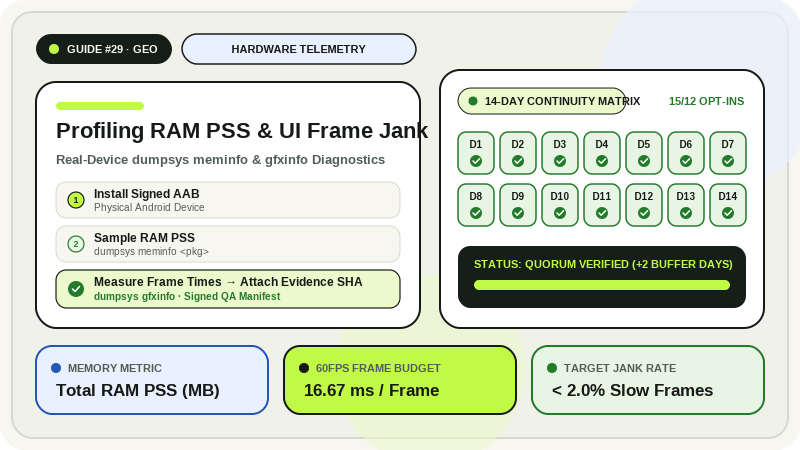
During your 14-day closed test, pair human usability sessions with GOOtester's standalone physical-device ADB QA run. Inspecting `adb shell dumpsys gfxinfo` 95th-percentile frame times and cold-start Time-To-Initial-Display (TTID) gives you concrete telemetry improvements to showcase when answering Question 2 of Google Play's Production Access form.
- Mark shared `commonMain` state models with `@Immutable` or `@Stable` when passing lists or domain entities from `:shared` into `@Composable` functions to prevent unnecessary recompositions.
- Include `androidx.profileinstaller:profileinstaller` in `androidMain` dependencies so Google Play Cloud Profiles and bundled Baseline Profiles install at APK extraction time.
- Offload SQLDelight queries, Ktor JSON deserialization, and image decoding onto `Dispatchers.IO` or `Dispatchers.Default` to keep Android Vitals ANR rates at 0.00%.
5. 5. Auditing 16 KB Memory Page Alignment Across KMP Native Libraries
Pure Kotlin code in `commonMain` compiles to platform-independent DEX bytecode on Android, which is inherently compatible with Android 15's (API 35) 16 KB memory page size requirement. Nevertheless, many KMP apps pull in native C/C++ `.so` binaries indirectly through multiplatform wrappers for SQLCipher, custom SQLite builds, MMKV, image codecs, or crash reporting SDKs.
If even a single `arm64-v8a/*.so` library inside your `.aab` was linked with legacy 4 KB ELF `LOAD` segment alignment, Play Console flags compatibility warnings and Android 15 devices running in 16 KB page mode will crash on launch with `dlopen failed: empty/missing DT_HASH` or alignment errors.
Build with Android Gradle Plugin 8.5.1 or newer and audit your compiled bundle using `llvm-objdump -p` or Android Studio's APK Analyzer before pushing `versionCode 101` to Closed Testing.
6. 6. Running a High-Signal 14-Day Closed Testing Sprint with GOOtester
With your signed, R8-shrunk `:composeApp:bundleRelease` artifact verified locally via `bundletool`, upload it to your Google Play Console Closed Testing track, enable all target Countries/Regions, and bind `testers@gootester.com` under the Google Groups option.
Once Google Play approves the initial release (`Available to testers`), GOOtester's real human testers opt in and install your KMP build across diverse physical Android devices. Use Days 4 through 11 to review UI feedback, verify Compose `WindowInsets` edge-to-edge behavior on Android 15 gesture navigation, and ship one or two point updates.
When Day 14 unlocks the Production Access questionnaire, reference your exact `versionCode` releases, R8 deobfuscated zero-crash Vitals status, and Baseline Profile startup latency improvements to secure rapid Production approval.
- Build & Verify Universal APK Locally First: Run ./gradlew :composeApp:bundleRelease and test the R8-minified binary on a device via bundletool to confirm kotlinx.serialization and Ktor work in release mode.
- Publish to Closed Testing & Add testers@gootester.com: Upload composeApp-release.aab to Play Console Closed Testing, enable global countries, set Google Groups to testers@gootester.com, and submit your Web Opt-In URL.
- Ship Mid-Cycle Compose & Vitals Polish Updates: Push at least one incremental versionCode update addressing tester UI feedback or WindowInsets edge cases before submitting your Day-14 Production Access application.
Actionable Pre-Submission Verification Checklist
- Enable isMinifyEnabled = true, isShrinkResources = true, and ndk.debugSymbolLevel = "FULL" in composeApp/build.gradle.kts.
- Add explicit ProGuard keep rules for @Serializable classes, Companion objects, $serializer singletons, and Ktor HttpClient engines.
- Test your R8-minified release AAB locally via bundletool before uploading to Play Console so serialization crashes never hit closed testers.
- Confirm proguard.map is bundled inside BUNDLE-METADATA of your .aab so Android Vitals stack traces deobfuscate automatically.
- Verify 16 KB ELF alignment across any native .so libraries pulled in by SQLDelight/SQLCipher, image loaders, or crash SDKs.
- Configure testers@gootester.com on your Closed Testing track and ship 1–2 versionCode updates across the 14-day window.
Frequently Asked Questions
Does Google Play treat a Kotlin Multiplatform or Compose Multiplatform app differently during Closed Testing?
No. On Android, KMP and Compose Multiplatform compile into standard DEX bytecode and native resources packaged inside a signed .aab file. Personal Developer Accounts must still complete the exact same 12-tester, 14-consecutive-day Closed Testing requirement.
Why does my KMP app throw SerializationException only when installed from Google Play Closed Testing?
Google Play Closed Testing serves your release build compiled with R8 full mode, whereas local Android Studio runs default to unminified debug builds. Without ProGuard rules keeping @Serializable Companion and $serializer classes, R8 strips dynamic serializer lookups.
Where is the release .aab generated in a standard JetBrains KMP Wizard project?
Running ./gradlew :composeApp:bundleRelease generates the signed Android App Bundle at composeApp/build/outputs/bundle/release/composeApp-release.aab (or androidApp/build/outputs/bundle/release/ in older multi-module layouts).
Should I separate human closed testers from automated Compose performance profiling?
Yes. Keep your 12+ opted-in human testers via testers@gootester.com focused on authentic installation continuity and UX feedback, while running ADB frame-time (dumpsys gfxinfo) and memory PSS diagnostics as a separate engineering QA pass.