1. 1. Configuring Unity IL2CPP & Godot Templates for ARM64 and 16 KB Page Alignment
Unlike web wrappers that run primarily in JavaScript, Unity and Godot games execute heavy native C++ binaries (libunity.so, libil2cpp.so, and libgodot_android.so). Google Play strictly requires 64-bit native architecture support (arm64-v8a) inside every Android App Bundle. In Unity Player Settings, you must switch the Scripting Backend from Mono to IL2CPP and check ARM64 under Target Architectures.
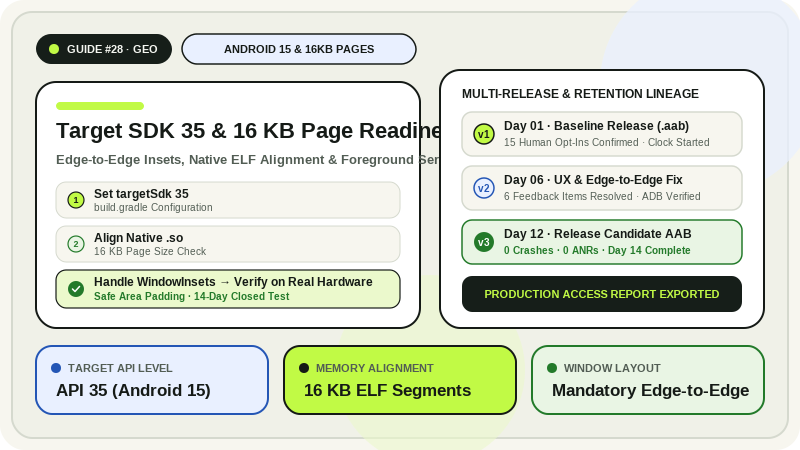
With Android 15 (targetSdk 35), Google also introduced mandatory preparation for 16 KB memory page sizes on modern ARM64 chipsets. Older Unity 2021/2022 builds and legacy Godot 3/4.1 export templates linked native shared libraries with 4 KB ELF segment alignment, causing immediate dlopen crashes on 16 KB-configured Android 15 hardware.
Upgrade to a patched Unity LTS release (Unity 2022.3.50f1+, Unity 6000.0.23f1+) or Godot 4.3+ stable Android export templates compiled with NDK r27+ (-Wl,-z,max-page-size=16384). Audit every third-party native plugin (.aar or prebuilt .so for FMOD, Wwise, or AdMob) inside your project to ensure no 4 KB-aligned binaries remain.
| Game Engine Requirement | Unity Player Settings Configuration | Godot 4 Android Export Configuration |
|---|---|---|
| Output Artifact Format | Build App Bundle (Google Play) = Checked (.aab) | Export Format = Export AAB (Gradle Build enabled) |
| 64-Bit Native Architecture | Scripting Backend: IL2CPP; Target: ARM64 (+ARMv7) | Architectures: arm64-v8a checked (x86_64 optional) |
| Target API Level | Target API Level = API Level 35 (Android 15) | Target SDK = 35 in Gradle Build settings |
| Native Debug Symbols | Create symbols.zip = Debugging or Public | Include Debug Symbols = Checked in Export Preset |
2. 2. Handling Games Over 200 MB with Play Asset Delivery (PAD) and ASTC
Google Play enforces a 200 MB compressed download size limit on the base application module generated from an Android App Bundle. High-resolution 2D sprites, 3D meshes, and uncompressed WAV audio tracks in indie games routinely push raw build outputs past this threshold, resulting in an immediate Play Console upload rejection.
In Unity, enable Split Application Binary under Publishing Settings to package streaming assets and scene data into Play Asset Delivery (PAD) install-time or fast-follow asset packs (supporting up to 1 GB per pack). In Godot, enable Gradle Build with asset pack partitioning or compress high-density resource pck files appropriately.
Additionally, configure ASTC (Adaptive Scalable Texture Compression) as your primary Android texture format rather than legacy ETC2 or uncompressed RGBA32. ASTC 6x6 or 8x8 drastically reduces VRAM consumption on physical tester devices while preserving crisp visual fidelity across modern mobile GPUs.
#!/usr/bin/env bash
set -euo pipefail

AAB_PATH="${1:-build/Android/game-release.aab}"
TMP_DIR="$(mktemp -d)"
trap 'rm -rf "$TMP_DIR"' EXIT

unzip -q "$AAB_PATH" "base/lib/arm64-v8a/*.so" -d "$TMP_DIR"

for so_file in "$TMP_DIR"/base/lib/arm64-v8a/*.so; do
  align=$(llvm-objdump -p "$so_file" | awk '/LOAD/ {print $NF}' | head -n 1)
  echo "$(basename "$so_file") -> ELF LOAD alignment: $align"
done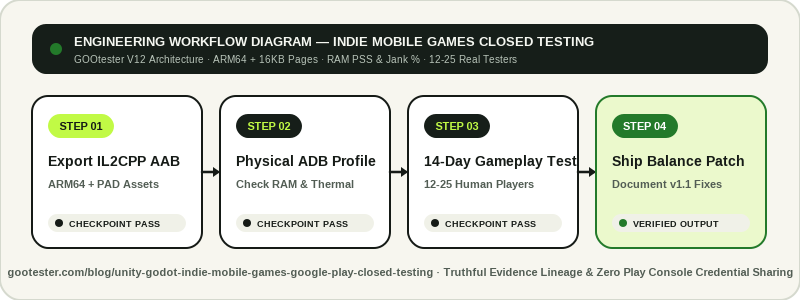
3. 3. Eliminating Game-Specific ANRs: Synchronous Scene Loads & Audio Lifecycle
Mobile games fail Google Play's Android Vitals thresholds differently than standard CRUD apps. The number-one rejection trigger for indie games during 14-day closed testing is an Application Not Responding (ANR) spike caused by synchronous asset loading or shader warmup blocking the Android main UI thread for more than 5 seconds.
Never call synchronous SceneManager.LoadScene() on large level files or run heavy procedural generation on the main thread without yielding frames. Use SceneManager.LoadSceneAsync() in Unity or ResourceLoader.load_threaded_request() in Godot while rendering an responsive animated loading screen so Android's input watchdog remains satisfied.
Pay equally close attention to Android lifecycle pause and resume events. When a tester locks their screen or switches to a messaging app during your closed test, your game must pause audio playback and release frame-loop wake locks immediately. Continuing to play background music after OnApplicationPause(true) is an instant Google Play review failure.
4. 4. Generating and Uploading Native C++ Debug Symbols for Android Vitals
When an IL2CPP Unity game or Godot native binary crashes on a tester's phone without symbol tables, Google Play Console displays an unreadable memory backtrace inside libil2cpp.so or libunity.so. Furthermore, Play Console flags a yellow warning on every release AAB that lacks native debug symbols.
In Unity's Build Settings (or Build Profiles in Unity 6), set Create symbols.zip to 'Debugging' or 'Public'. Unity will output a companion .symbols.zip archive alongside your .aab file containing the unstripped symbol maps for libunity.so and libil2cpp.so. Upload this ZIP file directly to your release inside Play Console's App Bundle Explorer.
With symbol files attached, Google Play automatically symbolicates every native SIGSEGV or SIGABRT crash back to exact C# class and method names, enabling you to fix device-specific memory corruption rapidly during your 14-day closed test.
- Always archive the exact .symbols.zip file matching every uploaded versionCode.
- In Unity 2022.3+ and Unity 6, symbols can also be embedded directly inside the AAB depending on size limits.
- Verify in Play Console -> App Bundle Explorer -> Downloads that 'Native debug symbols' shows as Uploaded.
- Inspect Android Vitals daily during your 14-day test for native crash clusters on specific GPU vendors (Adreno, Mali, Xclipse).
5. 5. Profiling RAM PSS, Low-Memory Kills, and Frame Jank on Physical Hardware
A desktop workstation running an Android emulator with 16 GB of allocated host RAM will never trigger Android's Low Memory Killer Daemon (lmkd). However, on a physical 4 GB or 6 GB Android handset, a game whose Total PSS memory footprint climbs above 850 MB due to uncompressed textures or leaked RenderTextures will be terminated silently by the OS.
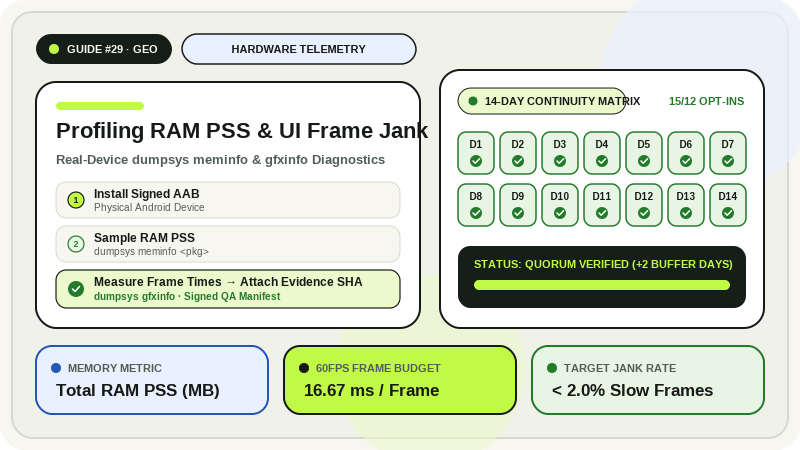
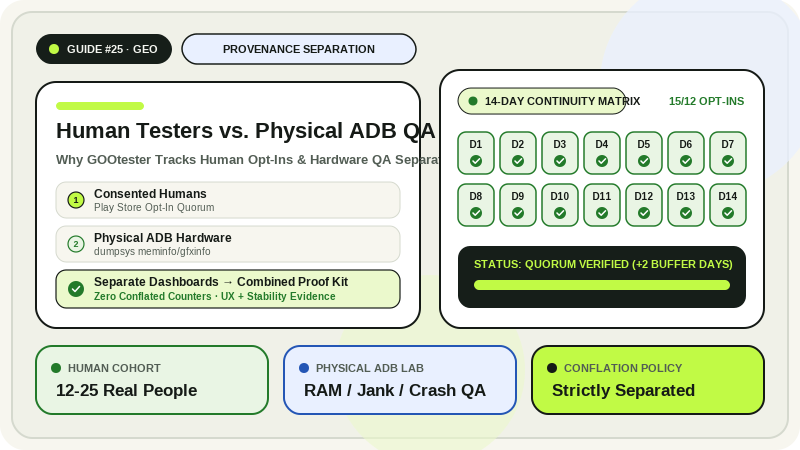
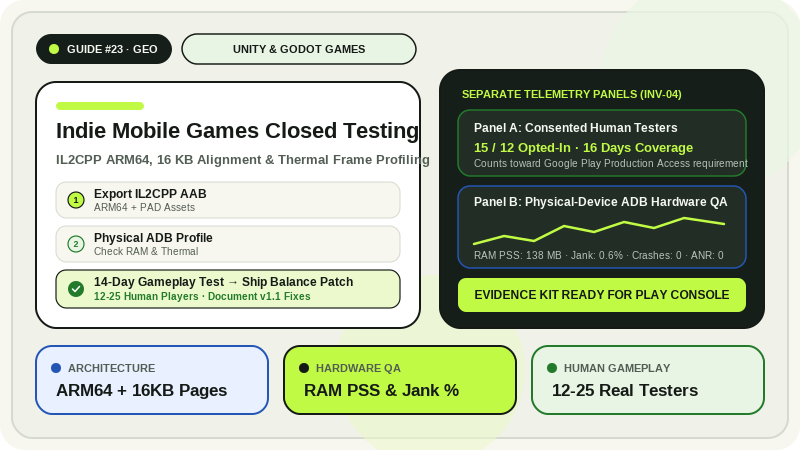
During a GOOtester campaign, our automated physical device ADB harness installs your signed game AAB on real hardware and records dumpsys meminfo (Total PSS, Native Heap, GL mtrack) alongside dumpsys gfxinfo frame-time percentiles. This hardware telemetry exposes memory leaks and thermal frame drops that emulators completely miss.
Combine this deterministic telemetry with our 12+ human closed testers, who evaluate touch joystick responsiveness, UI scaling across aspect ratios (20:9 vs 16:9), tutorial clarity, and battery heat over real gameplay sessions.
- Baseline Cold Boot & Title Screen PSS: Measure Total PSS and Native Heap immediately after title screen load on physical Android hardware via adb shell dumpsys meminfo.
- Capture Gameplay Frame-Time Histograms: Record 90th, 95th, and 99th percentile frame render times via dumpsys gfxinfo framestats to ensure jank remains well below Play Vitals thresholds.
- Verify Lifecycle Pause/Resume Stability: Background and foreground the game repeatedly during active gameplay to confirm Vulkan/OpenGL contexts restore without black textures or ANRs.
6. 6. Running the 14-Day Indie Game Closed Test and Shipping Balance/Bug Updates
Indie game developers often ask whether they should wait until their entire 50-level campaign is content-complete before starting Google Play's 14-day closed test. Starting your closed test as soon as your core gameplay loop, first world, settings menu, and monetization/save systems are stable is a smart release strategy—provided the build is crash-free and polished.
During the 14-day window with GOOtester, use tester feedback to tune early-level difficulty spikes, fix UI aspect-ratio clipping on notched screens, and resolve any device-specific audio or shader issues. Increment your Bundle Version Code in Unity Player Settings or Godot Export settings and upload at least two updated AAB builds.
When applying for Production Access on Day 15, reference your GOOtester Evidence Pack showing 12+ opted-in testers, two or more iterative versionCode releases, verified physical device PSS and frame-pacing metrics, and concrete gameplay adjustments made from tester feedback.
What to Highlight in Your Game's Production Access Questionnaire
Google Play reviewers evaluate your Production Access response for specific engineering and gameplay improvements achieved during closed testing.
- Cite specific versionCode increments where you optimized async scene loading or texture memory footprint.
- Detail UI touch-target and safe-area adjustments made for ultra-wide 20:9 Android displays.
- Confirm 0% ANR rate and crash-free Android Vitals metrics across your 12+ opted-in testers.
Actionable Pre-Submission Verification Checklist
- Enable IL2CPP and ARM64 (arm64-v8a) in Unity or Godot 4.3+ and verify 16 KB ELF page alignment on all native .so files.
- Target Android 15 (API Level 35) and configure ASTC texture compression plus Play Asset Delivery if >200 MB.
- Export and upload your native debug symbols (.symbols.zip) to Google Play Console's App Bundle Explorer.
- Replace synchronous scene and asset loads with async loading coroutines to keep main-thread block times under 5 seconds.
- Verify audio pauses cleanly and GPU contexts restore properly when the Android screen locks or the app is backgrounded.
- Ship at least two incremented Bundle Version Code AAB updates during your 14-day GOOtester closed test.
Frequently Asked Questions
Do Unity and Godot mobile games have to pass the 12-tester, 14-day closed test on Google Play?
Yes. Google Play applies the mandatory 12-tester, 14-day continuous closed testing requirement to all newly created personal developer accounts regardless of whether you are publishing a SaaS utility app or an indie Unity/Godot mobile game.
How do I fix Google Play's 16 KB page size warning on my Unity Android game?
Upgrade your project to a Unity LTS patch that links native libraries with 16 KB page alignment (such as Unity 2022.3.50f1+ or Unity 6000.0.23f1+) and update any third-party native Android plugins (.aar / .so files like FMOD, Firebase, or AdMob) to versions compiled with Android NDK r27 or newer.
Why does my Unity or Godot game show a high ANR rate in Google Play Android Vitals?
Game ANRs on Android are most frequently triggered by synchronous SceneManager.LoadScene calls on large levels, synchronous initialization of ad mediation SDKs on the main UI thread, or deadlocks when pausing/resuming the native audio and rendering engine during activity lifecycle transitions.
Where do I upload the Unity .symbols.zip file in Google Play Console?
In Google Play Console, open App Bundle Explorer, select your uploaded versionCode release, switch to the Downloads tab, and click the upload icon next to 'Native debug symbols' to attach your .symbols.zip archive.