1. Overcoming the 200 MB Ceiling with Play Asset Delivery (PAD)
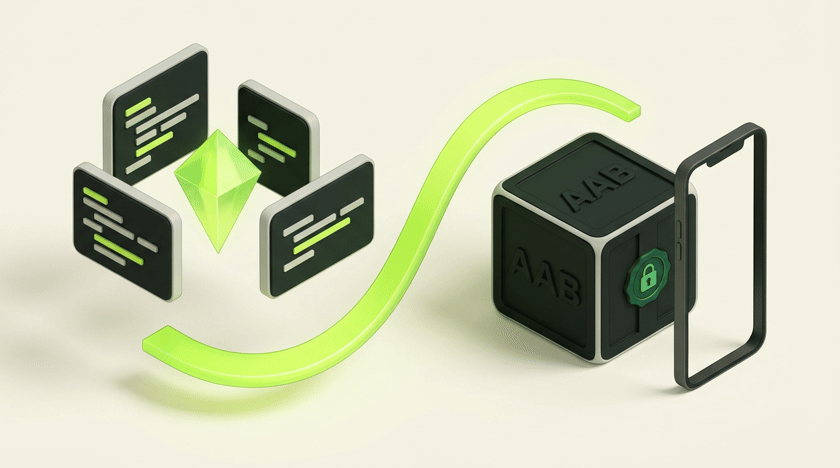
First-time Unity and Godot mobile developers frequently hit a wall on Day 0 when uploading a 420 MB `.aab` to Play Console's Closed Testing track: Google Play rejects base module downloads exceeding **200 MB** compressed, and legacy `.obb` APK Expansion Files are permanently retired for new apps.
Instead of hosting brittle custom CDN patchers on first launch (which bore closed testers staring at a 400 MB in-game progress bar), enable **Split Application Binary / Play Asset Delivery** in Unity (or Godot's Android Gradle export with PAD packs). Assigning core level-1 textures and audio to an **`install-time`** asset pack allows up to **1 GB** to download seamlessly as part of the Play Store installation itself—meaning `testers@gootester.com` participants jump straight into gameplay the second the icon lands on their home screen!
| PAD Delivery Mode | Download Timing | Size Limit | Best Game Asset Use Case |
|---|---|---|---|
| Base Module (`base.apk`) | At Play Store install | 200 MB compressed | Engine runtime (`libil2cpp` / `libgodot`), boot UI, Tutorial |
| `install-time` Asset Pack | Bundled at Play Store install | Up to 1 GB per pack | Worlds 1–3 textures, ASTC/ETC2 atlases, core audio |
| `fast-follow` Asset Pack | Auto-starts right after install | Up to 1 GB per pack | Mid-game cutscenes & Act 2 chapters |
| `on-demand` Asset Pack | Fetched via runtime API | Up to 1 GB per pack | Endgame raids, optional HD voiceover packs |
2. ARM64 IL2CPP, 16 KB Page Size Alignment & Native Debug Symbols
Two native binary mistakes account for the majority of Closed Testing startup crashes on modern Android 15 and Android 16 phones. First, shipping outdated Unity/Godot patch releases or third-party native audio/ad plugins (FMOD, Wwise, older ad mediation `.aar`s) compiled with 4 KB ELF segments causes immediate `dlopen failed: empty/missing DT_HASH` or alignment errors on 16 KB page-size ARM64 devices—always build on current **Unity 6 LTS** or **Godot 4.3/4.4+** patch levels that link with `-Wl,-z,max-page-size=16384`.
Second, without native debug symbols attached in Play Console, any C++ null-pointer crash inside `libil2cpp.so` or `libgodot_android.so` renders as raw hex offsets (`pc 00000000008f4a1c`)—and triggers a yellow Play Console release warning! Generate public/full `.symbols.zip` on every release build and attach it to your Closed Testing upload.
# 1. Inspect every bundled ARM64 .so inside your Unity/Godot AAB for 16 KB (2**14) ELF alignment
unzip -p build/game-release.aab "base/lib/arm64-v8a/*.so" > /dev/null
python3 -c '
import zipfile, subprocess, tempfile, os
with zipfile.ZipFile("build/game-release.aab") as z:
    for name in [n for n in z.namelist() if n.endswith(".so") and "arm64-v8a" in n]:
        with tempfile.NamedTemporaryFile(delete=False) as tmp:
            tmp.write(z.read(name)); p = tmp.name
        out = subprocess.check_output(["objdump", "-p", p], text=True)
        os.unlink(p)
        print(name, "16KB_OK" if "2**14" in out or "2**16" in out else "FAIL_4KB_ALIGNMENT")
'

# 2. Test install-time & on-demand Play Asset Delivery packs locally on a real phone
bundletool build-apks --bundle=build/game-release.aab --output=/tmp/game.apks --connected-device --local-testing
bundletool install-apks --apks=/tmp/game.apks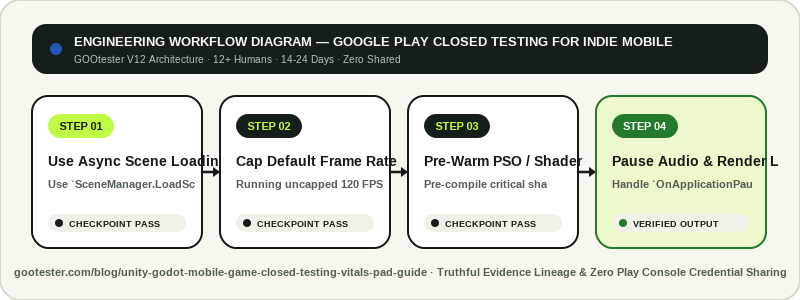
3. 4 Fixes for Scene-Load ANRs, Vulkan Jank & Mid-Range Thermal Throttling
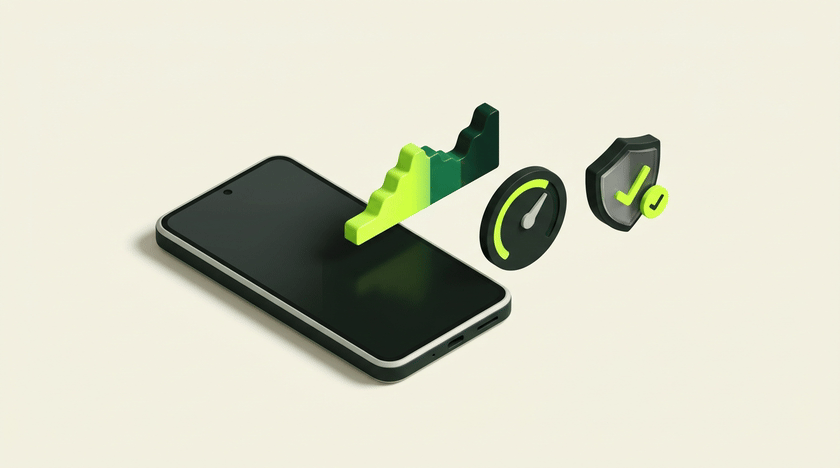
On your desktop workstation, loading a 60 MB scene takes 80 milliseconds; on a budget $180 MediaTek/Snapdragon 6-series phone owned by a real closed tester, synchronous loading stalls the main loop for 6+ seconds—triggering an Android Vitals **ANR** (> 0.47% ceiling) the moment the tester touches the screen.
Implement these four mobile engineering optimizations before Day 1 of your 14-day closed test.
- Use Async Scene Loading & Time-Sliced Initialization: Use `SceneManager.LoadSceneAsync` (Unity) or `ResourceLoader.load_threaded_request` (Godot) so input events continue pumping at 60 Hz during loading screens.
- Cap Default Frame Rate to 60 FPS & Monitor Thermal Headroom: Running uncapped 120 FPS drains batteries and thermally throttles mobile SoCs within 4 minutes; default to 60 FPS and scale particles via Android ADPF thermal callbacks.
- Pre-Warm PSO / Shader Variants & Prefer ASTC Texture Compression: Pre-compile critical shaders during splash boot and verify Vulkan vs. OpenGLES3 stability on older Mali/Adreno drivers.
- Pause Audio & Render Loops Cleanly on Lifecycle Backgrounding: Handle `OnApplicationPause` / lifecycle background events immediately so backgrounded games do not hold partial wake locks or crash on surface recreation.
4. Validating Gameplay UX With Humans + Hardware Vitals With ADB QA
Automated Firebase Robo crawlers (`Pre-launch report`) are famously blind inside OpenGL/Vulkan game canvases because game buttons are rendered as GPU quads rather than standard Android XML/Compose Accessibility nodes! That makes **real human closed testers** essential for exercising actual tutorial levels, touch hitboxes, edge-to-edge camera cutouts, and pause-menu flows.
With GOOtester's Standard ($12: 15 human testers / 16d + standalone ARM64 ADB QA) and Premium ($20: 25 human testers / 24d + standalone ARM64 ADB QA) plans—or Basic ($6: 12 testers / 14d)—real players join via `testers@gootester.com` while our strictly separated physical-device ARM64 ADB QA captures native `logcat` faults, PSS memory footprints, and cold-boot timing before you apply for Production Access.
- Enable `ARM64` (`arm64-v8a`) mandatory architecture; drop `armeabi-v7a` unless targeting ultra-old 32-bit devices.
- Keep safe-area UI margins inset away from punch-hole selfie cameras and gesture navigation bars (`Screen.safeArea`).
- Upload `.symbols.zip` on every mid-cycle Closed Testing `versionCode` update.
- Document FPS, memory, and device fixes in your Day-15 Production Access questionnaire.
Actionable Pre-Submission Verification Checklist
- Keep base module size under 200 MB and move larger worlds into `install-time` Play Asset Delivery packs.
- Verify all `arm64-v8a` `.so` libraries (engine + audio/ad plugins) pass 16 KB ELF page alignment.
- Export and upload native debug `.symbols.zip` to Play Console alongside every release `.aab`.
- Replace synchronous level loads with threaded/async scene loading so touch inputs never trigger ANRs.
- Respect `Screen.safeArea` / display cutouts and default mobile frame pacing to a thermally stable 60 FPS.
- Test offline and online boot paths via `bundletool --local-testing` before starting your 14-day closed test.
Frequently Asked Questions
Why did Play Console Pre-Launch Report get stuck on my game's title screen?
Firebase Test Lab's Robo crawler inspects native Android View/Accessibility hierarchies, whereas Unity and Godot render UI directly onto a GPU SurfaceView. For games, real human testers via `testers@gootester.com` (or custom Game Loop intents) are essential to test past screen one.
How do I fix Play Console's 'This App Bundle contains native code, and you've not uploaded debug symbols' warning?
In Unity Build Profiles (Android), enable 'Create symbols.zip' (`Debugging` or `Public`) and upload that `.zip` in Play Console > App bundle explorer > Downloads > Native debug symbols (or attach it directly during release creation).
Can I still upload APK + OBB expansion files for a new Unity or Godot game in 2026?
No. Google Play requires Android App Bundles (`.aab`) for all new games and retired legacy OBB expansion files in favor of Play Asset Delivery (`install-time`, `fast-follow`, and `on-demand` asset packs).
Does GOOtester guarantee Google Play Production Access for mobile games?
Google Play alone decides Production Access, and GOOtester never guarantees approval or fabricates store reviews. We provide verified human tester opt-in continuity (12, 15, or 25 testers) plus separate physical-device ARM64 ADB QA diagnostics.