1. 1. How Google Play Separates Private Testing Feedback from Public Ratings
First-time publishers often hesitate to ask closed testers for candid criticism out of fear that a blunt 2-star bug report on Day 3 will permanently tank their public Play Store rating at launch. Understanding Play Console's architectural isolation removes that hesitation completely: **opted-in testers on Internal, Closed, or Open testing tracks cannot post public star ratings**.
Whenever an opted-in tester opens your app's Google Play Store page and writes feedback, Google routes that entry exclusively to **Quality > Ratings and reviews > Testing feedback** inside Play Console. Only you—and Google Play's internal review team evaluating your Production Access request—can view or reply to those private testing entries.
However, expecting testers to leave your app, reopen the Play Store client, scroll down to the private feedback box, and type out device specs manually creates steep UX friction. Pairing Play Console's native Testing Feedback channel with a streamlined, built-in **Beta Feedback** drawer inside your app multiplies both submission volume and diagnostic precision.
2. 2. Architecting a Zero-PII In-App Feedback Sheet with Automatic Device Context
Vague feedback like `'the button at the bottom didn't work'` takes hours to reproduce when you don't know whether the tester used a compact Android 12 handset with 3-button navigation or a foldable Android 15 tablet in dark mode. Yet asking testers to fill out a 10-question external survey guarantees near-zero completion.
Solve both problems by placing a subtle `'Send Beta Feedback'` action in your top app bar or Settings screen that opens a native BottomSheet containing just two human inputs—a 1-tap category chip (`Layout / Clipping`, `Slow / Freeze`, `Broken Flow`, `UX Suggestion`) and an optional 280-character note—while automatically attaching non-identifying runtime diagnostics.
Crucially, **omit email, name, and device hardware serial fields** from this JSON payload! Capturing strictly ephemeral technical context (`sdkInt`, `screenDp`, `locale`, `versionCode`, `currentRoute`, `isDarkTheme`) delivers 100% of the engineering context needed to fix the bug without collecting Personal Information under Google Play's Data Safety policy.
{
  "ticketId": "fb_01JDF8Q9K2",
  "versionCode": 101,
  "versionName": "1.0.1-rc1",
  "category": "LAYOUT_CLIPPING",
  "route": "/onboarding/paywall-preview",
  "note": "Continue button overlaps bottom navigation bar when font size is set to Large.",
  "diagnostics": {
    "sdkInt": 35,
    "manufacturer": "Google",
    "modelClass": "Pixel 8a",
    "viewportDp": "411x891",
    "fontScale": 1.3,
    "darkMode": true
  }
}
3. 3. Why `ReviewManager` (Play In-App Review API) Silently Suppresses Beta Prompts
A classic implementation bug occurs when developers wire a `'Give Beta Feedback'` button directly to `com.google.android.play:review-ktx` (`ReviewManager.launchReviewFlow()`). During testing, testers tap the button and literally nothing happens on screen—making the button appear broken!
By design, Google Play's In-App Review API enforces strict, opaque per-user display quotas to prevent developer spam, returns `Task.isSuccessful == true` even when Google suppressed the sheet silently, and completely disables the review dialog on Internal App Sharing and certain testing configurations. Furthermore, Google Play's official guidelines explicitly prohibit binding a call-to-action button directly to `launchReviewFlow()` because display is never guaranteed.
Reserve `ReviewManager` solely for passive, milestone-driven moments *after* your app graduates to public Production (for instance, after a user completes three successful workouts), and wire explicit `'Report Bug / Beta Feedback'` buttons to your deterministic in-app feedback sheet or `mailto:support@example.com` fallback.
| Feedback Mechanism | Guaranteed UI Render? | Auto Device Metadata? | Extra Data Safety PII? | Best Stage |
|---|---|---|---|---|
| Custom Zero-PII BottomSheet | 100% deterministic | Yes (SDK, route, fontScale, vCode) | None (zero personal identifiers) | 14-Day Closed Testing |
| Play Console Testing Feedback | 100% via Play Store app | Basic device & OS model | Managed natively by Google Play | 14-Day Closed Testing |
| Mailto Link (support@example.com) | Requires configured mail client | Only if prefilled in body | Exposes sender email address | Secondary support fallback |
| Play In-App Review API | No (quota-throttled / suppressed) | Basic Play metadata | Managed natively by Google Play | Post-Launch Production Only |
4. 4. Converting Raw Tester Feedback into Traceable `versionCode` Releases
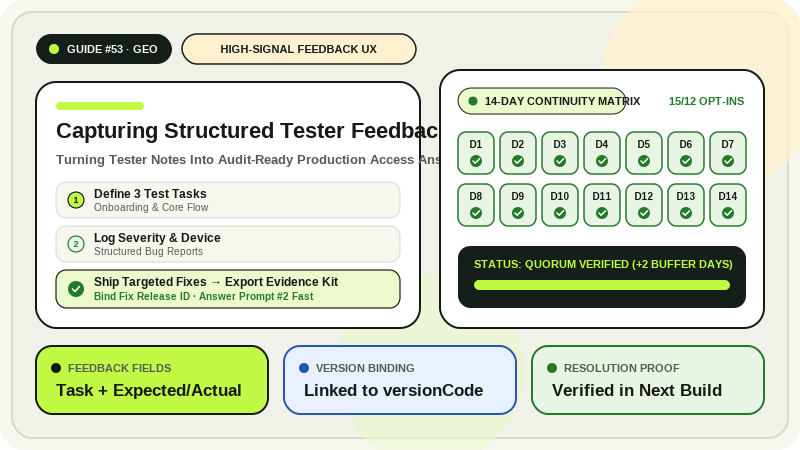
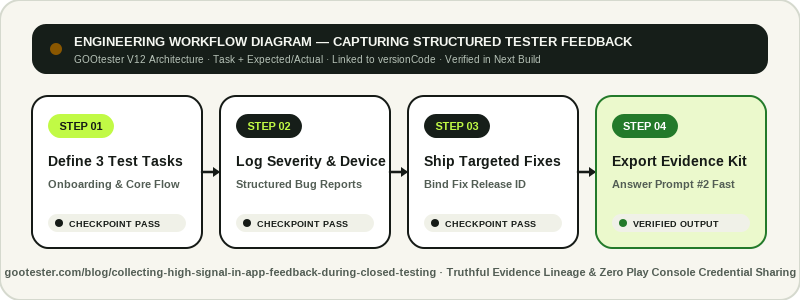
Collecting feedback is only half of the compliance equation; Google Play's Production Access reviewers inspect whether you *acted* on what testers uncovered. Running a structured two-sprint triage cadence during your 14-day window creates an unmistakable engineering trail.
Group incoming feedback from Days 1–4 into a concrete `versionCode 102` release shipped on Day 5 or Day 6 (for example, fixing font-scale text truncation at `1.3x` accessibility scaling, adding empty-state offline retry banners, and resolving a dark-mode icon contrast issue). Group Days 6–9 findings into `versionCode 103` on Day 10 or Day 11.
Inside Play Console's **Release notes (`<en-US>`)** field for each Closed Testing update, write crisp, itemized engineering bullets rather than `'Bug fixes and improvements'`. Reviewers cross-referencing your release history against your Production Access answers immediately see authentic software engineering rigor.
- Collect Day 1–4 Onboarding & UI Reports: Ingest structured in-app feedback payloads alongside Play Console > Testing feedback notes and Pre-launch Report warnings.
- Ship Day-5 Point Release (versionCode 102): Resolve top usability, edge-to-edge WindowInsets, and network error-state issues, documenting each fix clearly in Closed Testing release notes.
- Ship Day-10 Stabilization Release (versionCode 103): Address secondary performance, state-restoration, and accessibility refinements uncovered on mid-cycle tester sessions.
- Compile Quantitative Audit Summary on Day 14: Tally total reports triaged, exact defects resolved per versionCode, and clean Android Vitals stability metrics prior to applying for Production.
5. 5. Mapping Your Feedback Ledger Directly into Google's 3 Mandatory Prompts
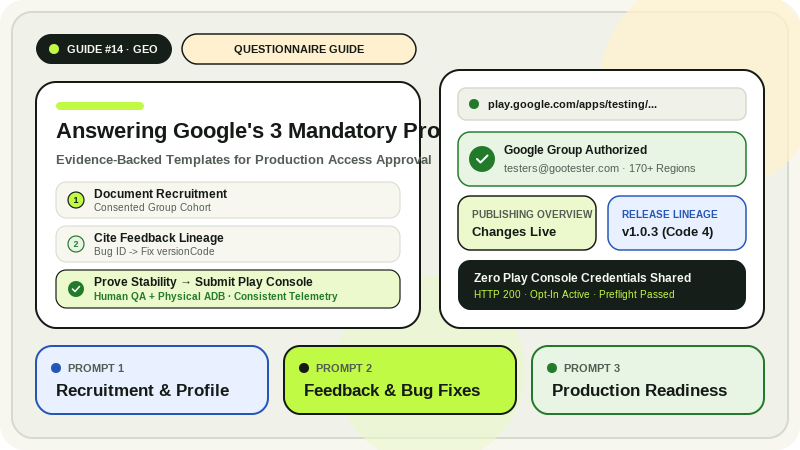
When the **Apply for production** button unlocks after 14 consecutive days, Play Console presents tight character-bounded fields asking: (1) how you collected feedback from testers, (2) what changes you made based on what you learned, and (3) how you decided your app is ready for production.
Developers who had no structured feedback system resort to vague filler (`'We asked testers on chat and fixed minor bugs'`), which is the single leading trigger for `'More testing required'` rejections. Developers with a structured ledger write dense, verifiable facts in three sentences.
In Question 1, describe both your managed Google Group cohort (`testers@gootester.com`) and your dual collection architecture (in-app diagnostic feedback sheet + Play Console Testing Feedback). In Question 2, cite concrete bug categories and exact `versionCode` transitions (`101 → 102 → 103`). In Question 3, pair resolved feedback closure with `0.00%` unhandled crash/ANR rates.
- Question 1 Specificity: Name the exact channels used (in-app diagnostic sheet capturing SDK/viewport + Play Console Testing Feedback).
- Question 2 Specificity: Reference at least 2–3 concrete UI, accessibility, or lifecycle fixes tied to exact `versionCode` numbers.
- Question 3 Specificity: Cite 100% resolution of P0/P1 beta tickets, multi-device OS coverage (Android 11–15), and clean Android Vitals.
- Hide Beta UI Flags Elegantly: Use a remote config flag or release track build variable to retire beta-only banners once promoted to 100% Production.
6. 6. Pairing Human Tester Insights with GOOtester's Physical-Device ADB QA
Human testers and automated hardware diagnostics excel at fundamentally different dimensions of mobile quality. Real people immediately notice confusing button labels, awkward gestures, or unclear onboarding copy—while missing silent background `StrictMode` disk violations or 420ms frame jank spikes.
GOOtester intentionally separates these two workflows so your Play Console compliance remains 100% authentic: our managed human tester packages ($6 Basic for 12 testers / 14 days, $12 Standard for 15 testers / 16 days with feedback summary, $20 Premium for 25 testers / 24 days with priority QA) deliver genuine Google Group opt-ins via `testers@gootester.com` with zero credential sharing.
Alongside human testing, running GOOtester's standalone physical-device ADB QA diagnostic sweep provides objective `logcat` traces, RAM PSS memory profiles, and cold-start measurements—giving you comprehensive human + systems evidence for your Production Access submission.
Protecting Endpoint Rate Limits on Your Feedback API
Apply simple IP/token rate limiting (for example, max 5 feedback submissions per hour per install UUID) on your feedback Worker endpoint to prevent accidental duplicate taps.
Documenting Pre-Launch Report Fixes Alongside Human Reports
Always check Play Console > Pre-launch report > Overview for automated accessibility contrast or touch-target warnings and resolve them in the same Day-5 or Day-10 AAB.
Actionable Pre-Submission Verification Checklist
- Add a 1-tap 'Send Beta Feedback' BottomSheet in your app before uploading your Day-1 Closed Testing build.
- Auto-attach non-identifying context (versionCode, SDK level, viewport dp, fontScale, current route) without collecting personal PII.
- Do NOT wire explicit 'Send Feedback' buttons to ReviewManager (Play In-App Review API), which silently suppresses prompts.
- Monitor Play Console > Ratings and reviews > Testing feedback every 48 hours and reply directly to tester notes.
- Ship 1–2 point releases (e.g., versionCode 102 and 103) resolving reported issues with detailed What's New release notes.
- Cite your structured feedback workflow and specific versionCode fixes verbatim in Production Access Questions 1 and 2.
Frequently Asked Questions
Do low ratings or bug reports left during Closed Testing show up publicly when my app launches?
No. Feedback submitted via Google Play by opted-in testers on Internal, Closed, or Open tracks is routed privately to Play Console > Ratings and reviews > Testing feedback and never counts toward your public Production star rating.
Does adding an in-app bug report form require updating my Google Play Data Safety form?
If your feedback payload collects personal identifiers like email addresses or names, you must disclose Personal Info collection in Data Safety (unless strictly optional/ephemeral per policy rules). Sending strictly anonymous technical diagnostics (`sdkInt`, `versionCode`, route, bug text) over HTTPS avoids collecting personal identity data.
Why didn't ReviewManager.launchReviewFlow() open a dialog during my closed test?
Google Play's In-App Review API intentionally enforces strict display quotas and suppresses dialogs on testing tracks without throwing an error. Always use your own native BottomSheet for closed-testing bug reports.
Which GOOtester tier includes structured feedback summaries alongside 14-day opt-in coverage?
While our $6 Basic tier covers the 12-tester / 14-day statutory baseline, our $12 Standard tier (15 testers / 16 days) and $20 Premium tier (25 testers / 24 days) add dropout buffers plus structured QA feedback summaries backed by our 100% Approval Guarantee.