1. 1. Inside the androidpublisher v3 Transactional Edit Lifecycle
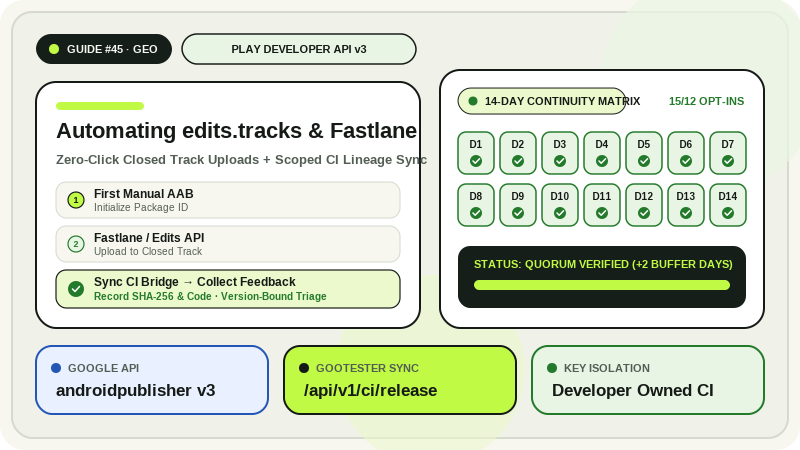
Shipping two to three iterative bug-fix releases during your 14-day closed testing cycle is one of the strongest approval signals you can present to Google Play's Production Access reviewers. Automating those uploads through the **Google Play Developer API** (`androidpublisher` v3) removes manual drag-and-drop mistakes, forgotten symbol uploads, and duplicate `versionCode` errors.
Under the hood, whether you use Fastlane `supply`, Gradle Play Publisher (`com.github.triplet.play`), or `r0adkll/upload-google-play@v1`, every tool executes the exact same four-stage REST transaction against `https://androidpublisher.googleapis.com/androidpublisher/v3/applications/{packageName}/edits`. Nothing becomes visible in Play Console until the final `edits.commit` call succeeds.
One non-negotiable platform rule catches nearly every first-time builder: **you cannot create a brand-new app or upload `versionCode 1` via the API**. You must create the app record, complete initial App Content forms, and upload your first `.aab` manually in the Play Console UI. Once Play App Signing and the package namespace are initialized, `versionCode 2` onward can be 100% automated.
| API Step | REST Endpoint Method | Payload / Responsibility | Common HTTP Error |
|---|---|---|---|
| 1. Open Transaction | POST .../edits | Creates a temporary isolated AppEdit ID valid for up to 1 hour | 403 caller does not have permission |
| 2. Upload Artifact | POST .../edits/{id}/bundles (upload) | Streams signed .aab binary & returns versionCode + sha256 | 403 versionCode already used |
| 3. Bind Closed Track | PUT .../edits/{id}/tracks/{track} | Assigns versionCodes array, status, and localized releaseNotes | 400 Track name not found (case-sensitive) |
| 4. Commit Edit | POST .../edits/{id}:commit | Atomically applies bundle + track changes to Play Console | 400 changesNotSentForReview required |
2. 2. Provisioning Least-Privilege Play Console API Access
Since Google Play retired the legacy built-in Play Console 'API access' linking page in favor of direct IAM invitation, connecting a Google Cloud project is straightforward: enable the **Google Play Android Developer API** in Google Cloud Console, create a dedicated CI service principal (illustrated here as `play-ci-bot@example.com` for documentation hygiene), and invite that exact identifier under Play Console's *Users and permissions* tab.
Apply strict least-privilege scoping when inviting your CI identity. Never grant global *Admin (all permissions)* or financial payout permissions to a build runner. Instead, select **App permissions**, bind only the specific app undergoing closed testing, and check *Release to testing tracks* along with *View app information and download bulk reports (read-only)*.
On GitHub Actions or GitLab CI, prefer OIDC **Workload Identity Federation** (`google-github-actions/auth@v2`) over long-lived static JSON keys whenever possible so temporary OAuth access tokens expire automatically at the end of every build job.
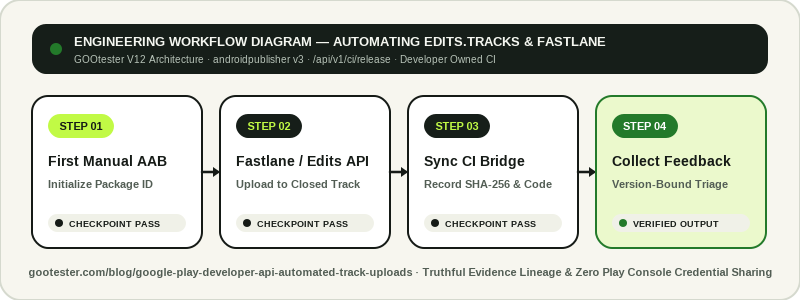
3. 3. Configuring Fastlane Supply Lanes for Closed Testing Tracks
Fastlane's `upload_to_play_store` (aliased as `supply`) wraps the `androidpublisher` v3 Edit transaction in a battle-tested Ruby DSL. When targeting Google Play's default Closed Testing track, pass `track: "alpha"`. If you created a custom named closed track inside Play Console—such as `Closed Beta`—pass that exact track name string (`track: "Closed Beta"`).
Two subtle `supply` parameters govern whether uploads succeed during a Personal Developer Account's initial 14-day test. First, if your app's overall Play Console status is still *Draft* (prior to your initial closed track review completing), Google Play rejects `release_status: "completed"` unless you set `release_status: "draft"`. Once your closed track is live (`Available to testers`), switch `release_status` to `"completed"` so updates publish directly to testers.
Second, store concise, concrete changelog files inside `fastlane/metadata/android/en-US/changelogs/<versionCode>.txt` (strictly under 500 UTF-8 characters). Well-written per-build release notes directly corroborate your answers to Google's Production Access review form on Day 14.
default_platform(:android)

platform :android do
  desc "Build signed AAB and publish update to Play Console Closed Testing"
  lane :closed_testing_release do |options|
    v_code = (options[:version_code] || ENV.fetch("BUILD_NUMBER", "102")).to_i

    gradle(
      task: "bundle",
      build_type: "Release",
      properties: {
        "versionCode" => v_code,
        "android.injected.signing.store.file" => ENV["KEYSTORE_PATH"],
        "android.injected.signing.store.password" => ENV["KEYSTORE_PASSWORD"],
        "android.injected.signing.key.alias" => ENV["KEY_ALIAS"],
        "android.injected.signing.key.password" => ENV["KEY_PASSWORD"]
      }
    )

    upload_to_play_store(
      package_name: "com.example.pulsefocus",
      track: "alpha",
      release_status: "completed",
      aab: "app/build/outputs/bundle/release/app-release.aab",
      mapping_paths: ["app/build/outputs/mapping/release/mapping.txt"],
      skip_upload_metadata: true,
      skip_upload_images: true,
      skip_upload_screenshots: true
    )
  end
end
4. 4. Resolving changesNotSentForReview & Managed Publishing Traps
The single most common CI error encountered mid-way through a 14-day test is `GooglePlayApiError: Changes cannot be sent for review automatically. Please set the query parameter changesNotSentForReview to true`. Google's API throws this HTTP 400 error whenever an earlier rejected change sits inside your Play Console **Publishing overview** queue or when **Managed publishing** requires manual release approval.
Before blindly setting `changes_not_sent_for_review: true` in Fastlane, open Play Console's *Publishing overview* page and inspect why automatic submission was blocked. If a previous Store Listing screenshot or Data Safety edit was flagged, resolve that warning first; otherwise, API uploads staged with `changesNotSentForReview=true` will sit idle in Play Console without ever reaching your 12+ testers!
Similarly, verify that **Managed publishing** is turned **Off** while iterating on your Closed Testing track so committed `edits.tracks` updates roll out to testers automatically as soon as Google's automated binary scan finishes.
- Default Closed Testing track identifier in API calls is `"alpha"`, even though the Play Console UI labels it 'Closed testing - Alpha'.
- Release notes exceeding 500 characters per locale cause `edits.tracks.update` to abort with an HTTP 400 validation failure.
- Never reuse an existing `versionCode` integer across Internal, Closed, or Open tracks—every `.aab` uploaded to Google Play shares one global monotonic `versionCode` namespace per package.
- Keep `skip_upload_images: true` and `skip_upload_metadata: true` on fast bug-fix lanes so store graphic checksums don't slow down binary rollouts.
5. 5. Bridging Google Play API Uploads to GOOtester's Scoped CI Bridge
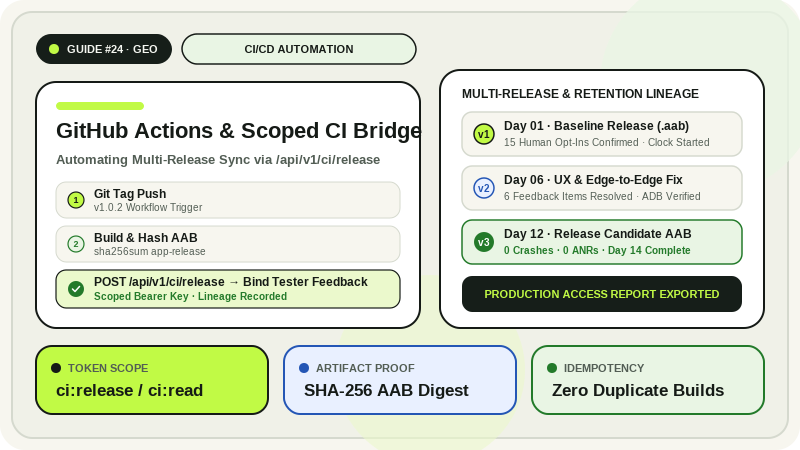
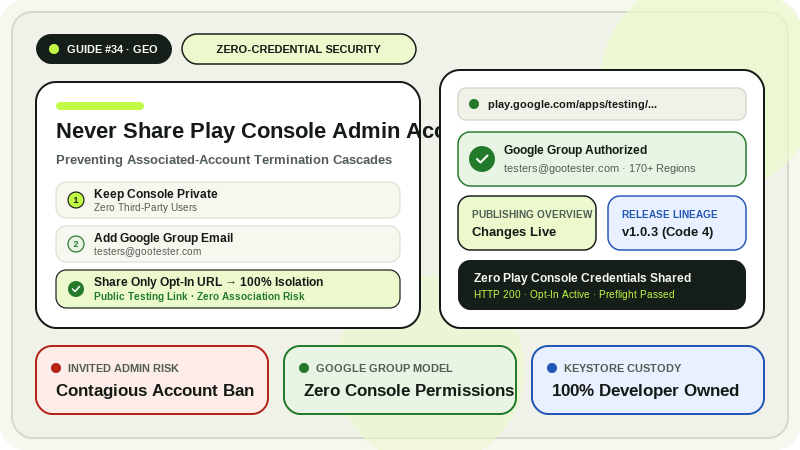
A critical security boundary separates GOOtester from legacy testing agencies: **GOOtester never asks for your Google Cloud Service Account credentials, Play Console login, or upload keystore**. Your own GitHub Actions or GitLab CI runner authenticates directly with `androidpublisher.googleapis.com` to commit the `.aab`, and then notifies GOOtester via a lightweight, zero-credential webhook.
Immediately after `fastlane android closed_testing_release` succeeds, compute the 64-character SHA-256 digest of your `app-release.aab` and invoke `POST https://gootester.com/api/v1/ci/release` using a narrow API token scoped strictly to `ci:release` and `ci:status` (for example, `gt_live_example_token_12345`).
This webhook records immutable build provenance (`version_code`, `aab_sha256`, and `git_commit`) inside your campaign ledger, prompts your 12+ opted-in human testers (`testers@gootester.com`) to pull the Play Store update once live, and optionally queues a physical-device ADB smoke verification pass.
#!/usr/bin/env bash
set -euo pipefail

AAB_PATH="app/build/outputs/bundle/release/app-release.aab"
AAB_SHA256=$(shasum -a 256 "$AAB_PATH" | awk '{print $1}')
GOOTESTER_TOKEN="${GOOTESTER_CI_TOKEN:-gt_live_example_token_12345}"

curl -sS --fail-with-body -X POST "https://gootester.com/api/v1/ci/release" \
  -H "Authorization: Bearer ${GOOTESTER_TOKEN}" \
  -H "Content-Type: application/json" \
  -d "{
    \"campaign_id\": \"${GOOTESTER_CAMPAIGN_ID}\",
    \"package_name\": \"com.example.pulsefocus\",
    \"version_code\": ${BUILD_NUMBER},
    \"version_name\": \"1.0.${BUILD_NUMBER}\",
    \"aab_sha256\": \"${AAB_SHA256}\",
    \"git_commit\": \"${GITHUB_SHA}\",
    \"track\": \"closed-testing\",
    \"trigger_hardware_qa\": true,
    \"release_notes\": \"Fixed edge-to-edge padding and offline sync retry\"
  }"
6. 6. Orchestrating a Winning 3-Release Cadence Across 14 Days
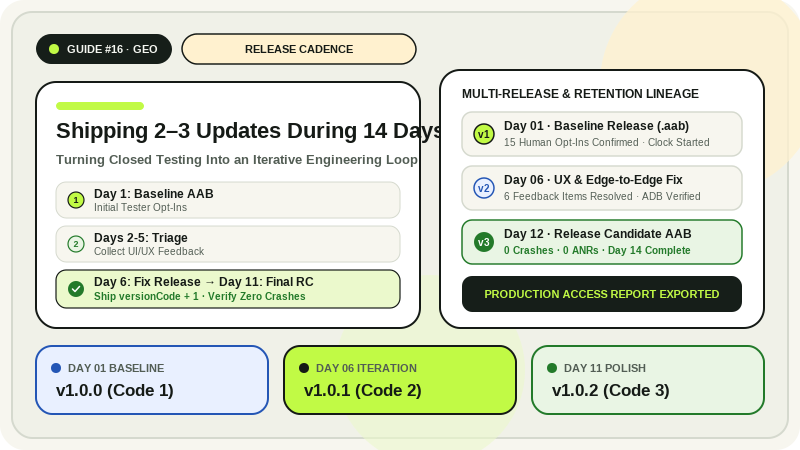
Once your Play Developer API upload lane and GOOtester CI Bridge are wired together, executing an audit-grade 14-day closed testing campaign takes minutes per release. Rather than leaving `versionCode 100` untouched for two weeks—a pattern frequently flagged with 'More testing required' rejections—schedule deliberate stabilization checkpoints.
Publish your baseline release on Day 1, ship a UX and edge-case refinement build around Day 5 or Day 6 (`versionCode 101`), and ship a final performance and polish release around Day 10 or Day 11 (`versionCode 102`). Poll `GET https://gootester.com/api/v1/ci/status` from a daily workflow cron to track continuous opt-in headcount and elapsed days.
When Day 14 arrives, your Play Console track history and GOOtester Evidence Pack contain synchronized timestamps, version codes, SHA-256 bundle hashes, and concrete changelogs ready to paste into your Production Access application.
- Upload Initial AAB Manually & Bind testers@gootester.com: Initialize your app in Play Console UI with versionCode 100, add testers@gootester.com via Google Groups, and wait for Available to testers status.
- Ship Automated Day-6 & Day-11 Updates via edits.tracks: Trigger your Fastlane Supply CI lane to commit versionCode 101 and 102 to track 'alpha' and register each SHA-256 digest via POST /api/v1/ci/release.
- Verify Day-14 Unlock via GET /api/v1/ci/status: Confirm continuous_days_elapsed >= 14 and opted_in_testers_count >= 12, then submit your metric-backed Production Access answers.
Actionable Pre-Submission Verification Checklist
- Upload your very first Android App Bundle (versionCode 1 or 100) manually in Play Console UI to initialize Play App Signing and unlock androidpublisher v3.
- Grant your CI identity only app-scoped 'Release to testing tracks' permissions inside Play Console > Users and permissions.
- Verify whether your closed track uses the default 'alpha' API identifier or a custom case-sensitive track name.
- Disable Managed Publishing during your 14-day closed test and clear stuck items in Publishing Overview to prevent changesNotSentForReview stalls.
- Keep localized changelogs/<versionCode>.txt files concise (< 500 chars) and descriptive of real tester-driven fixes.
- Call POST https://gootester.com/api/v1/ci/release with a scoped gt_live_... token and your AAB's SHA-256 digest after every automated track commit.
Frequently Asked Questions
Why does the Google Play Developer API return 404 'Package not found' on my brand-new app?
Google Play does not allow creating an app or uploading its initial binary via the API. You must create the app in Play Console, upload your first signed .aab manually to Internal or Closed Testing, and save the draft before androidpublisher v3 recognizes the packageName.
Does GOOtester ever need my Google Play Service Account key to sync CI releases?
Never. Your CI runner talks directly to Google Play's API using your own isolated secrets, and then sends only public release metadata (version_code, git_commit, and the 64-char aab_sha256 hash) to GOOtester's POST /api/v1/ci/release endpoint.
What track name should I pass to Fastlane Supply for the default Closed Testing track?
Google Play's built-in primary Closed Testing track is addressed as track: "alpha" in the androidpublisher v3 API, even though the modern Play Console UI displays it as 'Closed testing - Alpha'.
How many automated updates should I push during the 14-day closed testing window?
Shipping 1 to 3 incremental updates (such as Day 5 and Day 10 point releases) demonstrates active defect resolution to Google Play reviewers without risking stability right before Day 14.