1. 1. The Golden Timing Rule: Never Pause Your Track Before Production Is Approved
The costliest unforced error we see in Play Console release operations occurs at hour zero of Day 14: a developer sees the **Apply for production** button turn blue, submits the three-question application form, and immediately clicks **Pause track** or deletes their Google Group from Closed Testing to 'clean up' the console—days before a Google Play human reviewer actually opens the ticket.
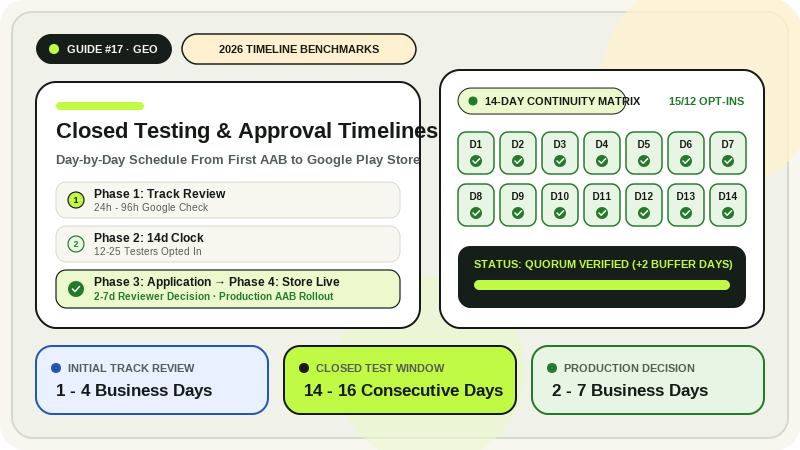
Remember that Production Access approval is an asynchronous manual and automated evaluation taking anywhere from 24 hours to 7 days after you submit the questionnaire. While your application sits in **In review**, Google's reviewer inspects your active Closed Testing track state, tester opt-in telemetry, and current release availability. If the track is already paused or tester headcount dropped to zero during review, you risk an avoidable 'More testing required' rejection.
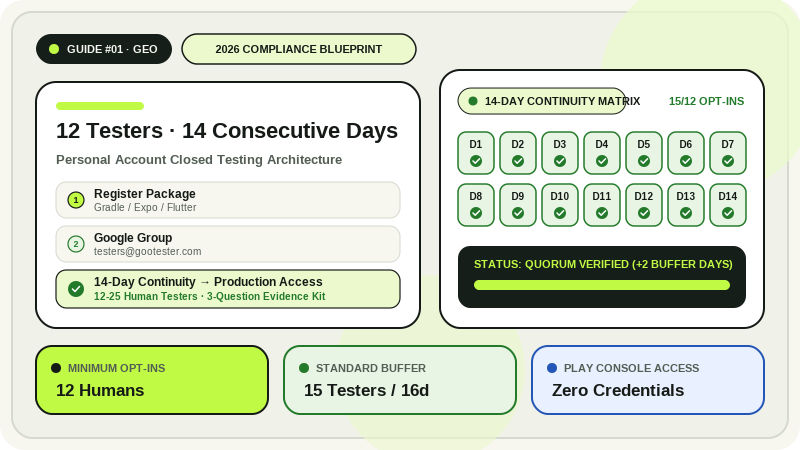
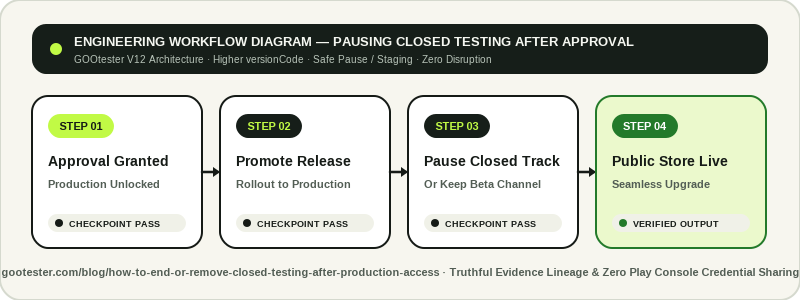
Wait until two distinct milestones have completed in full: first, Play Console grants **Production access approved** on your Dashboard; second, you promote or upload a release to the **Production** track and its status turns green (`Available on Google Play`). That multi-day review gap is precisely why GOOtester's **$12 Standard** (15 testers / 16 days) and **$20 Premium** (25 testers / 24 days) packages include extra buffer days beyond the 14-day minimum ($6 Basic covers 12 testers / 14 days).
2. 2. Why Play Console Uses 'Pause Track' Instead of Deleting Closed Tracks
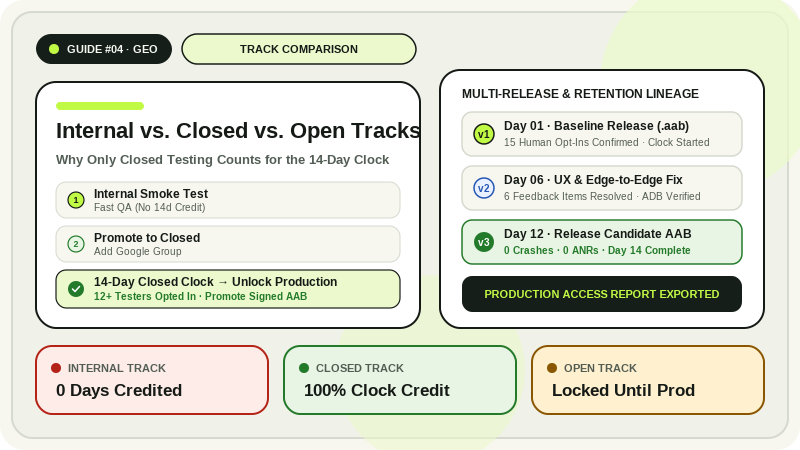
Developers searching Play Console settings for a red **Delete track** button on `Closed testing - Alpha` quickly discover that no delete option exists once an Android App Bundle has been rolled out. Google Play treats every track that has ever served a signed binary as part of the app's permanent cryptographic and compliance audit history.
Instead of deletion, Play Console provides **Pause track** inside **Release > Testing > Closed testing > Manage track**. Pausing a track stops the Web Opt-In URL from accepting new testers and stops the Closed Testing track from serving pre-release binaries independently, while preserving all historical `versionCode` changelogs, crash traces, and Pre-launch Reports.
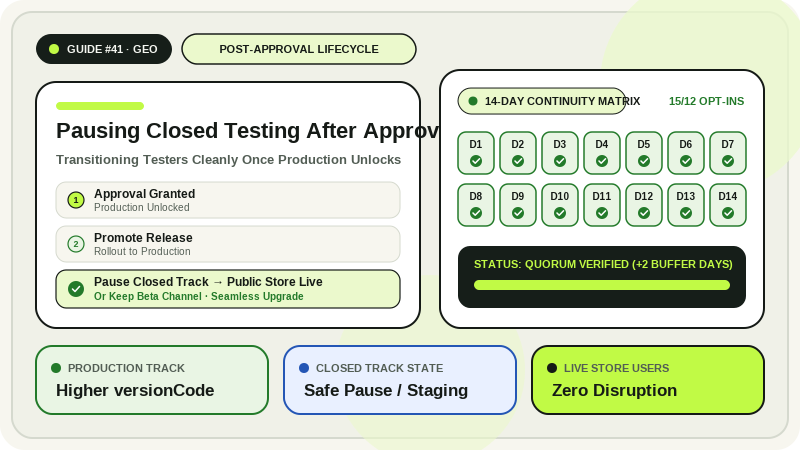
Most importantly, pausing your Closed Testing track *after* Production Access has been granted is 100% policy-safe. Once an `applicationId` graduates to Production, that unlock is permanent—pausing Closed Testing never re-locks your Production track or resets any compliance counter.
3. 3. Understanding `versionCode` Shadowing: How Testers Transition to Production
What happens to real users or early community supporters who opted into your Closed Testing track once you launch on Production? Google Play's client delivery resolver follows one deterministic rule: an account receives the **highest eligible `versionCode`** across every track it is entitled to access.
Suppose your final Closed Testing release was `versionCode 104`. If you click **Promote release > Production** on `versionCode 104` (or upload a fresh `versionCode 105` to Production) and then pause the Closed Testing track, every previously opted-in user automatically receives the public Production track stream on future updates. Because Google Play App Signing uses the exact same signing key across Closed Testing and Production for that `applicationId`, users keep 100% of their local SQLite/Room databases, `DataStore` preferences, and login sessions.
Conversely, watch out for **versionCode shadowing**: if you leave Closed Testing active with an experimental `versionCode 110` while Production sits at `versionCode 105`, anyone still opted into the beta program remains pinned to `110` and displays `App Name (Beta)` on their Play Store listing until Production overtakes `110` or the closed track is paused.
| Closed Track State | Closed versionCode | Production versionCode | Build Served to Former Testers | Store Listing '(Beta)' Badge |
|---|---|---|---|---|
| Active | 104 | 104 (Promoted) | 104 (Production parity) | Visible to opted-in accounts |
| Active (Shadowing trap) | 110 (Experimental) | 105 (Public) | 110 (Stuck on beta build) | Visible to opted-in accounts |
| Paused (Recommended) | 104 (Paused) | 105 (Public) | 105 (Seamless Production upgrade) | Removed once track is paused |
| Active Staging Ring | 106 (Next RC) | 105 (Public) | 106 for active testers; 105 public | Visible only to staging group |
4. 4. Step-by-Step Procedure to Safely Pause Closed Testing & Detach Groups
Once Play Console displays **Production** as active and your public store URL (`https://play.google.com/store/apps/details?id=com.example.yourapp`) resolves in an incognito browser window without returning HTTP 404, you can cleanly wind down your initial compliance track in four minutes.
First, verify that the `versionCode` live on Production is greater than or equal to the highest `versionCode` ever published on your Closed Testing track. Second, open **Release > Testing > Closed testing**, click **Manage track** next to your active closed track, and click **Pause track** in the upper-right header.
Third, navigate to the **Testers** tab inside that Closed Testing track, uncheck `testers@gootester.com` (or any temporary launch Google Groups), and click **Save changes**. Finally—and critically if you enabled **Managed publishing**—open **Publishing overview** in the left sidebar and click **Publish changes**; otherwise your track pause sits queued in draft state indefinitely!
- Confirm Live Production Availability First: Ensure Production Access is approved AND your Production track release status is 'Available on Google Play' with versionCode >= Closed Testing.
- Pause the Closed Testing Track: Open Release > Testing > Closed testing > Manage track, select Pause track, and confirm the prompt.
- Unbind Temporary Tester Groups: Open the Testers tab on the paused track, uncheck testers@gootester.com so external compliance testers no longer receive future beta notifications, and save.
- Flush Pending Changes in Publishing Overview: Check Publishing overview; if Managed Publishing is active, explicitly approve and send the track-pause update live.
5. 5. Should You Pause Closed Testing or Repurpose It as a Canary Staging Ring?
For simple single-purpose utilities and content apps, leaving your Closed Testing track **Paused** and using your **Internal testing** track (up to 100 internal QA testers with near-instant deployment) for pre-release sanity checks is the cleanest long-term workflow. Every production hotfix then goes `Internal testing` -> `Production` (with a 10% -> 50% -> 100% staged rollout).
For complex apps running Room database schema migrations, Target API 36 overhauls, or Play Billing subscription refactors, repurposing your Closed Testing track as an opt-in **VIP Beta Ring** is highly effective. Simply swap `testers@gootester.com` for your own internal QA or power-user group (`beta-team@example.com`) and resume the track whenever you want real-world soak testing before a staged Production rollout.
Best of all, once your app has already graduated to Production, re-opening a Closed Testing track for v2.0 beta testing carries **zero** 12-tester or 14-day minimum. You can test with 3 power users for 48 hours and promote straight to Production whenever you choose.
{
  "appLifecycleStage": "GRADUATED_TO_PRODUCTION",
  "mandatory14DayGateRemaining": false,
  "internalTestingTrack": "ACTIVE_FOR_INSTANT_TEAM_QA",
  "closedTestingTrack": "PAUSED_OR_INTERNAL_VIP_BETA",
  "productionRolloutStrategy": ["10_PERCENT_CANARY", "50_PERCENT_SOAK", "100_PERCENT_FULL"]
}
6. 6. Post-Graduation Audit: Store Search Indexing, Public Reviews & Vitals
After pausing Closed Testing and going live on Production, allow 24 to 72 hours for Google Play's global search index and CDN caches to propagate your public listing. Searching your exact brand title immediately at minute five often yields zero results even though direct package links (`?id=com.example.yourapp`) work immediately.
Note also how user feedback shifts between tracks: written feedback submitted by opted-in Closed Testing users stays private inside **Ratings and reviews > Testing feedback** and never alters your public star rating. Once users are on the public Production track (with Closed Testing paused), their ratings count publicly toward your store conversion score.
Monitor **Android Vitals > Overview** daily during your first 7 days in Production using staged rollouts (`20%` initial cohort). If an unexpected OEM-specific crash surfaces, you can halt the staged rollout in one click without jeopardizing your hard-won Production standing.
Actionable Pre-Submission Verification Checklist
- Confirm both 'Production access approved' AND a live 'Available on Google Play' Production release before touching Closed Testing settings.
- Ensure the versionCode published on Production is equal to or higher than the highest versionCode ever uploaded to Closed Testing.
- Navigate to Closed testing > Manage track and click Pause track so the Web Opt-In URL stops enrolling beta testers.
- Uncheck testers@gootester.com under Closed Testing > Testers > Google Groups and click Save changes.
- Inspect Publishing overview and push queued changes live if Managed Publishing is enabled on your app.
- Use staged Production rollouts (10% -> 50% -> 100%) and Internal Testing for future updates—no second 14-day test is required.
Frequently Asked Questions
Will pausing my Closed Testing track after approval revoke my Production Access?
No. Once Google Play grants Production Access for an applicationId and your Production track is unlocked, pausing your Closed Testing track never revokes Production privileges or forces you to repeat the 12-tester, 14-day cycle.
Why can't I permanently delete the 'Closed testing - Alpha' track from Play Console?
Play Console preserves every track that has distributed a signed AAB as an immutable audit trail of release notes, signing certificates, and vitals metrics. Using 'Pause track' completely deactivates beta distribution while keeping historical records intact.
Will existing testers lose their saved app data when I pause Closed Testing and publish to Production?
No. Because both tracks are signed by the same Google Play App Signing key for that package name, publishing an equal or higher versionCode to Production upgrades former testers seamlessly in place with 100% of their local storage and login state preserved.
What happens if I pause Closed Testing right on Day 14 while my Production Access application is still 'In review'?
Never do this. Pausing the track or removing testers while Google is still reviewing your Production Access request leaves the reviewer inspecting an inactive track, which can trigger a rejection. Keep your track live until Production Access is officially approved.