1. 1. Why Passive Play Store Auto-Updates Leave Testers Stranded on `versionCode 1`
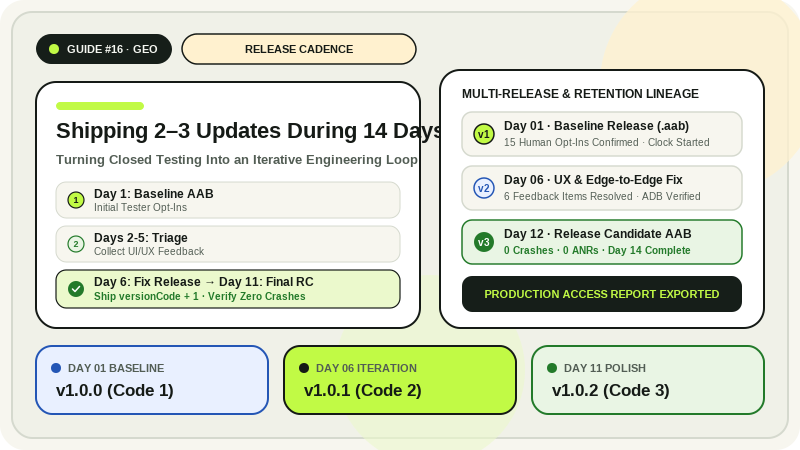
Shipping two or three incremental `.aab` updates during your 14-day closed testing cycle is one of the strongest engineering signals you can present when applying for Google Play Production Access. Yet many developers push `versionCode 102` on Day 6 and `versionCode 103` on Day 11, open their Play Console Release Dashboard on Day 14, and discover to their horror that 80 percent of installed devices are still running `versionCode 101`.
The culprit is Android's battery-preserving auto-update scheduler. By default, the Google Play Store client queues background updates only when a physical device sits idle, connected to wall power, and attached to an unmetered Wi-Fi network—and even then, Play Store client metadata caches refresh on multi-hour intervals. Testers who use cellular data or charge overnight on low-power modes may not auto-update for five days.
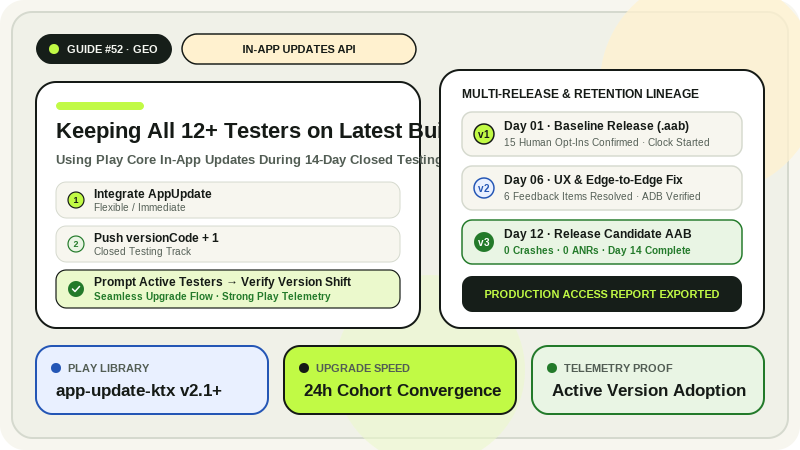
When reviewers inspect your Production Access submission and see you claiming in Question 2 that `'testers verified our onboarding fix in versionCode 103'`, while Play Console install telemetry shows almost zero active installs on `103`, your credibility suffers. Embedding the **Google Play In-App Updates API (`com.google.android.play:app-update-ktx:2.1.0`)** before Day 1 eliminates passive update lag completely.
2. 2. Architectural Comparison: `AppUpdateType.FLEXIBLE` vs. `AppUpdateType.IMMEDIATE`
Google Play Core exposes two distinct update UX patterns tailored to release criticality. **`AppUpdateType.FLEXIBLE`** initiates an asynchronous background download managed by Google Play while allowing the tester to continue navigating your application uninterrupted. Once `InstallStatus.DOWNLOADED` fires, your app displays a non-blocking Material 3 `Snackbar` inviting the user to tap **Restart**, invoking `appUpdateManager.completeUpdate()`.
**`AppUpdateType.IMMEDIATE`**, by contrast, delegates control to a full-screen, Google Play-rendered blocking dialog that downloads the patch, installs the new AAB, and restarts your `Activity` automatically. If the user dismisses or backs out of an Immediate prompt, `RESULT_CANCELED` returns to your launcher callback so you can either explain why the upgrade is mandatory or fall back gracefully.
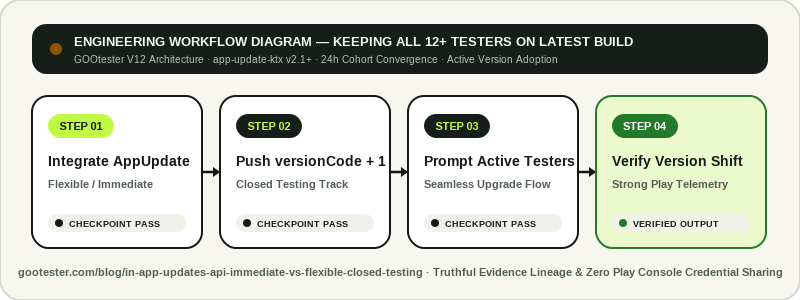
For 14-day closed testing, a hybrid policy works best: trigger `FLEXIBLE` updates whenever any newer `versionCode` is available (`clientVersionStalenessDays >= 0`) so normal UI polish releases adopt frictionlessly within 24 hours, and reserve `IMMEDIATE` exclusively for high-priority (`updatePriority >= 4`) crash or backend-compatibility hotfixes.
| Dimension | Flexible (AppUpdateType.FLEXIBLE) | Immediate (AppUpdateType.IMMEDIATE) |
|---|---|---|
| User Experience | Non-blocking sheet + background download | Full-screen blocking Play Store progress UI |
| Restart Trigger | Developer calls appUpdateManager.completeUpdate() | Google Play installs and restarts app automatically |
| onResume() Obligation | Check InstallStatus.DOWNLOADED & re-show Snackbar | Check DEVELOPER_TRIGGERED_UPDATE_IN_PROGRESS & resume |
| Ideal Closed-Test Usage | Day-5 / Day-10 UI, contrast, and UX refinements | Critical crash hotfix or breaking API v2 schema change |
3. 3. Lifecycle-Safe Kotlin Implementation Using `registerForActivityResult`
Modern Android builds targeting API 35 should avoid the deprecated `Activity.onActivityResult` override and instead wire `AppUpdateManager.startUpdateFlowForResult()` directly to an `ActivityResultContracts.StartIntentSenderForResult()` launcher registered in `ComponentActivity` or Jetpack Compose's `rememberLauncherForActivityResult`.
Two lifecycle invariants are mandatory for production stability. First, if a Flexible download finishes while your app is backgrounded, your listener will not fire when the user returns; therefore, `onResume()` must always query `appUpdateManager.appUpdateInfo` and prompt `completeUpdate()` whenever `installStatus() == InstallStatus.DOWNLOADED`.
Second, if an Immediate update was interrupted mid-download by a phone call or process recreation, `onResume()` must check for `UpdateAvailability.DEVELOPER_TRIGGERED_UPDATE_IN_PROGRESS` and seamlessly resume the `IMMEDIATE` flow without re-prompting from scratch. Always unregister your `InstallStateUpdatedListener` inside `onStop()` or `onDestroy()` to prevent `Activity` context leaks.
class ClosedTestUpdateCoordinator(private val activity: ComponentActivity) {
    private val updateManager = AppUpdateManagerFactory.create(activity)
    private val launcher = activity.registerForActivityResult(
        ActivityResultContracts.StartIntentSenderForResult()
    ) { /* Log RESULT_OK / RESULT_CANCELED for QA telemetry */ }

    fun checkAndPromptUpdate(onDownloadedReady: (() -> Unit) -> Unit) {
        updateManager.appUpdateInfo.addOnSuccessListener { info ->
            if (info.installStatus() == InstallStatus.DOWNLOADED) {
                onDownloadedReady { updateManager.completeUpdate() }
                return@addOnSuccessListener
            }
            val mode = if (info.updatePriority() >= 4) AppUpdateType.IMMEDIATE else AppUpdateType.FLEXIBLE
            val inProgress = info.updateAvailability() == UpdateAvailability.DEVELOPER_TRIGGERED_UPDATE_IN_PROGRESS
            val available = info.updateAvailability() == UpdateAvailability.UPDATE_AVAILABLE && info.isUpdateTypeAllowed(mode)
            if (inProgress || available) {
                updateManager.startUpdateFlowForResult(info, launcher, AppUpdateOptions.newBuilder(mode).build())
            }
        }
    }
}
4. 4. Controlling `inAppUpdatePriority` (0–5) & Staleness Thresholds
New Android developers are often surprised to discover that Play Console's web interface provides **no dropdown or input box** to set `inAppUpdatePriority`. Every release uploaded solely through the browser UI receives a default `updatePriority()` value of `0`.
To assign an integer priority between `0` (lowest) and `5` (critical emergency) on your Closed Testing or Production release, pass `"inAppUpdatePriority": 5` inside the `edits.tracks.update` JSON payload via the Google Play Developer Publishing API, Fastlane `supply(in_app_update_priority: 5)`, or Gradle Play Publisher (`releasePriority.set(5)`).
Even if you publish purely via the Play Console web UI (leaving priority at `0`), your closed-testing build can trigger `AppUpdateType.FLEXIBLE` immediately whenever `UpdateAvailability.UPDATE_AVAILABLE` is true—ensuring that every tester who opens your app on Day 6 or Day 11 pulls your latest AAB without needing a CI/CD API script.
- Closed Testing Cadence: Trigger `FLEXIBLE` with `0` day staleness delay during your 14-day test so cohort adoption converges within 24 hours.
- Production Cadence: After public launch, gate `FLEXIBLE` prompts behind `(info.clientVersionStalenessDays() ?: -1) >= 3` so frequent updaters are not nagged daily.
- Prompt Cooldown Guard: Persist the declined `availableVersionCode` in Jetpack DataStore for 24 hours if a user dismisses a Flexible prompt so you never loop infinitely on `onResume()`.
- Cross-Platform Wrappers: Flutter (`in_app_update`) and Expo/React Native (`sp-react-native-in-app-updates`) wrap the exact same native Play Core `AppUpdateManager` contract.
5. 5. Testing Your Update Flow Locally (`FakeAppUpdateManager` & Internal App Sharing)
Attempting to test In-App Updates by running `./gradlew installDebug` from Android Studio always fails with `InstallException: -6 (ERROR_API_NOT_AVAILABLE)` or `UPDATE_NOT_AVAILABLE`. For security, Google Play only serves update metadata to packages installed directly by the Play Store using your Play App Signing certificate.
Verify your state machine in two fast layers before pushing Day 1 to Closed Testing. First, write deterministic JVM/instrumented tests with `FakeAppUpdateManager` (bundled inside `com.google.android.play:app-update`), which simulates `downloadStarts()`, `downloadCompletes()`, and `userAcceptsUpdate()` offline in milliseconds.
Second, run a live end-to-end Play Store rehearsal using **Play Console > Setup > Internal app sharing**. Upload an AAB with `versionCode 100`, install it via the generated Internal App Sharing link on a test phone, then upload `versionCode 101` to Internal App Sharing *without* clicking the second link—simply launch the installed `v100` app on your phone and watch Google Play's real update sheet appear!
- Simulate Transitions with FakeAppUpdateManager: Verify Snackbar rendering and completeUpdate() invocation across simulated DOWNLOADING, DOWNLOADED, and FAILED states.
- Upload Base AAB (v100) to Internal App Sharing: Enable Internal App Sharing in your Play Store client developer options and install the v100 build via its shareable link.
- Upload Target AAB (v101) Without Clicking Link: Upload a signed AAB with versionCode 101 using identical package name and signing config to Internal App Sharing.
- Open Installed v100 App & Confirm Live Upgrade: Wait 1–2 minutes for Play cache propagation, open your installed app, accept the live Play update sheet, and confirm PackageInfo shows v101.
6. 6. Combining Rapid Version Convergence with GOOtester's 14-Day Cohort
Shipping `ClosedTestUpdateCoordinator` inside your initial Closed Testing binary pays massive dividends on Day 15. When you publish `versionCode 102` on Day 5 and `versionCode 103` on Day 10, Play Console's **Release dashboard** quickly displays real active-device migration from `101` → `102` → `103` across your opted-in testers.
Pairing this automated update loop with GOOtester's managed human cohorts (`testers@gootester.com`—$6 Basic for 12 testers / 14 days, $12 Standard for 15 testers / 16 days, or $20 Premium for 25 testers / 24 days) ensures your opted-in roster stays uninterrupted while our separate physical-device ADB QA diagnostics verify that each new `versionCode` introduces zero cold-start or layout regressions.
When you sit down to write Production Access Question 2, you can cite exact multi-version adoption telemetry verified directly inside Google's own backend.
Clearing Google Play Store Client Cache During Local Debugging
If a local test handset lags behind a newly approved Closed Testing release, opening Play Store > Manage apps & device > Updates available refreshes local metadata immediately.
Handling Low-Storage Edge Cases (`ERROR_INSUFFICIENT_STORAGE`)
Inspect `InstallErrorCode` inside your `InstallStateUpdatedListener` so low-storage tester devices receive a clear message rather than silent update failure.
Actionable Pre-Submission Verification Checklist
- Add com.google.android.play:app-update-ktx:2.1.0 to your app module before uploading your Day-1 Closed Testing AAB.
- Use registerForActivityResult(StartIntentSenderForResult()) instead of deprecated onActivityResult callbacks.
- Re-check InstallStatus.DOWNLOADED and DEVELOPER_TRIGGERED_UPDATE_IN_PROGRESS inside onResume() for lifecycle resilience.
- Persist a 24-hour dismissal cooldown per versionCode so declining a Flexible update never creates an infinite prompt loop.
- Validate both Flexible and Immediate flows end-to-end using Play Console Internal App Sharing (v100 -> v101) prior to Day 1.
- Verify multi-version install migration on Play Console's Release Dashboard before submitting your Production Access form.
Frequently Asked Questions
Why does AppUpdateManager always return UPDATE_NOT_AVAILABLE when I run my app from Android Studio?
Google Play only serves In-App Update metadata to binaries installed by the Google Play Store using Play App Signing keys. Use Play Console Internal App Sharing or an active Testing track on a physical device signed into an opted-in Google account.
Should I use Immediate or Flexible In-App Updates during my 14-day closed test?
Default to Flexible updates for routine Day-5 and Day-10 UI/UX bug fixes so testers can continue exploring your app while the delta downloads in the background; reserve Immediate updates for critical crash fixes or breaking backend API changes.
Where do I set inAppUpdatePriority in the Google Play Console website?
Play Console's web UI does not expose an inAppUpdatePriority control (defaulting browser uploads to 0). You can either set `inAppUpdatePriority` (0–5) via the Google Play Developer Publishing API / Fastlane or trigger Flexible updates whenever `UPDATE_AVAILABLE` is true.
Does updating my app to a new versionCode during closed testing reset the 14-day GOOtester counter?
No! Publishing incremental versionCode updates to the same Closed Testing track never resets the 14-day opt-in counter; in fact, iterative updates strengthen your Production Access approval profile.