1. 1. Why Restricted Policy Gates Fire Before Closed Testing Begins
A pervasive misconception among independent Android builders is that Google Play only enforces sensitive category policies when you click Apply for Production after Day 14. In reality, Google Play's automated binary scanner and human policy reviewers inspect your Android App Bundle (`app-release.aab`) the moment you submit your initial Closed Testing track release.
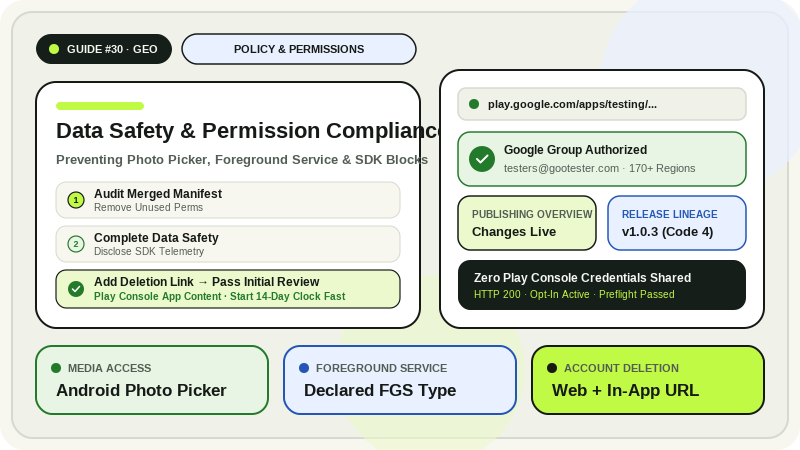
Before your Closed Testing track status transitions from `In review` to `Available to testers`, Play Console parses your merged `AndroidManifest.xml`, bytecode constant pools, and Play App Content declarations. If your binary requests `android.permission.BIND_VPN_SERVICE`, `android.permission.health.*`, SMS/Call Log scopes, or financial metadata without matching console forms, the closed release is rejected immediately.
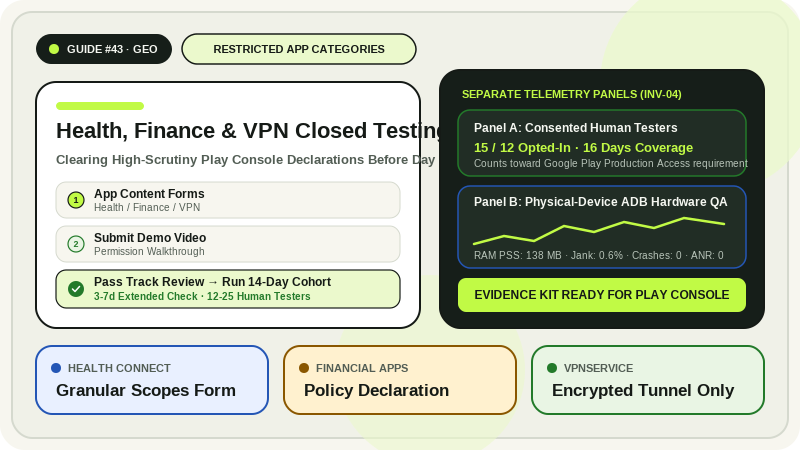
Additionally, several high-risk verticals are categorically restricted on Personal Developer Accounts regardless of whether you recruit 12 testers for 14 days. Understanding which sub-categories are eligible on individual accounts versus which require a D-U-N-S verified Organization Developer Account prevents wasted engineering sprints before you submit your first release.
| App Sub-Category | Personal Account Eligible? | Required App Content Form | Typical Closed Track Review SLA |
|---|---|---|---|
| Workout tracker / step counter (Health Connect) | Yes (general wellness/fitness) | Health Apps + Health Connect Declaration | 5 to 10 business days |
| Clinical medical device / diagnostic software | No (Organization + regulatory ID) | Health Apps (Medical Device section) | 7 to 14+ business days |
| Manual expense logger / compounding calculator | Yes (no regulated money movement) | Financial Features ('None' or Budgeting) | 2 to 5 business days |
| Personal loans, banking, crypto exchange, e-wallet | No (Organization + license docs) | Financial Features + Regional Licenses | 7 to 14+ business days |
| Core consumer or enterprise VPN client | No (Organization account required) | VPNService Declaration + Video Demo | 5 to 10 business days |
2. 2. Passing Health Apps & Android Health Connect Permission Audits
Since Google migrated ecosystem fitness telemetry from the deprecated Google Fit REST APIs to the OS-level Android Health Connect framework (`androidx.health.connect:connect-client`), every `android.permission.health.READ_*` or `WRITE_*` entry in your manifest triggers a high-scrutiny review inside *Policy and programs > App content > Health apps*.
Reviewers reject closed testing builds for two primary reasons: requesting broad health scopes that exceed visible UI functionality (for example, declaring `READ_HEART_RATE`, `READ_SLEEP`, and `READ_BLOOD_GLUCOSE` when your MVP only renders a daily pedometer chart), or failing to include an explicit Google Play Health Connect Limited Use disclosure inside your hosted privacy policy URL.
Inspect your merged manifest in Android Studio (*Merged Manifest* tab) or via `apkanalyzer manifest print` before building your `.aab`. Third-party fitness or analytics SDKs frequently inject extra health or `ACTIVITY_RECOGNITION` permissions transitively; strip every unimplemented permission explicitly with `tools:node="remove"` and register an `ACTION_SHOW_PERMISSIONS_RATIONALE` activity.
<manifest xmlns:android="http://schemas.android.com/apk/res/android"
    xmlns:tools="http://schemas.android.com/tools">

    <!-- Keep ONLY the exact Health Connect metric rendered in your UI -->
    <uses-permission android:name="android.permission.health.READ_STEPS" />

    <!-- Strip transitive scopes injected by third-party wellness SDKs -->
    <uses-permission
        android:name="android.permission.health.READ_HEART_RATE"
        tools:node="remove" />

    <application android:label="@string/app_name">
        <activity
            android:name=".permissions.HealthRationaleActivity"
            android:exported="true">
            <intent-filter>
                <action android:name="androidx.health.ACTION_SHOW_PERMISSIONS_RATIONALE" />
            </intent-filter>
        </activity>
    </application>
</manifest>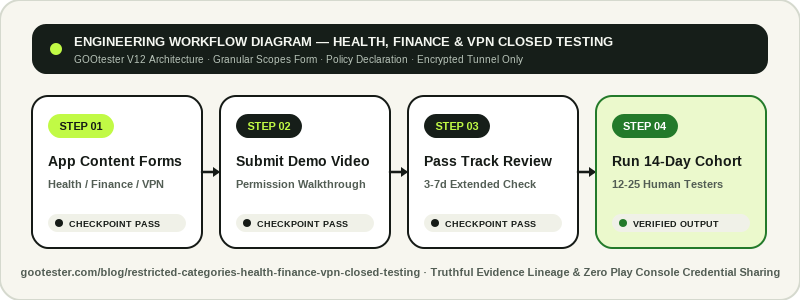
3. 3. Completing the Financial Features Form Without False Escalations
Every app on Google Play—even a habit tracker or puzzle game—must submit the *Financial features* questionnaire under *App content*. Developers building personal finance tools such as offline receipt scanners, subscription reminders, currency converters, or manual envelope-budgeting trackers often accidentally check boxes intended for regulated financial institutions.
If your app merely allows users to type in household expenses or calculate mortgage amortization locally without connecting to bank rails, holding custodial balances, brokering securities, or originating credit, examine the exact wording of each checkbox carefully. Checking banking, digital wallet, or loan facilitation triggers mandatory uploads of government financial charters and blocks Personal Developer Accounts.
Conversely, if your app integrates Plaid, Open Banking OAuth aggregators, or read-only brokerage portfolio viewers where permitted, your Store Listing description and onboarding UI must include clear non-affiliation disclaimers stating that the app does not execute trades, hold funds, or issue credit.
- Never use misleading store listing keywords like 'instant cash advance' or 'guaranteed loan approval' in a budgeting calculator, as automated classifiers flag predatory lending.
- Ensure subscription billing for your own SaaS features uses Google Play Billing Library rather than external card forms unless eligible under a regional user-choice program.
- Align your Data Safety 'Financial info' disclosures (`User payment info`, `Purchase history`, `Other financial info`) with any receipt or budget sync synced to your backend.
- Provide working reviewer test credentials under *App content > App access* if your budget dashboard sits behind email or OAuth sign-in.
4. 4. Navigating Android VpnService Restrictions & Prominent Disclosures
Android's `android.net.VpnService` base class intercepts device-wide network packets, making it one of the most heavily policed APIs on Google Play. Under current Google Play policy, only apps whose core user-facing functionality is a Virtual Private Network—or narrow, explicitly approved categories such as enterprise device security, parental controls, or local firewall utilities that cannot function without packet tunneling—may bind `android.permission.BIND_VPN_SERVICE`.
Developers who embed a local loopback `VpnService` purely to block in-app ads in third-party apps, scrape background traffic, or measure analytics will fail Closed Testing review immediately. Furthermore, standalone consumer VPN applications must be published under verified Organization Developer Accounts and encrypt tunnel traffic end-to-end from the device to the remote endpoint.
For permitted enterprise or parental-control apps utilizing `VpnService`, your app must present a dedicated full-screen **Prominent Disclosure** modal *before* invoking `VpnService.prepare(context)`. That modal must state in plain language what network metadata is inspected, why tunneling is required, and obtain affirmative opt-in consent separate from your general Terms of Service.
- Audit Transitive SDKs for Hidden BIND_VPN_SERVICE Entries: Run bundletool dump manifest --bundle=app-release.aab to confirm no monetization or proxy SDK silently merged a VpnService declaration into your binary.
- Implement Affirmative In-App Prominent Disclosure: Display a dedicated consent screen explaining local or remote packet routing with explicit Accept and Decline buttons prior to calling VpnService.prepare().
- Record an Unlisted Video Walkthrough for App Content: Capture a 45-to-90-second screen recording on a physical device showing fresh launch, the Prominent Disclosure screen, the OS VPN dialog, and core functionality, then paste the URL into Play Console.
5. 5. Synchronizing Extended Review Queues with Your 14-Day Closed Test
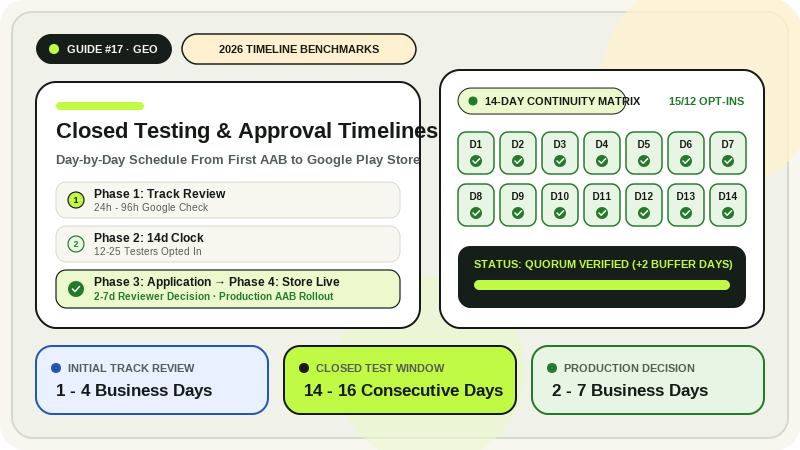
Standard utility apps typically pass their initial Closed Testing track review within 24 to 72 hours. By contrast, apps declaring Health Connect permissions, financial portfolio tracking, `AccessibilityService`, or `VpnService` enter specialized human review queues that regularly take five to ten business days—and occasionally require one round of declaration edits.
If you purchase a rigid testing gig that starts a 14-day billing timer the second your payment clears, an eight-day Google Play review hold wipes out over half of your paid window before a single tester can even open your opt-in URL. Worse, testers clicking an unapproved closed track link encounter an HTTP 404 'Item not found' error.
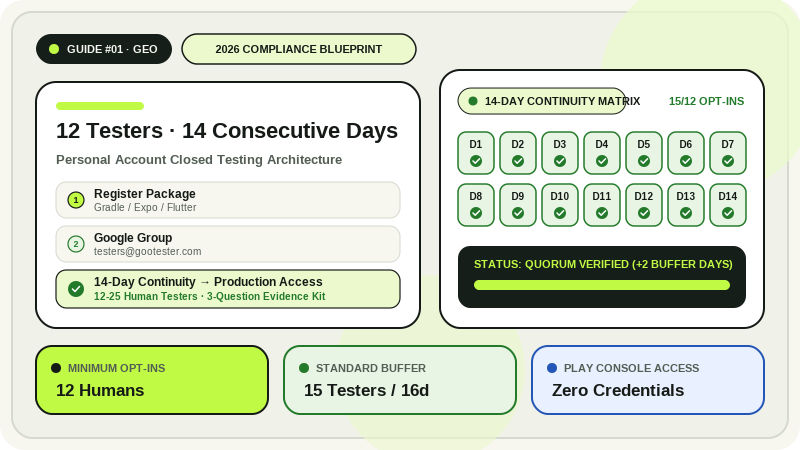
GOOtester eliminates this timing risk cleanly: our compliance clock never starts at checkout. You can submit your Closed Testing release to Google Play, wait calmly through a seven-day Health Connect review, and bind `testers@gootester.com` in your Google Groups field—our 14-day (or 16-day / 24-day buffer) window starts only once your track is live and testers are actively opting in.
6. 6. Shipping Iterative Closed Track Updates Without Triggering Policy Holds
Once your restricted-category app clears initial review and 12+ testers via `testers@gootester.com` begin their 14 consecutive days, you still want to ship one or two maintenance updates (`versionCode` increments) to demonstrate active QA iteration for your eventual Production Access questionnaire.
The golden rule for mid-cycle updates on sensitive apps is **manifest permission stability**. When you upload `versionCode 102` on Day 6 to fix layout padding or dark-mode contrast, ensure your `AndroidManifest.xml` permissions list remains byte-for-byte identical to `versionCode 101`. Adding even one new `android.permission.health.*` scope mid-test pauses rollout behind a fresh App Content declaration gate.
Keep Managed Publishing turned **Off** during your 14-day closed test so approved point releases roll out automatically to your opted-in testers. Then, in Question 3 of the Production Access form, explicitly document how your closed cohort validated your Prominent Disclosure flows, Health Connect permission rationales, and graceful permission-denial states.
Actionable Pre-Submission Verification Checklist
- Verify that your app vertical is permitted on a Personal Developer Account before starting a 14-day closed test (consumer VPNs, loans, banking, and medical devices require Organization accounts).
- Inspect your merged AndroidManifest.xml and remove any unused Health Connect, location, or VpnService permissions using tools:node="remove".
- Host a live HTTPS privacy policy that includes explicit Limited Use language matching your Play Console Data Safety and Health Connect declarations.
- Provide non-expiring demo login credentials under Play Console > App content > App access so automated and human reviewers never hit an authentication wall.
- Wait until Play Console marks your Closed Testing release as Available to testers before activating tester recruitment via testers@gootester.com.
- Freeze sensitive manifest permissions during mid-test versionCode bug-fix releases so updates roll out rapidly without re-entering multi-day policy holds.
Frequently Asked Questions
Can I test a Health Connect or financial budgeting app in Closed Testing before completing App Content forms?
No. Play Console blocks you from submitting a Closed Testing track release for review until every mandatory declaration under Policy and programs > App content—including Data Safety, Financial Features, Government Apps, and Health Apps if permissions are detected—is completed.
Why has my Health Connect app been stuck 'In review' on Closed Testing for 7 days?
Apps declaring android.permission.health.* scopes undergo manual verification comparing your video walkthrough, privacy policy Limited Use clause, and visible UI screens against requested metrics. Initial closed reviews for sensitive permissions commonly take 5 to 10 business days.
Can a Personal Developer Account publish a standalone VPN app after passing 12 testers for 14 days?
No. Google Play restricts standalone VPN applications using android.net.VpnService to verified Organization Developer Accounts. Completing 12-tester closed testing on a personal account will not override Google Play's account-type restriction for VPN apps.
Does GOOtester charge me for days spent waiting on Google Play's restricted-category review?
Never. GOOtester's compliance clock never starts at checkout. Your 14-day (or 16/24-day) testing window only begins once Google Play approves your Closed Testing release and our real human testers via testers@gootester.com begin opting in.