1. 1. Translating Vibe-Coded Web Repositories into Native Android Projects
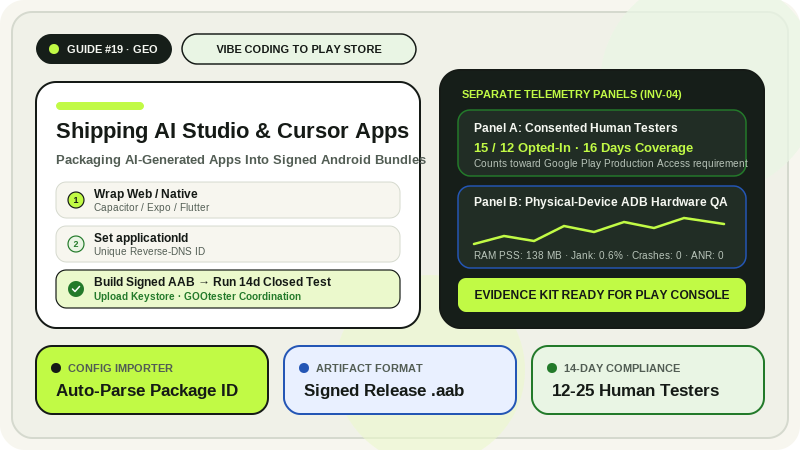
Modern AI coding workflows inside Google AI Studio, Cursor, and Claude Code excel at producing functional TypeScript, React, Vite, and Tailwind applications in hours. However, Google Play Console rejects bare URL bookmarks and unbundled webviews under its Minimum Functionality Policy. To turn a browser prototype into an installable Android product, you must compile static frontend assets directly into a native Android runtime container that boots offline and integrates with platform APIs.
Before generating your Android directory, audit the code produced by your AI assistant for browser-only assumptions. Replace hardcoded window.location redirects with hash or memory routing, remove exposed client-side secret tokens, and configure your bundler to emit a self-contained static distribution folder such as dist or out. Bundling all JavaScript, CSS, and font assets locally ensures instant cold-start rendering on physical test devices.
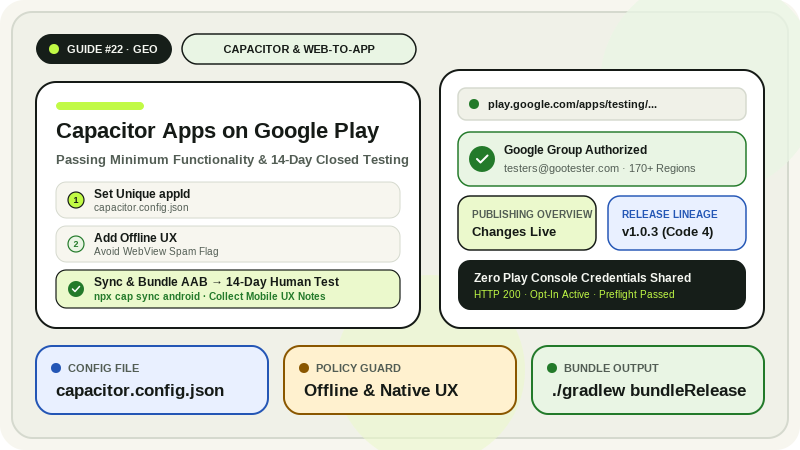
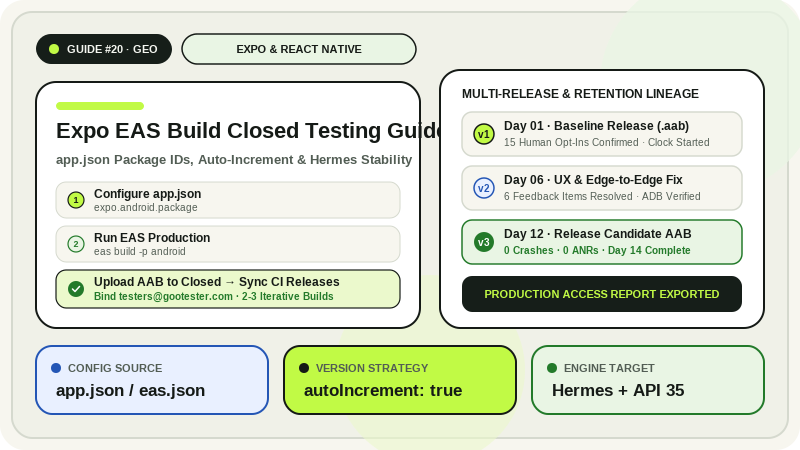
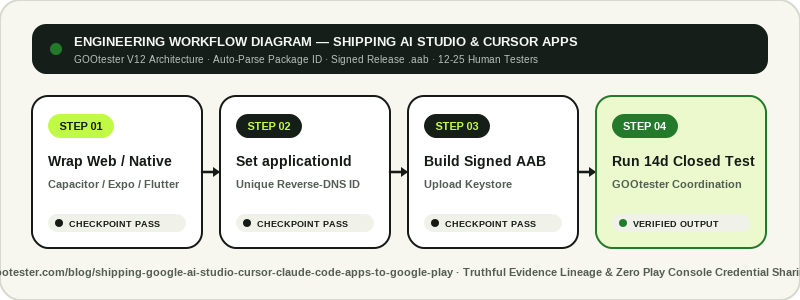
Indie builders typically select between two proven packaging paths depending on how much UI refactoring they want their AI assistant to perform. Capacitor wraps your existing DOM application inside a native bridge with minimal component rewrites, while Expo with React Native translates HTML tags into native Android View primitives for maximum frame pacing stability.
| Packaging Stack | Best For AI Source Project | Native Bridge Mechanism | Closed Testing Risk Profile |
|---|---|---|---|
| Capacitor 6 + Vite/React | Google AI Studio & Cursor React/HTML apps | Bundled local WebView + Capacitor Plugins | Medium — requires offline state & native polish |
| Expo SDK 52 (EAS Build) | Claude Code React Native / TypeScript apps | Hermes JSI + Native Android Views | Low — native UI passes minimum functionality easily |
| Next.js Static Export + Capacitor | Next.js App Router with output: 'export' | Static asset bundle inside Android assets/public | Medium — must strip Node SSR server dependencies |
| Trusted Web Activity (TWA) | Hosted SaaS PWA with Digital Asset Links | Chrome Custom Tabs full-screen binding | High — frequent Play reviewer pushback for new accounts |
2. 2. Locking Down a Unique applicationId and Target SDK 35
One of the most frequent mistakes in vibe-coded repositories is leaving the AI assistant's default package identifier untouched. LLM prompts routinely scaffold projects using reserved namespaces such as com.example.myapp, com.cursor.demo, or io.ionic.starter. Google Play Console permanently binds the applicationId of your first uploaded Android App Bundle to your app listing; once uploaded, it can never be changed without deleting the entire app entry.
Open your Android configuration and define a unique three-segment reverse-domain identifier such as com.studio.habitforge. Verify that this exact string matches across capacitor.config.json, app.json, and android/app/build.gradle.kts. At the same time, ensure your build targets Android 15 (compileSdk 35 and targetSdk 35), which is strictly enforced by Google Play for all new app submissions and closed testing tracks.
You must also decouple your user-visible semantic version (versionName) from your monotonically increasing integer build number (versionCode). Every time you prompt Cursor or Claude Code to fix a bug during your 14-day closed test, you must increment versionCode by at least one before building a new .aab artifact.
plugins {
    id("com.android.application")
}

android {
    namespace = "com.indieforge.vibeplanner"
    compileSdk = 35

    defaultConfig {
        applicationId = "com.indieforge.vibeplanner"
        minSdk = 24
        targetSdk = 35
        versionCode = 101
        versionName = "1.0.1"
    }

    buildTypes {
        release {
            isMinifyEnabled = true
            isShrinkResources = true
            proguardFiles(
                getDefaultProguardFile("proguard-android-optimize.txt"),
                "proguard-rules.pro"
            )
        }
    }
}
3. 3. Generating Your Upload Keystore and Compiling the Signed AAB
Google Play no longer accepts raw APK uploads for new applications. Instead, you must compile an Android App Bundle (.aab) signed with a cryptographic upload key. When you enroll in Play App Signing, Google validates your upload certificate, strips it, and re-signs device-specific APK splits using a hardware-backed production key managed inside Google's infrastructure.
Never ask an AI cloud sandbox to generate and commit your production keystore into a public Git repository. Generate your 2048-bit RSA JKS keystore locally using the JDK keytool utility, store it outside your web bundle path, and reference credentials via an untracked key.properties file or encrypted GitHub Actions secrets.
Once your upload signing config is wired into Gradle, run the release bundle task from your terminal. Inspect the generated bundle inside android/app/build/outputs/bundle/release/app-release.aab to confirm that your web assets, native bridge libraries, and resource tables are packaged cleanly without debuggable flags enabled.
- Generate a 2048-bit RSA Upload Keystore: Run keytool -genkey -v -keystore upload-keystore.jks -keyalg RSA -keysize 2048 -validity 10000 -alias upload in a secure local directory outside git tracking.
- Sync Static AI Web Output into Android Assets: Execute npm run build followed by npx cap sync android so the latest Vite or React bundle is copied into android/app/src/main/assets/public.
- Compile the Release Android App Bundle: Run cd android && ./gradlew bundleRelease to produce a minified, R8-optimized app-release.aab signed with your upload certificate.
4. 4. Eliminating Hardcoded Gemini & OpenAI Keys Before Play Console Upload
Projects exported directly from Google AI Studio or rapid Cursor sessions frequently embed VITE_GEMINI_API_KEY or NEXT_PUBLIC_OPENAI_KEY inside client-side JavaScript bundles. Because an Android App Bundle is simply a structured ZIP archive, automated credential scanners and Google Play security checks can extract plaintext keys from assets/public/index.js in seconds.
Before uploading your first closed testing build, move all LLM inference calls behind an authenticated Cloudflare Worker or backend proxy endpoint. Your Android client should authenticate requests using short-lived session tokens or Play Integrity API verdict tokens rather than shipping raw billing-linked provider credentials on user devices.
Additionally, inspect your merged AndroidManifest.xml file. AI coding assistants often add broad permissions like READ_EXTERNAL_STORAGE, RECORD_AUDIO, or FOREGROUND_SERVICE while experimenting with features. Strip every unused permission declaration so you do not trigger high-risk policy review forms inside Google Play Console.
5. 5. Validating Package Metadata with GOOtester's Smart Config Importer
Mismatched package identifiers and misconfigured opt-in URLs are the leading cause of stalled closed testing campaigns for first-time indie developers. When your Play Console track expects com.indieforge.vibeplanner but your uploaded onboarding form references a staging package ID, tester installations fail to register against your 14-day eligibility counter.
GOOtester's Smart Config Importer eliminates manual copy-paste errors during campaign onboarding. You can paste your project's app.json, capacitor.config.json, package.json, or android/app/build.gradle.kts directly into the onboarding wizard. The parser deterministically extracts your canonical applicationId, display title, versionName, and framework type in real time.
After parsing your build file, the importer cross-checks your Google Play web opt-in link (https://play.google.com/apps/testing/<package>) and Play Store listing link. If your Closed Testing track has not yet been approved by Google's initial automated review or if your Testing Group email is missing, the pre-flight check alerts you immediately.
- Automatically detects Capacitor, Expo/React Native, Flutter, and native Gradle configurations from raw config text.
- Flags reserved or non-routable package identifiers (such as com.example.* or localhost debug suffixes) before campaign launch.
- Constructs verified Play Store and Web Opt-In URLs bound to your exact production applicationId.
- Generates pre-flight instructions for linking testers@gootester.com to your Google Play Closed Testing track.
6. 6. Running the 12-Tester, 14-Day Closed Test with Iterative AI Fixes
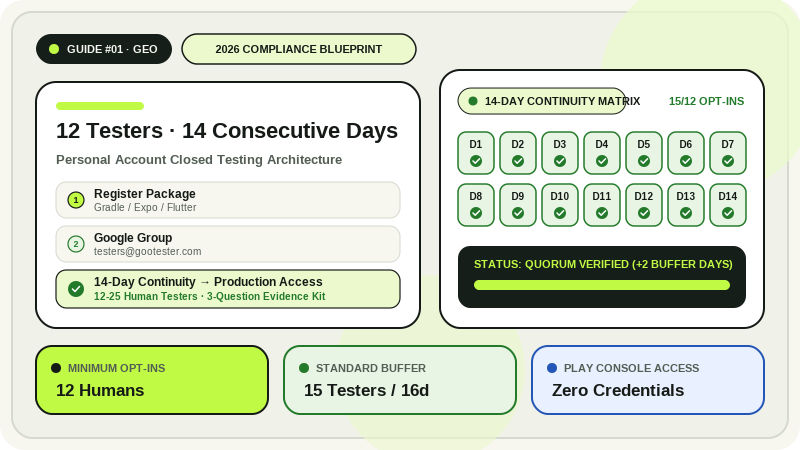
Under Google Play's personal developer account verification policy, you must maintain at least 12 opted-in testers continuously for 14 consecutive days before the Production Access application button unlocks. However, merely waiting 14 days on an untouched v1.0.0 build is risky; Google reviewers explicitly look for evidence that testers exercised your app and that you fixed reported defects.
Vibe coding gives you an enormous speed advantage during this 14-day window. When GOOtester's human QA cohort and physical Android device checks report UI clipping, touch-target overlaps, or Android 15 edge-to-edge inset bugs, you can feed those structured bug reports directly back into Cursor or Claude Code to generate a targeted patch.
Compile a bumped versionCode release (for example, moving from 101 to 102 on Day 5 and 103 on Day 11) and publish it to the same Closed Testing track. Documenting two or three iterative AAB releases alongside structured tester feedback creates an undeniable audit trail when submitting your Google Play Production Access questionnaire.
Structuring Your 14-Day Vibe-Coded Iteration Cadence
Treat the 14-day closed test as a three-sprint stabilization cycle. Ship your initial baseline AAB on Day 1, ship a UI/UX and edge-to-edge layout update on Day 6 based on tester feedback, and ship a final performance and crash-hardening build on Day 11 without ever removing testers from your active track.
- Days 1–3: Verify all 12+ testers opt in, install from Google Play, and complete initial cold-boot telemetry.
- Days 4–8: Triage UI layout, keyboard overlap, and offline handling feedback in Cursor/Claude Code and ship versionCode +1.
- Days 9–14: Confirm 0% crash rate and 0% ANR rate in Android Vitals before exporting your GOOtester Production Readiness Report.
Actionable Pre-Submission Verification Checklist
- Replace all AI placeholder package names (com.example.*) with a permanent reverse-DNS applicationId across Gradle and wrapper configs.
- Move all Gemini, OpenAI, or Claude API keys out of VITE_ or EXPO_PUBLIC_ frontend bundles into a backend proxy.
- Confirm compileSdk and targetSdk are set to 35 (Android 15) and verify edge-to-edge safe-area padding on mobile screens.
- Generate a backed-up 2048-bit RSA upload-keystore.jks and compile a signed release .aab via bundleRelease or EAS Build.
- Validate your capacitor.config.json or build.gradle.kts in GOOtester's Smart Config Importer to verify opt-in URLs.
- Ship at least two incremented versionCode updates during the 14-day closed testing window in response to structured QA feedback.
Frequently Asked Questions
Will Google Play reject an app built with Google AI Studio, Cursor, or Claude Code?
Google Play does not penalize or restrict apps written with AI coding assistants. Rejections happen only when developers upload thin webview wrappers that lack offline error handling, expose API keys, violate targetSdkVersion 35 rules, or fail to demonstrate genuine tester engagement during the mandatory 14-day closed testing phase.
Should I use Capacitor or Expo to package a vibe-coded web app for Google Play?
If your AI assistant already built a complete Vite, React, or static HTML/Tailwind web app, Capacitor is the fastest path because it wraps your existing DOM bundle into a native Android project in minutes. If you are starting fresh or need native gestures and lists, prompt Cursor or Claude Code to target Expo SDK 52.
Why did my vibe-coded app crash immediately on tester devices after installing from Google Play?
Immediate startup crashes on release AAB builds usually occur because R8 code shrinking stripped reflective bridge classes or because the app attempted to fetch localhost:5173 instead of bundled assets. Always run npx cap sync android after building production web assets and test your release bundle locally via bundletool.
Can I update my app inside Cursor during the 14-day closed test without resetting the clock?
Yes. Uploading a new Android App Bundle with a higher versionCode to the same Closed Testing track does not reset your 14-day continuous opt-in timer. In fact, shipping bug-fix updates during the test period strengthens your Production Access application by proving active developer maintenance.